Showing posts with label Videos Applications. Show all posts

Saturday, April 21, 2012

[MeeGo Harmattan] N9 media pushing : Display images and videos on your DLNA-capable TV directly from the gallery !

Ever since the announcement of the N9′s DLNA support people were looking for a feature called DLNA +PU+ which allows you to send media files to e.g. DLNA-capable TVs without enabling content sharing on your device, giving you a really fine-grained control about what and where to share to.

PushUp is a small utility that hooks into the N9′s sharing framework and allows to you push an image or a video to your TV just like you would with Bluetooth or NFC. Get it on this site (or later through the Nokia Store).


It is an offspring of Korva project, a D-Bus specification and its implementation for media pushing. While still work-in-progress, it’s already fully functional.

Sunday, March 18, 2012

[MeeGo Harmattan] TweakUp your media sharing experience !

As you know, due to the aim of getting the N9 DLNA-certified, developers had to introduce some restrictions.

One of the most annoying limitation from an end user point of view is that you can’t share arbitrary videos or music which you may have put on your device.

Another, though minor, issue is that it’s not possible to change the name shown in UPnP or DLNA clients on the network.

If your phone is on PR1.2, TweakUp enables you to tweak some of the N9's media sharing options, such as


- Enabling/disabling audio transcoding
- Setting the name of the device on the network
- Sharing of all media files, even those without DLNA profiles
- Enabling/disabling uploading
- Setting a home access point


Monday, March 5, 2012

[MeeGo - Harmattan] YouTube Video Feed : YouTube Feeds on event screen !

YouTube Video Feed. YouTube Video Feed allows you to have your chosen video feed publish to the event feed. You can choose from
  • Latest subscription videos (requires sign in)
  • Search query
  • Standard categories


Currently, tapping on one of the feed entries will take you to the mobile web page, from where you can play the video as per the usual method. I may add an option to play the video directly in the stock player.


As soon as you installed this add-on you find a new entry in Settings/Notifications/Feeds/YouTube Video Feed.The first thing you should to do, is sign in to your account - if you have one. Use the option "YouTube account" to sign in and allow the application to use your account informations. Afterwards select "Feed Settings" to choose preferences. The choice is pretty big - there are different categories of videos like Cars & Vehicles, Comedy etc,videos by search or subscription videos (requires account)


Try it !

Friday, December 16, 2011

[MeeGo Harmattan] Boxee Remote for N9 !

Boxee is a home-theater PC software that you can connect to your TV and stream videos/music from other computers and play them from a single entry. Furthermore it is a social network powered home theater application, you can post what you are watching on Twitter or Facebook and watch videos your friends posted on Twitter or Facebook.

You have two options to use Boxee, you can either buy a Boxee Box or make your own Boxee as presented in Boxee’s website (http://boxee.tv) and by downloading Boxee application. For the first choice you need this application because of its powerful NFC and proximity features, otherwise Boxee Box comes with its own remote, for the second choice, you need to have this application if you posses one of the coolest phones ever, the Nokia N9.


Boxee Remote is a remote controller interface for Boxee, you can use this remote to navigate, search, play/pause/stop videos or music and adjust the volume of Boxee.


You can download Boxee for N9 on Ovi now, try it, it’s free!

Thursday, September 29, 2011

[MeeGo Harmattan] VLC media player for Nokia N9 is here !

Here you can find a full and free version of the VLC media player for Nokia N9 (and Nokia N950).

Work in progress

VLC for N9 is a work-in-progress project.
There are some major known pending issues, in particular:
  • The user interface is currently optimized for desktop computers. It is extremely tedious to use with a small touchscreen.
  • Hardware-accelerated video decoding is not supported (however, color space conversion and scaling are hardware-accelerated). So there may be performance issues especially with high-res videos.
  • Screen blanking is not preempted. It is hoped that this will be resolved in the coming days.
If you want to help, please contact:

Facts

Which devices does this run on?
 
This should run on all Nokia N9 devices. However this was only tested on an unlocked device.
Nokia N950 devices are also supported.
How do I install this on my device?
 
Download here the libvlc5 and vlc-player packages to your device, and install them with this command:
dpkg -i libvlc5_*.deb vlc-player_*.deb
If you do not know how to proceed with that, you should probably not be using prereleases software, sorry. Help is needed to complete this project.
 
How do I start the software?
 
Once installed succesfully, there should be a VLC traffic cone icon in the application launcher. Alternatively, advanced users can also start VLC from the command line as on desktop computers.
Is this the real VLC media player?
 
Yes. This is the same VLC software as you would run on your computer. Almost all of the features found in the desktop VLC, particularly in the Linux desktop version of VLC, are included.
Which version VLC is this?
 
This is based on VLC version 1.2.0 pre-releases, pending the official release of VLC 1.2.0.
Where can I get the source code?
 
All of the code for VLC on Nokia N9 has been included in the official VLC media player project at VideoLAN already. Nevertheless, you can follow the source link to the left.
 
Via : http://www.irunvlc.me/

Tuesday, September 13, 2011

[MeeGo-Harmattan] Mediadownloader : client for Google Image, Youtube and BlipTv !

Mediadownloader is a simple and fast client for Google Image, Youtube and BlipTv.
 You can search images and videos, view them in a grid view, then in a slide view.
 Images can be zoomed and rotated, both images and videos can be downloaded
 or set as wallpaper (single frame for videos). Images are cached, this means that
 if you want to download or rewatch an image, it is retrieved from the cache instead
 the net saving bandwidth.

 In the main window:

 * Choose Google Image, Youtube or BlipTv icon to search in
 * Scrolling the grid at the end will add more items
 * Tapping on a thumbnail will give more info about the source (hiding again within 4 secs).
 * Double tapping will show it on a scrollable list view


 In list view mode:
 While viewing images:


 * tap to get more infos
 * pinch to zoom, rotate and pan the image

 While viewing videos:

 * the video starts paused with controls available
 * press "i" to get more infos
 * while playing, tap to get controls back

 For both (videos and images)

 * long tap to get the menu to choose to save or set what you are seeing as wallpaper
 * slide to view the next or previous item
 * double tap to get back to grid view

Watch the original thread for questions or suggestions ^^

Friday, August 19, 2011

[MeeGo Harmattan] VLC Remote !

VLC remote is a remote wireless to control vlc media player


Can be installed from

http://projects.developer.nokia.com/vlc_remote

or by adding

and

Code:
apt-get install vlcremoteqml

[MeeGo Harmattan] Butaca : Bring all your movie-related informations !

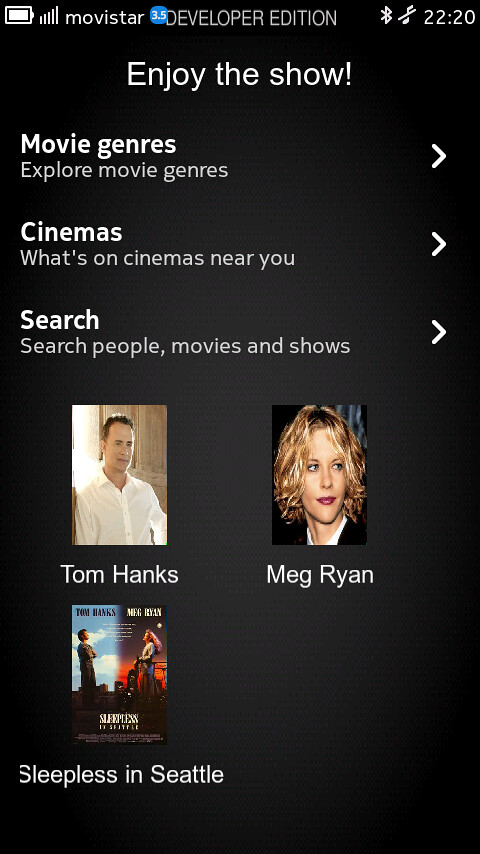
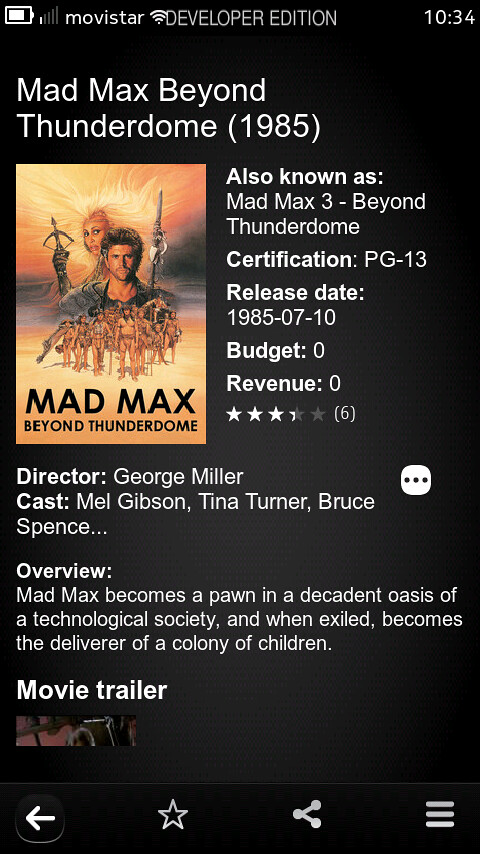
Butaca is an application which allows accessing a lot of movie-related information. Using  The Movie Database as a backend, Butaca lets you search for a movie and get the title, rating, release date, overview, cast... and a lot of interesting data. It can be used as well to access information about the people in the movie industry: from actors to writers, you'll get all their interesting details.


Besides, you can explore all the movie genres to find new movies and save them as favorites to check them in any moment, you can find what's going on on the theaters around you, and also search the showtimes for a given movie.


So it lets you:

- Browse movie genres
- Search for movies and people
- Shows title, rating, release date, overview and cast for movies
- Shows name, birthplace, date of birth, biography and filmography for people
- Allows keeping content as favorite (both movies and people)
- Allows sharing content using the system share interface
- Search movie showtimes (launching the web browser agains Google Movies)
- Check what's on cinemas near you (also using the web browser)


 Future improvements will add support for checking whether a movie has extras after or during the credits and also sharing the info on the Internet (using the email, Twitter or Facebook to communicate your intention to watch some movie, or how interesting you found another one you already watched)

Thursday, August 18, 2011

[MeeGo Harmattan] cuteTube !

It seems that cuteTube is clearly the most well-made app till today for MeeGo Harmattan, It has a sleek, fast and well designed GUI. All functions are working properly (except vimeo, which was removed in the latest version which I not yet installed) and everything is just perfect. Everything works cleanly in landscape and portrait mode.


Download CuteTube: projects.developer.nokia.com/cutetube

Via meegosweden

Sunday, February 13, 2011

Pymp : youtube to mp3 converter and video downloader !

Pymp allows you to enter urls from youtube and other video hosting sites (google, yahoo...) and then dowlaod
the videos from there and convert them to mp3 if desired.


based on the script youtube-dl which is a downloader for videos from certain sites (youtube.com, google video, yahoo video ...). Therefor it is not specialized on one. This program only relies on the availability of the video host. Which is much better than that of the conversion sites which also dont really function with mobile browsers.

For N900 cutting and normalizing the audio is only available if normalize and sox would be available.

Pymp needs python (pyqt), mplayer and lame installed.


Pymp is more intended for desktop computers but can also run on the N900. But it is recommend to keep the number of simultaneous downloads and conversions low.

Features

- Video download (many simultaneous)
- mp3 conversion (many simultaneous)
- Loading/saving of download lists
- Starting mplayer to play the just downloaded files
- Update youtube-dl as some webpage sometimes change their style and youtube-dl needs to adjust to it.
 

Saturday, July 17, 2010

SPB TV (ip tv) : Invitation to BETA testing !

SPB Software is the well-known company for WM-smartphones world and the creator of SPB Brain Evolution game for N900, now announces the public beta program of SPB TV for N900.

SPB TV is a highly usable IP-TV solution, optimized to run on mobile devices. SPB TV provides users with lots of live channels in multiple languages with easy-to-use features and settings.


The application is completely free - you don't need to buy it and here is no subscription fee!

You can get more details about SPB TV for other mobile platforms at http://www.spb.com/iphone-software/tv/.

Please download and install the .deb file attached to this post.

Known issues for this moment:

-slow start for some channels
-on-screen volume control doesn't work
-no support for video-on-demand channels
-blinking while pressing on-screen controls in full-screen mode
-slow channel switcher scrolling while in Picture-in-Picture mode
-no dialog for add/remove/sort channels

All your comments are very welcome in this thread, or by email to den[at]spb.com

Saturday, July 10, 2010

Qik Video Camera Pro !

With more and more applications coming to OVI Store these days and here we go with Qik Video Camera Pro for N900, that allows you to :

- Share your videos with your favorite social network like Facebook, Twitter, YouTube
- Capture and send video messages to your family by email and SMS
- Share your experiences through live video
- Do you know where you are using video
- All videos are automatically saved on qik.com so you can view them on your computer or on your phone


To get Qik Video Camera Pro for N900 for one-time € 1.99 in-store OVI from Nokia.

Tuesday, July 6, 2010

Maevies : Application providing movies informations !

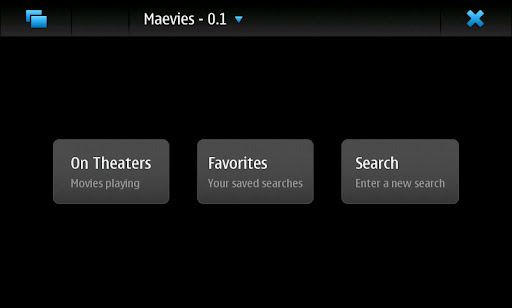
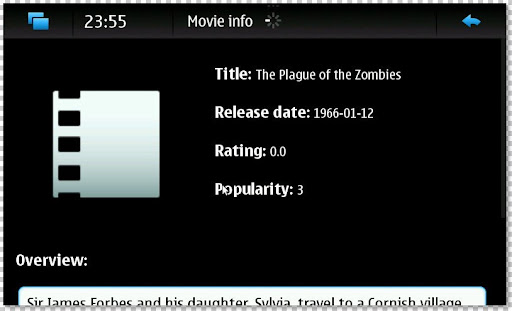
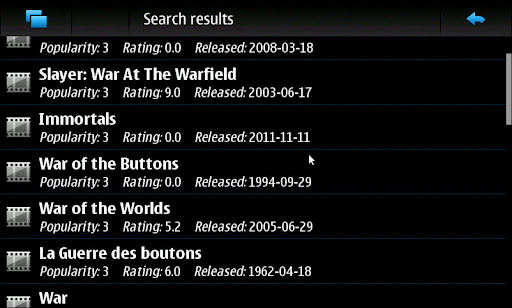
Butaca / Maevies is an application aimed at providing different movie information : Rating, Overview, popularity...

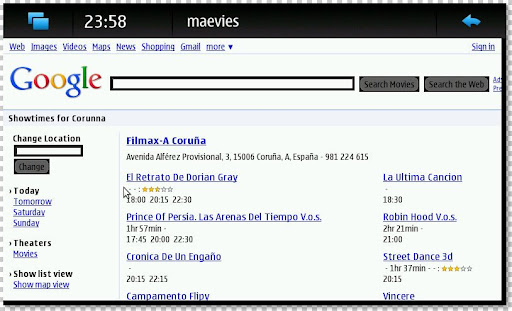
A movie can be searched in themoviedb.org -getting its basic info- and whatsafterthecredits.com -getting the information about extra scenes. There is also a module which parses Google Movies html, not using GObject yet, but some changes in their API seem to have broken its support.


More info over here !

Sunday, March 28, 2010

Enna is out : a new Media Player for N900 !

Enna is a Media Center application. Featuring a simple user interface, Enna is based on the powerful Enlightenment Foundations Libraries (EFL) as for its graphical user interface and GeeXboX libraries as for multimedia playback and information retrieval.


Enna's features:

- Browse and listen to your music files,
- Browse and watch at your videos files,
- Browse and play slideshow with your photos,
- Retrieve informations about your media files on the Internet,
- Build a database of your medias and retrieve information from your music, video ... (such as covers, fan arts, songs lyrics and many much more).

Enna is available for your favorite mobile phone. It comes optimized and pre-configured for your mobile to find all your possible multimedia contents. In order to install it, go to Package Manager and add a new repository:

Name: GeeXboX
URL: http://packages.geexbox.org
Distribution: fremantle
Component: main

Proceed with packages database update and then:

- Hit the Download icon.
- Choose Multimedia application.
- Select Enna Media Center.

If you've some packages conflicts, try installing Enna manually trough the App Manager :
apt-get install enna

Via : mobilelivingroom.de

Wednesday, March 17, 2010

fizwoz Mobile on the N900 !

The fizwoz mobile application lets you sell photos and videos captured on your Nokia phone to media companies around the world within seconds. If you capture a breaking news story, a celebrity or something that makes you laugh, use the fizwoz application to auction your images to the highest bidder.


Available at : OVI Store

Saturday, March 6, 2010

lfocus : Change focus and turn on/off the led while filming a video !

How about a python script using v4l2-ctl that will enable you to change focus and turn on/off the led while filming a video?

Well, m2cm2c over talk.maemo.org has maked the script works while filming video!

It does the following with the N900 keyboard :

q-w led on/off
e-r recording red light on/off
a-s change focus
z turn off the zoom and enable the focus through the zoom buttons
c turn on the zoom and disable the focus through the zoom buttons
d fixes the sudden focus that happens sometimes after pressing the camera button,so press d first then adjust the focus with a and s so you don't get a different focus than the one you got with the camera button.
x terminate script

* remember to always press X on the keyboard when you're done with the script 

Here's a demo video of the script working :


Once you've installed the deb file, you can run the script by clicking on its icon from the applications menu and then start filming !

You can this space for upcoming updates !

Download it !

Wednesday, February 24, 2010

Knots 2 : Stream media from your desktop computer !

Knots 2 enables you to access your media collection automatically from anywhere. Stream high quality video through wlan or lower quality video through 3G. Requires additional software for your desktop computer. Please see http://wiki.maemo.org/Knots2 for instructions. Supported operating systems: - Windows XP/Vista/7 - OS X 10.5 Leopard or newer - Linux - FreeBSD

Available on Extras and Extras-devel repository !

Monday, February 22, 2010

BootScreen : bootscreen manager !

bootscreen is a bootscreen manager that allows you to manage the system startup media. Add multiple videos or play a random video on boot. Forget about that tutorial now !

Monday, February 8, 2010

showtime : A global TV channel list viewer with calendar reminder integration !

showtime downloads xmltv data depending on the region selected and displays the tv channel listings , in most cases for an entire week.

The user can then view details of the programme and select them to be added to his calender.

The app can also send the messages to perform remote recording of selected programmes, but currently this is limited to the UK region. Can be added to any region if information about such a service is available.

Download it from Extras-devel or Extras-testing reository !

VLC media player pre-release !

This is pre-release of VLC Media Player for Fremantle, there are known major bugs left. If in doubt, you should wait for a more official release.

User-visible issues

- Qt4 UI slow : When Qt4 is enabled, the video horrendously slow.
- No easy installation .deb files must be installed manually.
- No support on VideoLAN.org : The N900 user agent string must be matched, and a page written.
- Video artificats in windowed mode : There are green lines on the video in windowed mode (full-screen mode works fine).
- Pause drains battery
- Well-known VLC design issue. Use stop instead of pause.

Developer issues

- Incomplete Debian packaging
- Clean target does not work (due to contribs). Building requires network access (due to contribs too).
- No X deinterlacing optimizations
- Chroma not optimized for encodingFront VGA camera V4L2 support broken
- OMAP frame buffer output crashes
- For unknown reasons, the VLC omapfb triggers a segmentation fault. Use XVideo instead.
- FFMPEG MPEG2 Video slow
- libavcodec behaves slower than libmpeg2 even though libmpeg2 has poor ARM/NEON optimizations.

You can contact vlc-devel mailing list.