Sunday, February 28, 2010

bluezwitch : A widget to switch Bluetooth on/off !

bluezwitch is a widget to switch Bluetooth on/off.

You can add it to one of your desktops using Desktop menu > Add widget. If it doesn't show up, please reboot your phone.

To position the widget, drag outside bottom left icon corner as any other widget.

Available in Extras-devel repository !

Shake to wake : Shake your N900 to open up the screen !

Shake to wake for Nokia N900. Idea from http://maemo.org/community/brainstorm/view/shake_to_wake/

Python script uses acceleration sensors to detect shake, then dbus command to open up the screen. It wont open the screen if proximity sensor says it’s closed. This is to prevent unwanted openings. For example if you have your N900 in your pocket 

You can watch the demo below (i can't embed it, i have no access to youtube, damn google...): http://www.youtube.com/watch?v=RYmJ95rSj-A

Python script is available here

To install, copy script to your phone, /home/user/shake/shake.py and start it by running command :

python shake.py


The author is on a deb-file.

Please note that script is very very resource hungry so it will drain your battery !

Via : iskuri

StockThis : stockquotes application !

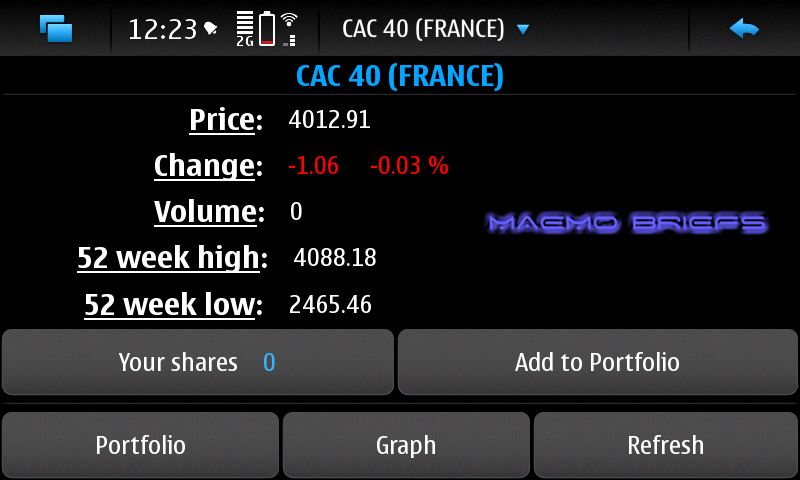
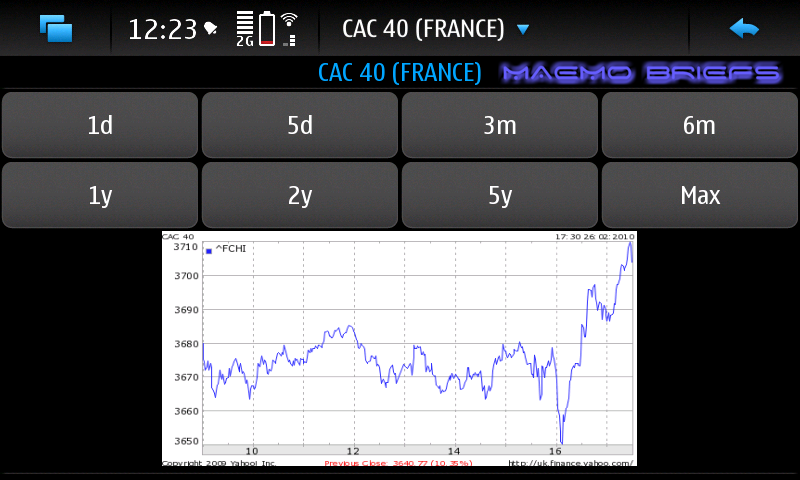
StockThis is a simple application to show quotes from the most important world markets. Also, it shows graphs with the changes in different amount of time. It gets data from Yahoo Finance.


Available on Extras-devel and Extras-testing !

Saturday, February 27, 2010

Prismic Wallpaper Manager !

Prismic Wallpaper Manager hooks directly into N900Wallpapers.com, so you stay up to date with the newest and hottest backgrounds for your n900 - without exception.

Get the newest, highest rated, most downloaded wallpapers at the touch of a button, or browse hundreds of wallpapers in over a dozen categories to find 'the right look' for your N900.


Prismic WM keeps track of your saved wallpapers in one easy location so you can rapidly change your desktops to fit the mood or occassion. Sort by Name, Date, or even Favourites for finding them at a glance.

Already got plenty of wallpapers? The import tool quickly imports any existing wallpapers or photos into Prismic WM for easy management, whether it's a simple JPG or PNG, or even a Maemo .Desktop file.

Simple, yet sophisticated apply-to-desktop features allow you to apply your wallpapers to individual desktops, or all four, with the touch of just one button.


Looking for something to fit your mood? A universal search mode lets you easily narrow your search, or find that something unique.


Save time by creating and browsing custom wallpaper collections here on N900Wallpapers.com, and then synchronize them directly to your N900 simply by entering the collection's keycode.


Things you should know before you buy Prismic Wallpaper Manager!

• For easy installation, you will need the latest Maemo5 Firmware update (at least v3.2010.02.8)

• A small fraction of people have had some issues with some dependencies. Run "apt-get install [library-name]" for each missing dependency to solve this problem!

• It costs $3.75 !

Friday, February 26, 2010

pycallblocker : block incoming calls !

pycallblocker is a simple GUI with daemon to block incoming calls on Nokia N900.


Available at Extras-devel repository !

Thursday, February 25, 2010

[HOW TO] OTA Photo sync N900 with iPhoto !

first up, if you’ve not seen the original post and video, checkit. Secondly, this is a long detailed post. Fetch a drink and a snack.

imagine this scenario:

* You take a photo on the N900.
* It’s automatically in iPhoto on your mac…and you didn’t do anything – it’s all automatic, no cables, no sending over bluetooth, no sharing over web services, no memory card transfer – NOTHING you had to additionally do.
* You edit the photo in iPhoto.
* You browse the photos on your N900, the edited version is there…. without having to send it back or do anything at all!

Right, here it is, the how-to for syncing the N900 over the air with iPhoto.

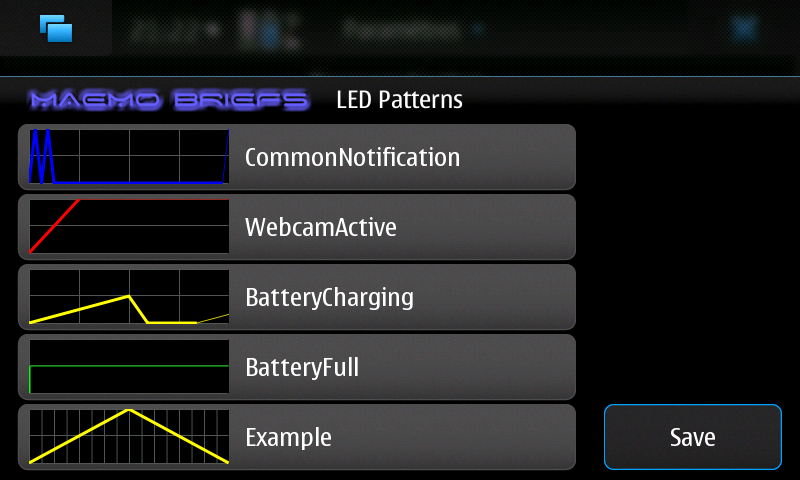
LED Pattern Editor : A control panel applet to edit notification LED blinking patterns !

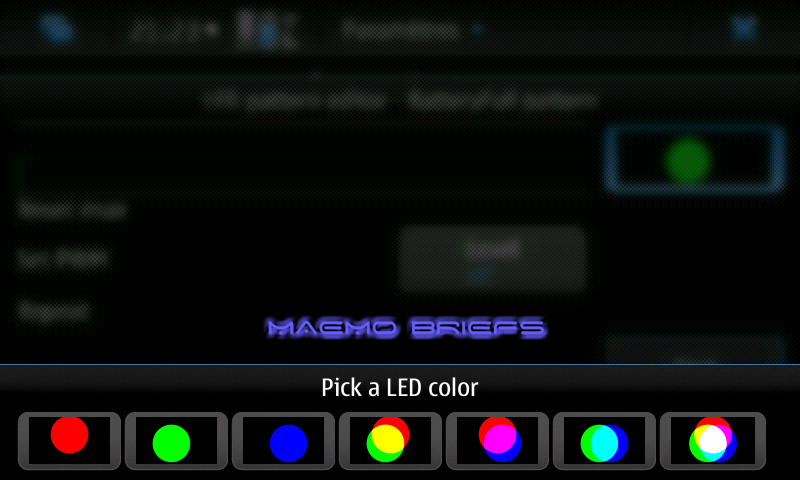
LED Pattern Editor is a control panel applet to edit notification LED blinking patterns that can graphically edit the blinking patterns and LED colors, preview the LED patterns and save the configuration and restart MCE to apply changes.


Available in Extras-devel repository !


Wednesday, February 24, 2010

Explore and Share Technology Concept !

Explore and Share enables a new way of selling and delivering services at retail. The demonstration showcases how a consumer can download Nokia content like music or videos into a device easily with this novel technology :


Via : NokiaConversations

Knots 2 : Stream media from your desktop computer !

Knots 2 enables you to access your media collection automatically from anywhere. Stream high quality video through wlan or lower quality video through 3G. Requires additional software for your desktop computer. Please see http://wiki.maemo.org/Knots2 for instructions. Supported operating systems: - Windows XP/Vista/7 - OS X 10.5 Leopard or newer - Linux - FreeBSD

Available on Extras and Extras-devel repository !

Accelemymote : making your accelerometer more joy-ful !

Accelemymote takes input from the accelerometers in the N900 and converts it into joystick events. This makes any game that supports a generic joystick interface tilt compatible.

Warning: This is an unfinished product and may cause problems.

Available on Extras-devel repository !

Tuesday, February 23, 2010

datetoday-home-widget : shows the current day of month !

datetoday-home-widget is a a desktop widget that shows the current day of month.

Mimic the calendar shortcut and shows the current day of month as date sheet. Tap to open the calendar application. The default calendarview (month, week, agenda) and the widget icon size is configurable.


Available in Extras-devel repository !

Monday, February 22, 2010

yaspot : enabled Spotify client !

yaspot is Maemo 5 enabled Spotify client that uses libdespotify to do actual communication with Spotify servers. Spotify Premium account is needed. Report bugs to http://github.com/jusa/yaspot/issues

powerlock : Lock/unlock device on single press of power key !

Self explanatory, powerlock enables to lock/unlock device on single press of power key !

Available on Extras-devel repository !

BootScreen : bootscreen manager !

bootscreen is a bootscreen manager that allows you to manage the system startup media. Add multiple videos or play a random video on boot. Forget about that tutorial now !

Friday, February 19, 2010

AutoDisconnect : automatically disconnect idle connections

AutoDisconnect automatically disconnect idle connections. User can set a check interval value and the maximum traffic allowed to transit without disconnection.

You can download the compressed package and install it manually (uncompress/unpack .tar.gz) and install files yourself. I wouldn't recommend this either if you're not experienced with both the N900 and Debian.

Wait some days to download the deb file or directly through the Application Manager.

SMSCounterWidget : track numbers of SMS messages !

SMS Counter Widget tracks numbers of SMS messages, it displays message counts of sent and received messages on desktop for current month and keeps track of total message counts as well.

Available in Extras-devel repository !

Morpho QuickPanorama : Take panorama photos easily with one-button capture !

Morpho QuickPanorama Free Trial application helps you take panorama photos easily with one-button capture. Just start acquiring video, swipe your hand in a horizontal direction to capture a panorama, and the Morpho QuickPanorama application stitches the input in real-time to create a panorama JPEG automatically.


Available on OVI Store !

PhotoTranslator : Translate text from pictures to various languages !

PhotoTranslator is a neat application for Nokia N900. It allows you to translate text from pictures to various languages.

Imagine yourself walking on a street somewhere in a foreign country and you face a warning sign, but you have no idea what it says. Just take a picture of the sign and open it with PhotoTranslator, crop the text in the sign and PhotoTranslator translates the text to your language. In addition the PhotoTranslator can be used also for translating copy/pasted or typed text, not just for text from pictures.

KaiLehtinen stated : The PhotoTranslator project started as a technology study for Nokia N900: how easy would it be to make useful software with some actual purpose for N900 using Qt? I found it to be very easy indeed. Although Qt 4.6 for N900 was far from being ready (at December 2009) it still provided me the necessary tools for creating working Hildon-like software without too much extra work. At that point the Hildon-looks on UI needed some N900 specific Qt code which means that using the same UI code directly on other platforms is not possible. However the code can be modified to be cross-platform quite easily.

What happens under the hood?

PhotoTranslator deploys two Google APIs. For parsing text from pictures I used Google’s tesseract-ocr (http://code.google.com/p/tesseract-ocr/) library that is installed as binary to N900 with PhotoTranslator. For translating the text to other languages I used Google’s Language API (http://code.google.com/apis/ajaxlanguage/) which obviously is used through HTML queries. So basically what I did was just that I glued these two APIs work together and wrapped them into nice UI for which Qt is a very powerful tool.
Here is a little demo of the PhotoTranslator in action:


This is a demo and reference project, not available i guess for the public by now, stay tuned !

Thursday, February 18, 2010

Badge : Qt Badge application !

Badge is a software to record the times of exit, entry and rests on the working day :

Click on day of interest to insert times


Select search from menu to calculate total hours spent at work in the interest period


You can download it from Extras-devel repository !

(MAFW Equalizer) mafw-gst-eq-renderer 0.1.2009.47-1-1 has been released !

mafw-gst-eq-renderer 0.1.2009.38-1-2 has been released.

mafw-gst-eq-renderer is a fork of original mafw-gst-renderer that comes with
MAFW package. It adds a 10-band equalizer to the renderer.

Two versions of the package are provided:

- 'MTR' flavour: this version adds a new renderer. Use this if your player is
able to handle several renderers.

- 'MGR' flavour: this version is intended to replace mafw-gst-renderer,
providing the same functionality. Use this if your player only handles
mafw-gst-renderer.


You can install it manually (.deb file) if it asks for missing dependencies or packages, run apt-get install DependencyName command.

Personally, i installed MGR flavour.

Installing mafw-gst-eq-renderer

Installing mafw-gst-eq-renderer (I’m assuming you want to install MGR flavour) is very easy: download it and from a terminal, install it, uninstall original mafw-gst-renderer and reboot the device.

For those that need a detailed step by step:
sudo gainroot
dpkg -i mafw-gst-eq-renderer_0.1.2009.47-1-1mgr_armel.deb
apt-get remove mafw-gst-renderer
reboot

Uninstalling mafw-gst-eq-renderer

If for any reason you want to uninstall it, it is easy too: you must restore original mafw-gst-renderer and then remove the fork.

Again, step by step:
sudo gainroot
apt-get install mafw-gst-renderer mp-fremantle-generic-pr
apt-get remove mafw-gst-eq-renderer
reboot

After this, everything should work fine.


More to read !

The latest N900's firmware update "brings back" easy installation of .deb packages !

The latest N900's firmware update "brings back" easy installation of .deb packages !

This time it isn't about Red Pill Mode and co, all you need to do is to simply tap a .deb file in the File Manager, which will automatically launch the Application Manager and start the installation !

Via : my-maemo

Fuelpad for Fremantle in Extras

Finally after a few rounds of development revisions, Fuelpad (a tool to record your car fuel and other expenses. It calculates the fuel consumption for each entry, the overall distance, average fuel consumption and total cost. The data can be visualized graphically and exported to other programs.) has made it to Fremantle Extras. The Fremantle release includes all the features found in the Diablo version 0.82.


Some bugs have also been corrected during the porting.

There's also a new release in extras-testing. The new release fixes bug #5175

Wednesday, February 17, 2010

[Theme] IivilSteel Black Winter Day

New theme, IivilSteel Black Winter Day which is also based on IivilSteel Theme.


This is a dark theme with some light glass effects on it. It's cold and it's dark. 

Theme is available at extras-testing now.

After installation or upgrade it's required to first go and select / re-select the IivilSteel -theme to use and then do a reboot.

[Theme] IivilSteel High Contrast

IivilSteel High Contrast is an extremely high contrast version of IivilSteel Theme so here it comes.


Theme is available at extras-testing now.

After installation or upgrade it's required to first go and select / re-select the IivilSteel -theme to use and then do a reboot.

Silencer : Timed profile changer

Silencer allows the user to change from one profile to another after a specified time !

It's available on Extras-devel repository.

Open Source release of the Harmattan UI Framework : Demo inside !

Nokia has published a demo application for N900, available in extras-devel repository, that shows a preview of Maemo 6 (Harmattan) user interface.

The source code for many components of Harmattan release have been released yesterday at gitorious. That is great if one is interested in digging through the code or compiling it.

For those who just want a quick test drive there is demo available for N900. It is actually rather simple:

- Click this link.
- Follow the installation steps
- Launch “Widgets Gallery” from launcher

Easy, enjoy, but beware, this is rather heavy, prefer WLAN.

Here there are some screenshots of the demo:

Demo application main window


Question dialog


Text entry dialog


Progress indicator


Information banner


Event banner

You can find more pictures in this Flickr album. Please note that installing this demo will also install Qt 4.6.2 on the N900 and about 52 Mb are required.

Tuesday, February 16, 2010

N900 New Firmware 3.2010.02-8 (PR 1.1.1) is now available !

The third firmware update of Nokia N900, 3.2010.02-8 (PR 1.1.1), has been released already.


Currently, no mention about available update from OTA yet but firmware's image can be downloaded  from http://tablets-dev.nokia.com/nokia_N900.php and flashed it using Maemo Flasher.

Anyone has tried it?

Update : it seems that's is available over the air now ! The OTA option is a 16.2 MB download and looks like a precursor to the major PR 1.2 update.

Update 2 : The changelog so far : http://wiki.maemo.org/Maemo_5/PR1.1.1

This update adds a number of regions to the N900.

Via : blogs.forum.nokia.com

Preview for new cool apps coming for Maemo 5 !

Nokia Conversations has been shown on Youtube a preview of programs and games available soon. Besides the already known, but not for everyday use Firefox, was also presented a 3D roller coaster. Whether the name is retained, it is questionable, especially since the program in task manager under the name "njurassic" is running.

Here's the video.


Pedometer Home Widget 0.2 released !

A new version (0.2-3) of pedometer widget is available in extras-devel:


 New features:

*calculate number of lost calories
*second column can show values for today/last-week/all-time (click to change )
*show graphs of steps/distance/calories (click graph to change)
*save history in XML file (~/.pedometer/data.xml )
*set alarm for steps/calories/distance/time
*option to pause timer when not walking
*lower CPU usage

More details: http://talk.maemo.org/showpost.php?p=527008&postcount=26

[Theme] IivilSteel OVI


This is a OVI stylish theme for your N900. Theme is available at extras-testing soon.

Deb-file for manual installation is available here: http://repository.maemo.org/extras-d....0.0.1_all.deb


After installation or upgrade it's required to first go and select / re-select the IivilSteel -theme to use and then do a reboot.

Monday, February 15, 2010

Intel and Nokia merge software platforms : MeeGo

MeeGo is an open software platform – an operating system – for a wide range of devices. It’ll run on X86 and on Arm based hardware. It will be developed as an open project hosted by the Linux Foundation.

So what does it mean? Many things.


Joint development

We will merge Maemo and Moblin projects. Their architecture is already very similar. They share many components but sometimes use different versions. But they build and integrate releases independently. And while Maemo is for ARM, Moblin is for X86. Now we merge them to get the best of both. A good Moblin build and integration, Maemo’s mobile optimizations and ARM support, Qt etc. We can also now make the bright engineers of Intel and Nokia to work close together.

And even more. I invite all active Moblin and Maemo community members to now join the MeeGo project. It’ll give you all a much bigger pond to swim in. And it’ll get your work into much wider use than either of these projects separately.


Freedom

MeeGo is free. Code will be available for everybody under proper open source licenses. No strings attached other than making your contributions also free. The development and integration will be open, too. Everybody can invest in MeeGo and participate. It is a genuine open source project. Free for everybody to participate, contribute, and enjoy. Free. No papers to sign. Just show up!


Compatibility

MeeGo offers the broadest possible compatibility for application developers. It uses Qt as the framework and toolset for application developers. It means very good tools and possibility to run your apps in a wide range of devices. Code once – deploy everywhere.

MeeGo also means compatibility and full compliance with leading open source projects. We will not fork projects if we can possibly avoid it. We will work with leading open source projects using the open source best practices.


A perfect target

MeeGo will aim high. Nokia and Intel are the biggest investors in mobile Linux based technologies and now – together—even more significant. We will put all our force behind making MeeGo THE operating system.

So, for chip-set companies, hardware vendors, software companies, application developers, device manufactures, operators … this is the place to go. Make you stuff work under, inside, or on top of MeeGo and you get your stuff deployed all over the place. Nokia will ship tons of MeeGo devices, Intel, too. And others will use MeeGo in their devices. It is open, free, powerful and compatible.


Devices

So what’s with Maemo6? Maemo6 will be MeeGo compatible.....consider Maemo6 already a MeeGo instance.

Via : jaaksi.blogspot

You can also read the full press release !

Sunday, February 14, 2010

Xournal : Application for note taking and annotating PDF !

Xournal is an application for notetaking, sketching, keeping a journal using a stylus, Xournal can be used to annotate PDF files, by loading the pages of a PDF file as backgrounds for a journal !


Annotations :


You can download it from Extras and Extras-Devel repos ;)

Theming for Dummies !

Maemo UI improvements blog has published some info and guides to make themes with the help of MADDE  (Maemo Application Development and Debugging Environment) !

Jump over the blogpost and read the step by step how to !

Friday, February 12, 2010

Pinch to zoom for the N900 !

A little trick written in Qt It is not a real multi touch /multi point, just a regular resistive screen.


Via : talk.maemo.org

JoikuSpot Linux Beta 0.1 for Maemo Goes live !


The public beta of JoikuSpot is ready to be installed !

Installation: Surf with your N900 to this page and download & install the file from download link. Reboot the device after installation. JoikuSpot can be found under Applications.

Connect your laptop to internet using your mobile phone via WiFi (WLAN).

JoikuSpot turns your phone to a secure mobile WLAN (WiFi) HotSpot.

Replace USB dongles, cables or Bluetooth. JoikuSpot software installs direct to your phone, and you will carry 3G internet in your pocket, and can share it over Wifi with your friends.

***********
Known issues:

JoikuSpot Linux Beta 0.1 has some issues with current Maemo WLAN driver side. This will cause the N900 to reboot with some laptop models. If this happens, re-start JoikuSpot and try again. Typically second session will work. A fix shall be made as soon as possible.

********

This product contains GPL source code. It can be obtained from here

This is a beta-level software release and may contain bugs or incompatibilities. this edition is not fully tested against all device combinations, and may not function properly at all times or with all devices. please report such findings of mal-functioning to joikusoft at info(at)joikusoft.com. joikusoft appreciates all the beta-user feedback!

Via : My-maemo

All you want to know about the N900's Hardware !

 This page lists the details of the various hardware components of the N900 and provides additional information about how it is supported by the Linux kernel, open and closed-source binaries provided in Maemo 5 distribution.

Did you know that The 16M colors TFT LCD panel is a Sony ACX565AKM? Or that the wifi chipset supports the common 802.11 b/g but also 802.11e, 802.11i, 802.11d and 802.11k extensions? Surely not, so jump over and give it a read ;)

If you do not find the information you are looking for here, take a look at the Wikipedia page dedicated to the device, or the page available on maemo wiki.

Wednesday, February 10, 2010

[Theme] IivilSteel Grunge

IivilSteel Grunge Theme 2.0.0.1 is also based on IivilSteel Theme. This time it's all about grunge. Rust, torn edges and so on.


Theme is available at extras-testing.

After installation or upgrade it's required to first go and select / re-select the IivilSteel -theme to use and then do a reboot.

Via : talk.maemo.org

[Theme] IivilSteel Light

IivilSteel Light Theme (2.0.0.3) is now available at extras-testing and can be installed via App Manager.

This theme is based on IivilSteel Theme and it's basically just a light version of the dark IivilSteel.


After installation or upgrade it's required to first go and select / re-select the IivilSteel Light -theme to use and then do a reboot.

Via : talk.maemo.org 

[Theme] IivilSteel

IivilSteel Theme (2.0.2.2) is now available at extras-testing and can be installed via App Manager.


After installation or upgrade it's required to first go and select / re-select the IivilSteel -theme to use and then do a reboot.

Via : talk.maemo.org

Tuesday, February 9, 2010

Nokia to ship Qt 4.6 with PR1.2, replace Qt 4.5

Some welcome news for all Qt on Maemo developers out there: Nokia intends to deploy the currently in Beta Qt 4.6 to all devices via software update — most probably already with the next major update PR1.2. Currently, Qt 4.6 (available from extras-devel) is completely optified and resides in /opt/qt4-maemo5. That will change with PR1.2, where it will move to the rootfs, replacing the community-supported Qt 4.5. What does this mean for Qt applications?

- Qt 4.6 applications : If all goes well, nothing needs to be done. Deployed applications should pick up the libraries in /usr. You might need to edit your build scripts so they won’t look in /opt/qt4-maemo5/bin if you’re using qmake.

- Qt 4.5 applications : This one is trickier. Qt 4.6 is neither API nor ABI compatible with Qt 4.5. This means that you’ll need at least a recompile, and probably also source code modifications if you’re doing anything Maemo5-specific. Qt 4.5 applications on device will stop working until there is a Qt 4.6-based update available.

So all you Qt 4.5 users out there, install libqt4-maemo5-dev in scratchbox and start porting.

Via : sjaensch.org

Wifi Eye : Display available wireless networks with a graph !

Here the first version of a small app that displays available wireless networks.

You can get it from here for now.

It requires python-wifi and python-qt4


Via : internettablettalk

Search Tool : Simple search tool !

Simple search tool. Lets you search in the following categories:
  • All files
  • Applications
  • Documents
  • Folders
  • Images
  • Music
  • Playlists
  • Text
  • Videos


Via : My-Maemo

[UPD] VNC Viewer 0.6.5 now with fullscreen

Virtual Network Computing (VNC) is a system which allows the user to view a 'desktop' environment from anywhere on the Internet. The VNC viewer provides a client that can connect to a VNC server.

In this release :

+ loudness button allows to toggle between fullscreen and normal screen.

So, now it is possible to turn off the toolbar in fullscreen and have real fullscreen !

Download it !

Monday, February 8, 2010

showtime : A global TV channel list viewer with calendar reminder integration !

showtime downloads xmltv data depending on the region selected and displays the tv channel listings , in most cases for an entire week.

The user can then view details of the programme and select them to be added to his calender.

The app can also send the messages to perform remote recording of selected programmes, but currently this is limited to the UK region. Can be added to any region if information about such a service is available.

Download it from Extras-devel or Extras-testing reository !

VLC media player pre-release !

This is pre-release of VLC Media Player for Fremantle, there are known major bugs left. If in doubt, you should wait for a more official release.

User-visible issues

- Qt4 UI slow : When Qt4 is enabled, the video horrendously slow.
- No easy installation .deb files must be installed manually.
- No support on VideoLAN.org : The N900 user agent string must be matched, and a page written.
- Video artificats in windowed mode : There are green lines on the video in windowed mode (full-screen mode works fine).
- Pause drains battery
- Well-known VLC design issue. Use stop instead of pause.

Developer issues

- Incomplete Debian packaging
- Clean target does not work (due to contribs). Building requires network access (due to contribs too).
- No X deinterlacing optimizations
- Chroma not optimized for encodingFront VGA camera V4L2 support broken
- OMAP frame buffer output crashes
- For unknown reasons, the VLC omapfb triggers a segmentation fault. Use XVideo instead.
- FFMPEG MPEG2 Video slow
- libavcodec behaves slower than libmpeg2 even though libmpeg2 has poor ARM/NEON optimizations.

You can contact vlc-devel mailing list.

battery-eye : records informations about battery charge level, and views it as a graph !

battery-eye is an utility for the N900 device, which records the battery levels (%, mAh, mV) and creates a nice graph from them.

A testing release (0.5.0) is now available in extras-devel repository, and from the garage page.

Sunday, February 7, 2010

OpenWatch : Notification utility for Bluetooth watches !


OpenWatch is finally ported to Fremantle ! It uses connected Bluetooth watches for notifications and many more !


Requirements
- Maemo 5.0 device with telephony functions (Nokia N900)
- Bluetooth watch (currently supported MBW-100/150/200)
- Python 2.5 (maemo-python-device-env)


Installation
1. Install OpenWatch
2. Pair your watch with N900
3. Launch OpenWatch and turn on your watch/press a button on your watch.


Features
- Time sync
- SMS notification (phone number or name)
- Call notification (phone number or name)
- Call rejection
- Media player control (pause/play, next, prev, volume up/down)
- Music track info (current track)
- Unread SMS count


To Do
- IM (Skype/ICQ/...) notification (done)
- better name looup, im lookup (done)
- E-mail notification
- calendar/alarm reminder
- more unread messages counters
- background service
- small 2 line font
- API
- etc.


Download it !

N900 Shortcuts And Gestures !

As i mentioned in my 1rst part of the N900's Review, there're many (sometimes hidden) shortcuts and gestures that can be accessed on the N900, here's a more complete list of them :


General Shortcuts

Keyboard Shortcut   ↓Description   ↓
Ctrl + CCopy text
Ctrl + VPaste text
Ctrl + XCut text
Ctrl + ASelect all
Ctrl + OOpen
Ctrl + NNew item
Ctrl + SSave
Ctrl + ZUndo
Ctrl + YRedo
Ctrl + FFind/Search Bar
Ctrl + Right arrowMove the insertion point to the end of the word
Ctrl + Left arrowMove the insertion point to the beginning of the word
Fn + CtrlSymbols and characters. Symbols on the third row are entered by pressing the symbol followed by the 'Space' key
Ctrl + BackspaceTask Manager
Ctrl + Shift + PTakes a screenshot. The PNG image file is saved in /home/user/MyDocs/.images/Screenshots/ with a timestamp in the filename.
Ctrl + Shift + XStarts Xterm
Ctrl + SpaceSwitch between Input languages (Dual Dictionaries)
Double-Press Power ButtonLocks device
Double-Press ShiftCaps lock on
Double-Press FnLocks Fn
A-ZStart typing the name of a person to start Contacts App (Desktop Only)
Fn + Type any number to start Phone App (Desktop Only)
Shift + Arrow KeysSelect Text
Volume KeysZoom In/Out or Volume Level, depending on App


Conversations

  • Tap and hold on a text message: You get the option to call the person
  • Swipe-from-left (as in browser) allows selecting and copying of message text


General Gestures

  • Long press on Task Switch icon: Brings you back to desktop
  • When getting a incoming call, turn over the device so the screen faces down towards the table surface = Silence an incoming call
  • When alarm rings, turn over the device so the screen faces down towards the table surface = Snooze the alarm
  • Phone App drop down menu, "Turning Control" allows you to set orientation, but also set it to launch the phone app when you turn the device to portrait. Seems to only work from the desktop.
  • Using the stylus, double tap for a word or triple tap for all words
  • In a sub-view of an application (e.g. Email -> Account -> Inbox) tapping and holding the Back arrow button (in the upper right corner of the screen) switches to the main view of that application [1]


Xterm Shortcuts

  • Copy & Paste: Press the Selection toggle button (Arrow to left of Ctrl on the keybar), highlight the text with stylus or finger, tap Xterm menu bar, select 'Copy'. To paste text, tap menu bar and select 'Paste'.
  • The Xterm keybar can be edited to add more symbols. More info: Keybar for Xterm
Keyboard Shortcut   ↓Description   ↓
Ctrl + IAutocomplete Filename (pressing tab does this too)
Ctrl + AMove cursor to beginning of line
Ctrl + EMove cursor to end of line
Ctrl + LClear screen
Ctrl + WDelete the last word
Ctrl + KDelete everything after cursor
Ctrl + UDelete everything before cursor
Volume KeysChange font size


Web Browser Shortcuts

  • Full-Screen mode: Enter a URL directly by typing on the keyboard
Keyboard Shortcut   ↓Description   ↓
Ctrl + NOpen a new window
Ctrl + RReload the current page
Ctrl + BOpen a bookmark
Ctrl + DAdd a bookmark
Ctrl + Right ArrowMove cursor to next text-input box. Cursor must be in an input box to begin with
Ctrl + Left ArrowMove cursor to previous text-input box. Cursor must be in an input box to begin with
Ctrl + Shift + IReset zoom to normal or Turn on page reflow for any zoom level
Ctrl + Shift + OTurns on/off Portrait mode (Requires keyboard closed to work) **Incomplete Feature**
BackspaceBack
Shift + BackspaceForward
SpacePage Down
Shift + SpacePage Up
ArrowsMove around page


Web Browser Gestures

Gesture   ↓Description   ↓
Double tap text/imageZoom in
Double tap text/image (when already zoomed in)Zoom out
Clockwise circular inward motionZoom in
Counter-clockwise circular outward motionZoom out
Swipe finger from the right of the screen (outside of screen), towards left (into the screen)Browser history
Swipe finger from the left of the screen (outside of screen), towards right (into the screen)Hover mode. An arrow is displayed on the left. Clicking the arrow creates a pointer that can be used as a mouse to select text. Deactivate by clicking the arrow on the left. A quick hover can also be performed by swiping-and-holding finger on screen. This keeps the pointer visible until the finger is lifted. Also, pressing space performs a button click while on "quick hover". This can be handy if you just need to access a mouse-hover menu or such.


E-Mail Client

Currently there is no text selection support in view mode: Bug 7301
The workaround is to Relpy or Forward the email, then in edit mode, use Arrow keys to move around, Shift to select text and Ctrl+C to copy.
Keyboard Shortcut   ↓Description   ↓
Ctrl + EnterSend a message
Ctrl + RReply to a message


RSS Reader

Keyboard Shortcut   ↓Description   ↓
Ctrl + RRefresh the feed