Wednesday, July 28, 2010

Sharing plugin webdav : upload files to any WebDAV server !

Instead of having to use some service to publish your files/photos/videos (like flickr, youtube, etc.), you can just upload them to any WebDAV server (you can setup one yourself) using this plugin.

Vkontakte plugin for Conversations and Contacts !

VKontakte plugin for the Account applet is a plugin for configuring VKontakte accounts !

Tweak Flash plugin version : Change Flash version reported on sites

Tweakflashver alters the Flash plugin so that it reports a custom version to sites. This will NOT magically give you
functionality not already in the plugin, but will allow to use sites that 'require Flash 10' even though the actual
content works with Flash 9.

Monday, July 26, 2010

Extended Contacts Search : Plugin to extend search feature of Contacts !

Extended Contacts Search is a plugin that extend the main view's live search algorithm. Additionally to search into contact's display name, it also look for nickname, phone numbers, emails, and IM usernames.

Contact zoom : Plugin for Contacts app to view contact info with bigger font !

Contact zoom is a Plugin adding a menu entry in Contact's view to display the vCard with bigger font, making it much more readable !

Friday, July 23, 2010

*# Starhash Enabler : Enables the *xx# Service Codes in dialer !

*# Starhash Enabler finally turns your N900 into a full-featured phone capable to dial Service Codes like *67# call redirect on busy, etc.

Some useful codes: **61*# : set up redirect to after ringing #61# :deactivate; 61# :activate; *#61# :query status replace 61 by: 21:all calls; *21*#; *21#; #21#; *#21# 62:if off or in a cave; 67:when busy (other call); 004: eq: 61+62+67; 002: eq 004+21

Google for gsmcodes to find many more. Please note the Settings-Phone GUI won't know how to deal with network settings done via this method! Also note it's up to your provider to actually support or lock particular functions/codes. Frequently has to be the number of your voicebox.

Credit goes to Lassi Syrjälä (Nokia) for https://bugs.maemo.org/show_bug.cgi?id=5357#c178 MohammadAG for doing all the packaging setup and helping

Now comes with approval by Nokia :-) https://bugs.maemo.org/show_bug.cgi?id=8830#c18

App Search Widget : fast access to your installed application !

App Search Widget enables a fast access to your installed application !

Wednesday, July 21, 2010

Dropn900 : DropBox client !

Dropn900 is a Python based DropBox (Online backup, file sync, share files online) client for the Nokia N900 mobile device !


Present features:
- Login with your DropBox email and password, one time authentication. An oauth access token is used on later sessions. You can remove auth when you like and re-login with same or another DropBox account.
- Full DropBox access. Read/write to everything in your dropbox account.
- Create new folder, rename file/folder, upload file, download file, remove file/folder.
- Image file thumbnail preview, loading animations and showing results for actions.
- Threaded networking (non-bloking) so you'll have a smooth user experience while network I/O is happening.

Future plans:
- Hold on items to get context menu, could possibly get rid of the big buttons.
- Public links. This will come when DropBox adds this to their API. Presently there is no clean way getting
- public links via the API.
- Better handling of network failures ie. you drop from network while browsing DropBox content.
- Making UI look nicer.

Installing:
- You'll need to have extras-devel enabled in your device repos. App Manager Just search 'dropn900' category is 'network', its the only thing you need to install. This package depends on many other that are listed below but they come automatically with this main package. Terminal sudo gainroot; apt-get update; apt-get install dropn900;

Usage Tips:
- There are not sufficient network connection checks in place yet. Be sure to have a ready internet connection when you start the app to make things easier before I can fix this.
- When you auth the first time, give it some time after you have clicked the authenticate button. With 3G getting the initial folder listing from root takes ~10 secs, be patient. Same applies when you start the app on next sessions.
- App main menu you can toggle the console visibility. If something is going sideways you should see whats going on from the console log. This will give me better understanding also when I'm fixing issues. If the log wont give any pointers then start the app from terminal cd /opt/dropn900/; ./dropn900.py; and see if you get error trace backs. These will also be helpful for me when solving issues.
- App main menu also has reset auth button that will remove the current auth and logout. You can then re-login with same or another DropBox account.
- When downloading items the app will default to /home/user/DropN900 to store files. You can always change this on the upcoming file dialog. Uploading files takes you by default to /home/user.

More info !

FCamera : A camera alternative with manual controls (HDR, DNG, RAW etc.) !

FCamera is an open-source camera application for the N900. You can use it as an alternative to the built-in camera application. It provides significantly more manual control over capture parameters, and shoots raw (in the Adobe DNG format). It also includes some nifty features. It has an automatic HDR mode, which has an HDR viewfinder that lets you preview the full range to be captured. It has a "lucky imaging" mode in which it takes a burst of shots and only saves the sharpest. We've found that this simple trick lets you handhold exposures of up to half a second.

FCamera really has two purposes. It a useful camera application for photographers. It is also a base camera application that students and hobbyists can modify to experiment with new photographic techniques. Given the second requirement, we've tried to be fairly careful about balancing features versus the impact they have on ease-of-understanding of the source. In most cases we've favored the simpler source code, which is why you don't see a lot of custom widgets or fancy icons.

WARNING : for those with titan's kernel, ther're some issues...

N9Profile : The Ultimate Profiles Manager !

N9Profile can create profiles for N900, fast change profiles ,set profiles based on event in calendars, location id from mobile network, profile based on WiFi network name, timed profile ( examample: silent profile for 4 hours) and profiles for incoming calls ( N900 will ring or not based on profile for mobile number) It is using "default" profile in N900 for change profiles settings.

Type of profile :

- Deafult profile.
- Profile based on the incoming call numbers
- Timed profile
- Profile based on a WiFi network SSID or location ID
- Profiles based on events in the calendar


More Info:

- Still Beta but works fine on my N900.
- You can change more settings in profiles. Like if profile will be silent or ringing and alarm for clock and calendar - on/off
- You can minimize by pressing the close button. App can by closed in menu. To show app again click on icon.
- For profiles based on calendar you have to select calendars and for profiles create words and set priority.
- App will try to find this words in name of event in calendar and set profile when this event occurs.
- For location profile (wifi and location id) app will set profile when you have rule for location id or SSID wifi network.
- Default profile, profiled based on calendar, position (wifi and location id), timed profile and profile for phone numbers have priority.
- Default 1, calendar 2, position 3 (wifi have more priority here) timed profile 4 and phone 5., app will choose profile with more priority = only one can be set in phone
- Please write feedback, thanks.

More info over here and here !

Tuesday, July 20, 2010

Autofreewifi : Connexion automatique à un réseau FreeWifi !

Bonne nouvelle pour les Freenautes, Autofreewifi s'agit d'une application (script) permettant l'authentification automatique sur un réseau FreeWifi (Un réseau que l'on trouve partout où il y a une freebox) quand la connexion s'établit. Le défaut de ce réseau, c'était qu'il faut passer par une page web d'authentification. Mais comme nous sommes sur Linux, c'est facile de ne plus avoir à passé par là !


Basé sur http://tomamplius.legay-homes.fr/index.php?post/2010/04/14/Nokia-N900-et-freewifi il rajoute une interface graphique pour la configuration et une installation automatique des fichiers et des dépendances.

Monday, July 19, 2010

out-call-vibro : Vibration on establishing an outcoming phone call !

A very cool feature that i missed from Symbian : you don't have to hold the phone to your ear while waiting for the call to be connected.. You can call and hold the phone down.. when it vibrates, bring it up to your ear and talk ! That's all about out-call-vibro

Saturday, July 17, 2010

[Theme] NuvoFre 1.10

One of coolest themes out there ;)


Download it ! Will be available to devel soon...

SPB TV (ip tv) : Invitation to BETA testing !

SPB Software is the well-known company for WM-smartphones world and the creator of SPB Brain Evolution game for N900, now announces the public beta program of SPB TV for N900.

SPB TV is a highly usable IP-TV solution, optimized to run on mobile devices. SPB TV provides users with lots of live channels in multiple languages with easy-to-use features and settings.


The application is completely free - you don't need to buy it and here is no subscription fee!

You can get more details about SPB TV for other mobile platforms at http://www.spb.com/iphone-software/tv/.

Please download and install the .deb file attached to this post.

Known issues for this moment:

-slow start for some channels
-on-screen volume control doesn't work
-no support for video-on-demand channels
-blinking while pressing on-screen controls in full-screen mode
-slow channel switcher scrolling while in Picture-in-Picture mode
-no dialog for add/remove/sort channels

All your comments are very welcome in this thread, or by email to den[at]spb.com

K9 Call : Use a T9 inspired method for contact lookup !

K9 Call  is a widget that use a T9 inspired method of contact lookup, if you want to lookup someone who goes by the name "Test Unicode" for example, you would type in 8378 for (Test)


Update : more info over here !

Friday, July 16, 2010

FlexiSPY : Very First Spy Application For Maemo 5 !

So far there hasn’t been any spy phone vendors willing to allocate the resources needed to create Maemo spy phone software due to the small number of handsets in the marketplace.

FlexiSPY is able to secretly capture SMS, Call Records, Instant Messages, GPS Locations, listen to surroundings and intercept live phone calls.

-  GPS Tracking: This will enable you to secretly track the N900.
- Text Message Logging: Using Maemo spy software, you will be able to view incoming and outgoing text messages sent/received from the N900.
- View Call History: Find out who the person you are spying on is calling. Call duration and number information provided.
- Remote Monitoring: This Maemo spy feature will enable you to secretly listen in on the immediate surroundings of the Nokia N900.
- Live Call Interception : This Nokia N900 spy phone feature is most requested, but also the only one that is less likely to be available when Maemo spy software is released. Using ‘live call interception’ you will be able to secretly listen in on live phone calls placed using the N900.
- Remote Picture Video Grab: This Maemo spy feature enables you to remotely grab pictures and videos stored on the N900, so you can see what “secret” photos are on the phone.

if you two want a copy read this !

WPA key editor : With 32-byte hex key support !

WPA Key Editor is a simple WPA-PSK key editor for 802.11 networks; supports both passphrases and 32-byte hexadecimal keys (support for the latter is notably missing in Maemo 5).

If you've tried to connect to a WPA-secured network using a 32-byte (64 char.) raw hexadecimal key on Maemo 5, you will have encountered bugs 1002, 6802, 6678.

This is a solution in the form of a control panel applet that allows you to edit an existing connection and enter a hex key (or a passphrase, as accepted by the standard UI tools).

Test and vote !

Thursday, July 15, 2010

QPSearch : QT Parallel Search (Google,Yahoo,Bing)

QPSearch stands for Qt Parallel Search Application. Since every internet search engines have different searching characteristics, they will return different search results for the same keywords. QPSearch allows the users to search the keywords through multiple search engines simultaneously with just one click. There are 3 tabs in QPSearch that each tab contains search results returned from different Google,Yahoo,Bing.


Warning ! It may causes crashes or device's reboot ! WTF with OVI Store Applications Nokia? Did you test those application before approving them?!! It seems that this is a beta application...

Tuesday, July 13, 2010

Scout : Search tool for contacts, conversations and calendars !

Another very cool and usefull tools from the developper of Calendar Home Widget !

Scout enables you to search for :

- Text in Contacts for names, nicknames, usernames, addresses or phone numbers.
- Calender entries with summary or description text.
- Text in your conversations.


The search result category is indicated by the different icons on the left side (contacts, calender, sms). I use two different kind of icons for sms and chat conversations and for each two different icons (with and without the blue arrow) to distinguish received and outgoing messages.

Selecting a search result has different actions:

-opens a contact details dialog for contacts
-opens the calendar app for calendar entries (agenda view)
-opens a new window with the full message text for conversations.

You can follow the official thread here ;)

Saturday, July 10, 2010

FrontView - Turn your mobile phone into a document scanner !

FrontView900 turns your N900 into a document scanner that use the build-in camera to take snapshots of hand written notes, typed document, name card, etc. Then FrontView converts them into a flatted document image by de-skewing automatically.


Features :

1) Image de-skewing - Convert perspective view image of hand written drawing / notes to front view
2) Paper auto-detection
3) Manual/ semi-automated detection mode for complex image (e.g Use stylus to draw out the input region, the region will be corrected by FrontView900 automatically.)
4) Misc features: image crop , rotation

Qik Video Camera Pro !

With more and more applications coming to OVI Store these days and here we go with Qik Video Camera Pro for N900, that allows you to :

- Share your videos with your favorite social network like Facebook, Twitter, YouTube
- Capture and send video messages to your family by email and SMS
- Share your experiences through live video
- Do you know where you are using video
- All videos are automatically saved on qik.com so you can view them on your computer or on your phone


To get Qik Video Camera Pro for N900 for one-time € 1.99 in-store OVI from Nokia.

Friday, July 9, 2010

Ringtoned : Custom ringtones for your contacts (Per contact) !

If MyContacts allowed a custom ringtone per group, then finally, ringtoned, i.e. ringtone daemon, allows setting a custom ringtone for specific contacts. Ringtoned tries to integrate nicely with the system:

- You can select the default ringtone in Settings → Profiles as usual
- To set a custom ringtone you go to the Contacts application, select the contact and press the new “Set custom ringtone” button in the menu
- The dialog to set custom ringtones tries to be a perfect copy of the dialog to set the global ringtone
- It works both for normal phone calls and GTalk/SIP/Skype calls, thanks to Telepathy
- The ringtone is played only when the normal one would be played and at the same volume, thanks to some PulseAudio magic

More info over here !

Thursday, July 8, 2010

Queen BeeCon Widget - On Desktop Dialer Widget !

Queen BeeCon Widget is a highly customizable and flexible widget-based multi-instance monitoring, alerting and interactive tool for Maemo 5 Fremantle and the N900, like the Desktop Command Execution Widget !

The Widget is based on the execution of external Shell/OS Commands which can be either as simple as one-liner statements or as complex as articulated shell scripts, which, for example, fetch, parse and aggregate contents retrieved from the system, other applications or the Internet.

Anyway now you can Customize Queen BeeCon Widget (>=v0.1.9.6) to display: On Desktop Dialer Widget, ie.
The Beecons will let you dial phone numbers straight from you desktop !


So jump over the official thread and follow instructions and enjoy the great work by the great maemo community !

Wednesday, July 7, 2010

Demo Tower Bloxx Deluxe 3D !

With Tower Bloxx Deluxe 3D, Enjoy amazing 3D dune experience while you build skyscrapers in a dizzying collection of amazing game modes! Test your skills by building brand new homes for Tower Toons - the faster you drop the blocks that form the soil, the more they will be happy !


Enjoy 20Mb of 3D (limited) contents ;)

Update : the full version is now available

Tuesday, July 6, 2010

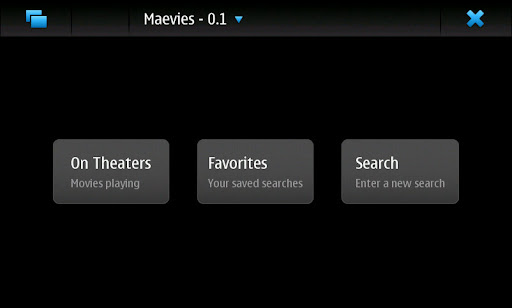
Maevies : Application providing movies informations !

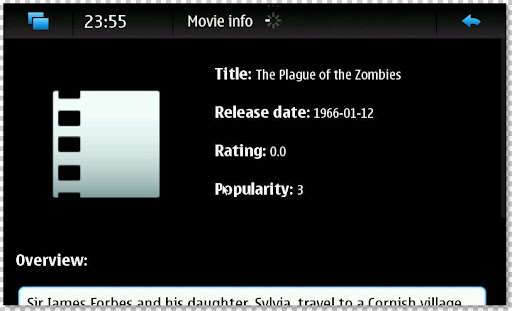
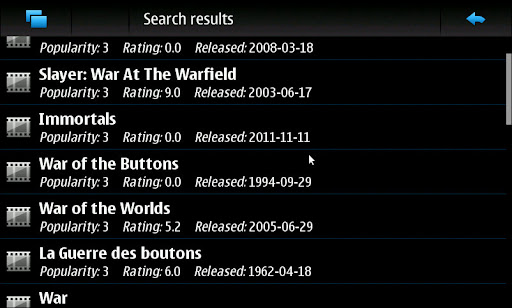
Butaca / Maevies is an application aimed at providing different movie information : Rating, Overview, popularity...

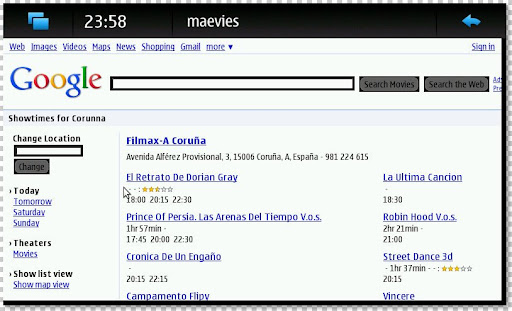
A movie can be searched in themoviedb.org -getting its basic info- and whatsafterthecredits.com -getting the information about extra scenes. There is also a module which parses Google Movies html, not using GObject yet, but some changes in their API seem to have broken its support.


More info over here !

Sunday, July 4, 2010

Instinctiv : Music player with mood-based smart shuffle !

Like playlist dj, Instinctiv automatically analyzes and profiles your music collection, then builds playlists at your command.


Features : 

- Smart Shuffle automatically plays songs you're in the mood for based off what songs you skip
- Sync with desktop using Instinctiv for desktop
- Automatic cover art fetching
- Library management
- Support for wma, flac, ogg, aac, mp3 and other formats

Some features aren't yet available and it works only on portrait mode... ;)

Saturday, July 3, 2010

World Cup 2010 Schedule !

Shortly before the end of the football World Cup 2010 in South Africa there is now the World Cup 2010 Schedule App free POI Store. Information so that you get to the games already completed, results, tables, and the next game pairings.


Of course, World Cup 2010 Schedule a live score to keep you always in the running.

Friday, July 2, 2010

[How To] Make a Bluetooth Mouse Working !

Well, it's a bit complicated and advanced tutorial and since i have no bluetooth mouse, i couldn't test it and provide you a small 4 steps tutorials as usual ;) So take a look over this topic and read it very carefully !


You don't want to use your laptop anymore :-)