Wednesday, March 31, 2010

Day 1 is here - opening up the MeeGo development !

Today is the culmination of a huge effort by the worldwide Nokia and Intel teams to share the MeeGo operating system code with the open source community. This is the latest step in the full merger of Maemo and Moblin, and we are happy to open the repositories and move the ongoing development work into the open - as we set out to do from the beginning.

What are we opening? The MeeGo distribution infrastructure and the operating system base from the Linux kernel to the OS infrastructure up to the middleware layer. The MeeGo architecture is based on a common core across the different usage models, such as netbooks, handheld, in-vehicle, and connected TV. The MeeGo common core includes the various key subsystems including the core operating system libraries, the comms and telephony services, internet and social networking services, visual services, media services, data management, device services, and personal services. More on this will be described on meego.com over the next few days.

The downloaded images will boot from a USB stick or directly flashed on the device from your Linux PC, but since the MeeGo User Experiences for the usage models mentioned previously are not yet included in today's MeeGo core, these images will boot into terminal.

After Day 1, the rest will follow soon – in the next few days, we will post the next steps leading to the first release of MeeGo in May.

The images available today are: Intel Atom-based netbooks, ARM-based Nokia N900, and Intel Atom-based handset (Moorestown). These images can be downloaded from http://meego.com/downloads

The corresponding package (RPM) repositories are at repo.meego.com/MeeGo and the git source repositories are available at http://meego.gitorious.org/. Bugzilla is at http://bugzilla.meego.com/

Please download, test, and provide feedback. The wiki on meego.com and the MeeGo mailing lists are excellent ways to share information and ask questions.

We'll post a proposed timeline soon which should answer your questions about opening the user experience, applications, and application framework repositories. For now, please take a look and let us know what you think.

Imad Sousou

Director of Intel’s Open Source Technology Center
Co-chair of the MeeGo TSG

Via : meego.com

You can read instructions about downloading and installing it on your N900 over here !

What can we realistically expect : QA about Nokia N900, Maemo 5, Meego and Harmattan !

In case you don't know, there's an interesting wiki page on wiki.maemo.org that was created following a lot of hot-topic questions being asked without answer which resulted in a general bad mood on Talk.

The purpose of the page is to compile known information and open questions into one and easy to read source from :

Quim Gil (qgil) : Job title - Open source advocate, Maemo Devices @ Nokia.
Ari Jaaksi (jaaksi) : Job title - Vice President of Maemo Software @ Nokia.
Urho Konttori (konttori) : Job title - Project Manager @ Nokia.
Tomas Junnonen (tomasj) : Job title - Developer @ Nokia.
Peter Schneider (peterschneider): Job title - Head of the global marketing team for Maemo Devices @ Nokia.
Valtteri Halla (valhalla) : Job title - Director, Nokia Meego @ Nokia.


Here's some examples :

The MeeGo project has announced support for the N900. What does it really mean for my N900 ?

What that blog post talks about is MeeGo vanilla support announced by the MeeGo project. This is not Harmattan support with Harmattan apps by Nokia. It's Nokia and not the MeeGo project who has the word on Nokia deliveries.

Still, N900 users concerned about "the future of the N900" now know that their hardware is in the real track for future support. More answers to come as the Harmattan alpha release approaches.

Source : Quim Gil (Nokia)

MeeGo will come with a reference UX and reference OSS apps. If someone is expecting official Nokia apps then this is another story. The story of 'Harmattan running in the N900'. We have dicussed this. Nothing new on that front.

Source : Quim Gil (Nokia)

That said, please do not take this yet as a commitment to fully productise MeeGo on N900. I am quite confident that we will end up having a really good developer distro for N900 already but committing to stabilise a consumer-grade MeeGo 1.0 (first half this year) for N900 is another story. That is a product business decision beyond my scope. Also, we do not yet know about MeeGo 1 release content. I am not yet sure if I would be personally ready to let my Maemo5 go for the first MeeGo release in my daily N900 use.

Source : Valtteri Halla (Nokia)

Making MeeGo work on the N900 is costing money already now. There is a team working on this as we speak, and as MeeGo first code release is taking shape.

The N900 was announced as official ARM hardware platform for MeeGo. This means that you can expect an open source operating system working on the N900 with a MeeGo API allowing you to install and run MeeGo applications.

The open source evolution path of the N900 is quite clear and looking good

What Nokia hasn't announced yet is the commercial evolution path beyond the Maemo 5 official updates that it is granted that will keep coming. Yes, this is the same old question "Harmattan / MeeGo officially supported for the N900" and the same answer still prevails.

Source : Quim Gil (Nokia)

Will Harmattan/Meego be supported on the N900 for the average consumer and not just for for developers ? 

Put this MeeGo support in perspective:

- From unstable to stable, if MeeGo doesn't make developers happy it will never make users happy. Developer happiness is a requird milestone no matter what.

- Leaving aside the Nokia-centric perspective, if MeeGo doesn't make users happy by own merits it will give a hard time to device vendors making happy their customers. So again user happiness is basically a milestone for MeeGo no matter what.

Sure, still this doesn't answer the question of Nokia's Harmattan official support and Nokia proprietary apps, but maybe these two axis help you figuring out worst case scenarios.

Sources : Quim Gil (Nokia)

What Nokia hasn't announced yet is the commercial evolution path beyond the Maemo 5 official updates that it is granted that will keep coming. Yes, this is the same old question "Harmattan / MeeGo officially supported for the N900" and the same answer still prevails.

Source : Quim Gil (Nokia)

Why can't Nokia promise the N900 will get MeeGo ?

Intel and Nokia are still discussing the last details about the MeeGo architecture. In technical terms this means that still today nobody knows what exactly the MeeGo OS will consist of. Imagine a month ago, two months ago, three...

... (You have to consider) the jump from Maemo 5 to Harmattan/MeeGo, which represents a deep change in the OS plus a total rewrite of the applications.

Still, the chance is there. The sooner you demand an answer the easiest is to get a conservative silence. The closer we get to Harmattan / MeeGo stable releases the easiest is to give accurate technical and business answers.

Source : Quim Gil (Nokia)

Why is Ovi Suite still not working with Maemo 5 ?

Improving all the time. N900 is still young, and as a new platform not everything works. Symbian has been around for years, so it is further in many areas.

Source : Ari Jaaksi (Nokia)

From mobiletablets.blogspot.com :

Nokia N900 supports a range of Ovi services including Ovi Store, Contacts on Ovi, Ovi Share, Nokia Messaging, and Ovi Maps. Comes with Music and other services that require platform-wide support of DRM will be supported in our MeeGo-based devices which we intend to provide with Microsoft PlayReady-based DRM technology. Naturally, we'll be working to increase support for all Ovi services as we go forward with MeeGo.

Source : Peter Schneider (Nokia)

What are the officially-confirmed major feature in future Maemo 5 release ?

- PR1.2

1. QT 4.6

Source : [Confirmed by Qgil, Trolltech, etc.]

2. Live wallpaper

Source : Bug 3910

3. Customizable single menu, no more "More"

Source : Bug 5349


- PR1.3

1. QT Mobility

Source : Urho Konttori (Nokia)

I am confused. What is Harmattan and what is MeeGo ? What is the difference between both ? Do they share common features ?

So what’s with (Harmattan)? (Harmattan) will be MeeGo compatible.....consider (Harmattan) already a MeeGo instance.


Source : Ari Jaaksi (Nokia)


Harmattan is the name of the software program that comes after Fremantle / Maemo 5. In the Maemo Summit we already announced it as "Maemo 6" in order to bring a clear signal about the major update, change of toolkit, etc.


Now MeeGo comes to the picture. "Maemo 6" will not be used by Nokia as a brand since all the marketing effort around the software platform will be around MeeGo.


To be clear: this is not about "ditching" or "abandoning" any platform. The Harmattan program keeps working with the same plans than last week, no matter the name of the product they will deliver. Maemo 6 and Moblin 2.x merge and have a successor called MeeGo. Current Maemo people will look at it and will say "looks like his mother!". Current Moblin people will look at it and will say "looks like his father!" (or choose your preferred gender) Of course you will see changes compared to Maemo 5, but these changes were coming anyway with Maemo 6.


What does this mean exactly for Harmattan/MeeGo? It means different things for different people:


- For end users nothing really changes, apart from a name most of them were not aware of anyway.

- For application developers not much changes. Harmattan's developer offering is based on Qt 4.6 + Qt Creator, Web Runtime + Aptana. Same for MeeGo and by the way same for Symbian. Harmattan might have extended APIs unique to Nokia devices (e.g. Ovi APIs), but we'll see and this is part of the MeeGo flexibility anyway. Wait for the SDKs to be released and then we can discuss in more detail. There will be also the APIs available for those willing to use them, provided directly by other open source components in the platform (e.g. GStreamer). Developers will be of course free to use them, at the expense of loosing compatibility with Symbian, and with MeeGo... depends on the component and to be seen as soon as there is a detailed MeeGo architecture public. Then there will be the obvious difference in packaging (deb still for Harmattan, rpm for MeeGo) but this won't be the big issue and anyway compatibility with Symbian implies specific packaging as well.

- For those caring about the platform in depth, Harmattan =! MeeGo. If we would make Harmattan identical to MeeGo then we would need to postpone dates and, really not for a good reason. Not a reason for application developers (the API is there anyway) and not a good reason for end users, who could not care less about packaging and some obscure middleware components. This is the only reason making Ari Jaaksi refer to Harmattan as a "MeeGo instance" instead of just "MeeGo product".

This is why we are dropping the "Maemo 6" brand while keeping all the Harmattan development full speed and in the same direction that it was.


Source : Quim Gil (Nokia)

Harmattan and MeeGo come with a whole Qt based application and UI framework and a Qt style API. Maemo 5 is a different story, with a GTK+ based applications and UI framework and GNOME style API.


This is what makes Harmattan quite close to MeeGo in platform terms, while Maemo 5 is really something different. That said you can reach very similar APIs with Maemo 5, and you can also add more libraries to Maemo 5 in order to fine tune the compatibility. You can also do so with Symbian, yet you don't have problems seeing that it's pointless to call Symbian MeeGo.


We can discuss this in more details once we have a MeeGo and a Harmattan list of components to compare.

PS: about the packaging... we are talking here about API compatibility.


Source : Quim Gil (Nokia)


1. There is Nokia Maemo 5 / Fremantle now. The next release would have been Nokia Maemo 6 / Harmattan. Now, it is called Meego / Harmattan instead, but it's still the same Harmattan that it was going to be. This would be way clearer if they didn't rebrand it as MeeGo yet, but they wanted to get the marketing behind that brand already. You can think of Harmattan as half MeeGo. The next release after Harmattan will be Nokia's first full MeeGo.


2. You need to understand the layers, which together form an operating system. It may be difficult if you come from Windows/OS X world because they both only have one user interface. UI and applications, however are only the top of the OS pyramid. Underneath them there are a lot of stuff that actually make it all tick. That's what Meego is about, providing a common base for user interfaces and applications to be built on. When you think of Meego in general, think of everything you as an end user don't see.


3. What you actually see, the UI, applications, services etc. can and will vary depending on who made the Meego device. LG's UI may look totally different from Nokia UI. You'll only see Ovi applications and services on Nokia devices. These manufacturer specific applications on top of Meego won't necessarily be open source either. But the base on which they are built on is the same.


Source (NON OFFICIAL) : jas


(Harmattan) will be compatible with MeeGo.. but it is not MeeGo.


(Harmattan) will still use Deb.. MeeGo uses RPM.


Source (NON OFFICIAL) : fatalsaint

 More to read !

Tuesday, March 30, 2010

Nokia N900 Disassembly !

After the hardware components of the N900 post, if you're still hungry to know how the N900 is disassembled, check out this video :


thanks for alextootchie for the find ;)

Monday, March 29, 2010

TouchSearch 2.2 Released : Quick Bar Feature added !

(Taken from maemomagazine origanl post) Although this is mostly a bug-fix release, there is one nifty feature that I would like to talk to you about. It is called the “TouchSearch Quick Bar” and adds keyword based searches to TouchSearch.

One of my users gave me the idea (thanks, evad!) and here is how it works: it allows you to search any of your other search engines by adding a certain prefix to your query. For example, let’s say you find it a bit too time consuming to change search engines every time you want to search a different site. This gives you the ability to use a single search engine, and “change” them by adding a letter at the beginning of your search query. Here are a couple screen shots to demonstrate;

I have selected the QuickBar as my current search engine:


Let’s say I want to search Ebay for, I don’t know, shoes. What I would do is enter “e shoes” as my query.


The “e” tells TouchSearch I want search ebay.com and will automatically by stripped from my query. Shoes, obviously, is what I actually want to search for. When you hit return, TouchSearch magically directs you to ebay’s results page for “shoes”.


And this works for all your search engines. “a” for Amazon, “w” for Wikipedia, “gm” for Google Maps, and so on and so forth. If you enter no prefix or “g”, Google is queried. Additionally, you can change which prefixes are used and add your own to your custom search engines.

How do you get this feature? First, install TouchSearch 2.2. Like I mentioned, it should be available in the next 24 hours or so. Secondly, if this is the first time you’ve installed TouchSearch, you should see the QuickBar available right after installation. If you are upgrading from an older version of TouchSearch, you may need import this search engine into your current database. Do this by:
  • Going into Desktop Edit mode (tap the desktop, then tap the little gear)
  • Tap on the wrench next to TouchSearch > Configure > Merge > Yes.
That should import all new search engines (including the QuickBar) into your current database.

Sunday, March 28, 2010

Enna is out : a new Media Player for N900 !

Enna is a Media Center application. Featuring a simple user interface, Enna is based on the powerful Enlightenment Foundations Libraries (EFL) as for its graphical user interface and GeeXboX libraries as for multimedia playback and information retrieval.


Enna's features:

- Browse and listen to your music files,
- Browse and watch at your videos files,
- Browse and play slideshow with your photos,
- Retrieve informations about your media files on the Internet,
- Build a database of your medias and retrieve information from your music, video ... (such as covers, fan arts, songs lyrics and many much more).

Enna is available for your favorite mobile phone. It comes optimized and pre-configured for your mobile to find all your possible multimedia contents. In order to install it, go to Package Manager and add a new repository:

Name: GeeXboX
URL: http://packages.geexbox.org
Distribution: fremantle
Component: main

Proceed with packages database update and then:

- Hit the Download icon.
- Choose Multimedia application.
- Select Enna Media Center.

If you've some packages conflicts, try installing Enna manually trough the App Manager :
apt-get install enna

Via : mobilelivingroom.de

Callnotify : Call, SMS and IM notifier !

Callnotify is a call and SMS notifier that will display a small status bar icon for missed Calls and SMS (and IM in the latest build).

It also displays the number of missed calls and SMS's (up to 5, above 5 it shows "+5").

If both SMS and missed call has been received, the icon blinks between the two kinds without showing the number.


The icon will disappear after closing the yellow notification or viewing the SMS.

Available at Extras-devel and Extras-testing repositories.

Saturday, March 27, 2010

Noor : a small Quran viewer with translator !

Noor is a small Quran viewer written in Python. It also shows the translation of each aya, if specified, right after it.


Available at Extras-devel repository.

Friday, March 26, 2010

Caller ID State Switcher Widget

Caller ID State Switcher Widget shows and allows the change of the Caller ID state right from the desktop

Available at Extras-devel

Thursday, March 25, 2010

One week to MeeGo for Our N900 !

open source advocate @ Maemo Devices, Quim Gil stated the following update :

Please set your expectations right for next week: nothing beautiful, stable or fully featured wil be released for handsets next week. 99% of you don't want to install that release in your N900 and the rest probably have two devices or is used to reflash.

It's a first code dump release, nothing else. It is very important from a platform development point of view, mildly interesting for application developers (because of the architecture announced, mainly) and nothing the average user or blogger will be interested playing with.

Dual boot will come at some point, or at least it's in the plans. It's clearly convenient for developers. The elegant solution implies patching the current Maemo 5 kernel and it is too late for PR 1.2. Maybe less elegant solutions are available before, maybe the elegant solution comes soon... We don't know yet and currently we have other priorities. As said, not even for the average developer these first unstable releases are interesting enough to maintain a dual boot in their devices.

Yay !

Tuesday, March 23, 2010

Changelog Of Upcoming N900 firmware update 10.2010.09-3 ?

 As posted yesterday, a major update for our lovely N900 may see the sun in the upcoming weeks (beginning of April?) and some speculations already around what would we expect are rolling, i read over sygysweb that, what it seems, the changelog is already available, check it out !

CHANGES BETWEEN 3.2010.02-8 AND 10.2010.09-3
===============================================

PACKAGES CHANGED SINCE THE PREVIOUS RELEASE

+alarmd 1.1.16+0m5
+apt 0.7.20.2maemo13.1+0m5
+base-files 3.1.osso2+3.1.10.osso25+0m5
+bash 2.05b-2-26osso8+0m5
+bluez 4.60-0maemo1.4+0m5
+browser-eal 0.5.5-6.1+0m5
+cairo 1.8.8-0maemo1+0m5
+clinkc 2.0-0osso17+0m5
+clutter 0.8.2-0maemo66+0m5
+dbus 1.2.14-0maemo4+0m5
+dbus-glib 0.78-0maemo7+0m5
+desktop-file-utils 0.12-2osso7+0m5
+dnsmasq 2.45-1+lenny1+maemo3+0m5
+dosfstools 3.0.1-1maemo6+0m5
+dpkg 1.14.25maemo3+0m5
+dsme 0.60.44+0m5
+eds-backend-telepathy 0.4.62-1+0m5
+evolution-data-server 1.4.2.1-20100226+0m5
+farsight2 0.0.17-0maemo13+0m5
+gcc-4.2 4.2.1-4maemo12+0m5
+gconf2 2.16.0-2osso6.2+0m5
+gdigicam 0.3.5.1+0m5
+glib2.0 2.20.3-1maemo4+0m5
+glibc 2.5.1-1eglibc23+0m5
+gnome-menus 2.23.3-2maemo+0m5
+gssdp 0.7.1-0maemo2+0m5
+gst-openmax 0.10.0.6~1-0maemo17+0m5
+gst-plugins-bad0.10 0.10.14-git265-0maemo10+0m5
+gst-plugins-base0.10 0.10.25-0maemo14+0m5
+gst-plugins-good0.10 0.10.16-git276-0maemo14+0m5
+gstreamer0.10 0.10.25-0maemo4+0m5
+gstreamer0.10-plugins-camera 0.79-1+0m5
+gtk+2.0 2:2.14.7-1maemo29+0m5
+gtkhtml3.14 3.24.4-osso18+0m5
+gupnp 0.13.2-0maemo2+0m5
+gupnp-av 0.5.2-0maemo2+0m5
+gupnp-igd 0.1.4-0maemo3+0m5
+hal 0.5.12~git20090219-0maemo7+0m5
+hildon-application-manager 1:2.2.60-1+0m5
+hildon-application-manager-l10n-public 6.0+r7611+0m5
+hildon-control-panel 1:2.2.27-2+0m5
+hildon-control-panel-l10n-public 6.0+r7640+0m5
+hildon-desktop 1:2.2.135-2+0m5
+hildon-fm-l10n-public 6.0+r7483+0m5
+hildon-games-wrapper 1.9.4-5+0m5
+hildon-home 0.3.66-2+0m5
+hildon-input-method 1:2.1.46-1+0m5
+hildon-input-method-framework 1:2.1.56-1+0m5
+hildon-input-method-l10n-public 6.0+r7520+0m5
+hildon-libs-l10n-public 6.0+r7510+0m5
+hildon-status-menu 0.3.34+0m5
+hildon-theme-layout-5 0.15.0-1+0m5
+hildon-thumbnail 3.0.44+0m5
+ke-recv-l10n-public 6.0+r7611+0m5
+kernel 2.6.28-20100903+0m5
+libcanberra 0.14-0maemo4+0m5
+libcomapp 1.8.03-01+0m5
+libconbtui 1.4.3+0m5
+libconic 0.24+0m5
+libdsme 0.60.30+0m5
+libexif 0.6.17-1maemo3+0m5
+libffi 3.0.7-2maemo2+0m5
+libgtkadi 0.7.13-1+0m5
+libgtkmozembed 1.8.7-2.1+0m5
+libhildon 2.2.15-1+0m5
+libhildondesktop 2.1.40+0m5
+libhildonfm 1:2.28.17+0m5
+libhildonmime 2.1.5-1+0m5
+libical 1.43-101+0m5
+libmafw 0.2.2010.06-1+0m5
+libmlocknice 0.1+0m5
+libmodest-dbus-client 4:3.2.5-0+0m5
+libnice 1:0.0.9-0maemo8.0rtc+0m5
+libosso 2.31-1+0m5
+librtcom-telepathy-glib 0.1.49+0m5
+libsoup2.4 2.26.3-0maemo3+0m5
+libunwind 0.99+git20080421-2+0m5
+libwidgetutils 1.4.1-6+0m5
+libwww-perl 5.803-4osso1+0m5
+loudmouth 1.4.1-0osso10+0m5
+maemo-af-desktop-l10n-public 6.0+r7640+0m5
+maemo-maf 5.0+3+0m5
+maemo-mmf 5.0+3+0m5
+maemopad 2.6-3
+maemo-version 5.0update5+0m5
+mafw-gst-renderer 0.2.2010.07-2+0m5
+mafw-iradio-source 0.2.2010.06-1+0m5
+mafw-shared 0.2.2010.06-1+0m5
+mafw-test-gui 0.2.2010.06-1+0m5
+mafw-tracker-source 0.2.2010.06-1+0m5
+mafw-upnp-source 0.2.2010.07-2+0m5
+matchbox-window-manager-2 0.2.89-1+0m5
+mce-dev 1.8.17+0m5
+microb-eal 2.9.5-1.15+0m5
+microb-engine 20091230-1.9.2-6.8+0m5
+mini-rc 0.2.67+0m5
+modest 3.2.13-3+0m5
+obexd 0.18-0maemo5+0m5
+ohm 0.1.2-0maemo33+0m5
+osso-af-utils 2.12-1+0m5
+osso-app-killer 1.33-3+0m5
+osso-filemanager-l10n-public 6.0+r7611+0m5
+osso-games-startup 1.7.49-1+0m5
+osso-gnome-vfs2 2.16.3-2osso11+0m5
+osso-gwobex 0.64+0m5
+osso-rss-feed-reader 1.8.03-3+0m5
+osso-rss-feed-reader-applet 1.7.03-1+0m5
+osso-rss-feed-reader-lib 1.8.01-1+0m5
+osso-system-lock-l10n-public 6.0+r7585+0m5
+osso-uri-l10n-public 6.0+r7510+0m5
+pango1.0 1.24.2-0maemo4+0m5
+pixman 0.16.2-4+0m5
+poppler 0.4.5-5.1etch3maemo1+0m5
+posix-locales 2.7.2-1maemo7-binonly0+0m5
+pulseaudio 0.9.15-1maemo38+0m5
+qt4-x11 4.6.2~git20100224-0maemo1+0m5
+rtcom-eventlogger 1.3-4+0m5
+rtcom-eventlogger-plugins 1.4-1+0m5
+rtcom-eventlogger-ui 1.4-2+0m5
+sapwood 3.1.1-10+0m5
+sqlite3 3.6.14-1maemo3+0m5
+telepathy-farsight 0.0.13-0maemo5+0m5
+telepathy-gabble 0.8.11-0maemo2+0m5
+telepathy-mission-control 5.2.7-0maemo6+0m5
+tetex-bin 3.0-30maemo2+0m5
+tiff 1:3.8.2-11maemo5+0m5
+tinymail 1.1.90-svn4193+0m5
+totem-pl-parser 2.27.2-1maemo2+0m5
+tracker 0.6.95-25maemo1+0m5
+upstart 0.3.8-64+0m5
+wpeditor 3.53-1+0m5
+xkeyboard-config 1.5-2maemo15+0m5
+xorg-server 2:1.6.99.1-0osso20090208.108+0m5
+xserver-xorg-video-fbdev 1:0.4.0-180+0m5

BUGS RESOLVED

Connectivity
* 1635 Eduroam (EAP-TTLS+PAP) WiFi auth
* 4789 ipctest.c input_cb seems to pass a reference to a freed pointer to sscanf
* 5550 Not enough memory in target location" when receiving image from Nokia SU-1B using Bluetooth
* 6502 Control Panel: Cannot change Network mode when Network selection is "Automatic"
* 7843 BH-103 - Annoying Beeps when calling or receiving a phone call or SMS
* 8004 PR1.1 has introduced a battery drain bug (not wifi related)
* 8133 dnsmasq segfaults when connecting to a certain WLAN AP
* 9057 Wifi wont connect to Dlink DI-524 using WEP
* 9117 Wrong IAP set for SFR (France)

Core
* 6088 Very low touchscreen sensivitivity in the area near the left edge of the screen
* 6450 libglslcompiler crashes when fragment shader contains a for-loop
* 7029 Device reboots when trying to connect to WIFI due to Oops in rate_control_get_rate()
* 8268 Unable to authenticate on light.webmoney.ru with user's SSL certificate.

Desktop platform
* 1163 GtkCellRendererText: Can not edit with virtual keyboard
* 2501 Hardware keyboard doesn't switch Input language when pressing Ctrl+Space
* 3659 Changing icon theme requires reboot to be applied correctly
* 4579 HildonWindowClipboardOperation is completely undocumented
* 4608 HildonBanner does not except NULL value for deprecated icon argument
* 4619 Panning and selecting are mutually exclusive
* 4638 HildonPannableArea description should mention mov-mode property
* 4640 hildon_touch_selector_get_active_iter() needed.
* 4658 Documentation: HildonTouchSelectorEntry is unclear about auto-completion/text column
* 4695 HildonAnimationActor defines are passively documented in function descriptions
*get_set_theme_size() has wrong style when created via GtkBuilder
* 4845 Remove Scratchboxism in libosso packaging
* 4851 libosso assumes that all ARM platforms has VFP instructions.
*get
* 5284 HildonPannableArea: size-request-policy property should be deprecated
* 5388 Allow keyboard input to jump to an entry in a list ("type ahead")
* 5421 keys when long pressed should give the blue symbol/number
* 5496 HildonTouchSelector: No hint that there are more items
* 5609 Displays very small fonts (happened once)
* 5716 Popup menus with rounded corners missing transparency
* 5838 Certain directory entries are duplicated (listed twice / doubled)
* 6017 Clicking the dashboard icon highlights it but does not open the dashboard
* 6060 Application manager finishing an installation in background blocks keyboard input
* 6069 Documentation missing on HildonNote vs "Cancel" button
* 6099 Incremental search function is case sensitive for "select objects" dialogue in html form elements like drop-down menus
* 6193 Browser: Tap is treated as input even if device was in standby mode (screen off)
* 6233 HildonPickerButton opens HildonPickerDialog dialog in landscape mode
* 6268 The required #include directives are not documented for Hildon
* 6361 base' and 'more' applications are visible sametime (messed)
* 6494 Can't change desktop Background
*get is around
* 6931 After installation of software last icon in "More..." view has default icon instead of own one
* 7126 Notification messages not displayed when optional "category" not set
* 7285 VKB has strange behavior when using the browser in portrait mode
* 7694 FN/Shift Locks get disabled by inserting a symbol with Sym
* 7852 After every boot the phone switches to the default theme
*e tops last application when on the desktop
* 8069 Cannot see the track time after black fill covers the white time font
* 8390 Fast search on the desktop doesn't work with cyrillic (Ру��кий) layout
*get HildonAnimationActor
* 8958 portrait layout for receiving call shown in landscape mode (-> no Reject button)
* 9059 Status bar icons shown on top of the virtual keyboard.
* 9194 hildon_pannable_area_scroll_to example is wrong (pointer instead of struct)
* 9552 Polish virtual keyboard: Cannot enter CAPITAL chars with diacritical signs

Development platform
*elines
* 7743 libalarm API reference lacks details on time fields
* 8415 MADDE: Cannot install to different directory than the default
* 9430 MADDE: 'mad pkg-config' doesn't recognize comma separated values

Location
* 6284 Documentation in header files inaccurate - what unit does altitude have?

Multimedia
* 5524 PulseAudio clients are muted and hang on exit when media player is playing music
* 5554 Embedded windows media stream (ASF) at omroep.nl doesn't work
* 6365 maemo-xinput-sounds uses all available CPU
* 6506 Hardware keys do not change volume when status menu in foreground & browser in background
* 6792 FM radio transmitter does not play while USB cord is connected
* 6868 Pulseaudio uses cpu constantly after a phone call.
* 7082 mafw-dbus-daemon killed by podcast
* 7133 Shuffle all songs often plays a non-random sequence after the first song
* 7271 Can't change FM TX radio station name
*eos unwatchable
* 7552 fmtx_client should pad station names shorter than 8 chars with spaces
* 7642 Playback of MP3 files might be cut-off at the end after seeking in file
* 8011 Changing volume without unlocking the phone no longer works
* 8172 PR 1.1 Regression: MP4 files with chapters hang playback
* 8396 FM Transmitter displays gibberish text in Radio player

Synchronization
* 6582 exchange sync cant handle certificate exceptions
* 6703 MfE calendar sync causes dummy email sync account to appear
* 8552 URLs in emails from Exchange are parsed incorrectly

System software
* 5530 Device autolock switches on the display
* 5674 Autobuilder fails to use opt-ified packages
* 6746 USB mass storage enabled when connected while device is off
* 7432 /opt and /home/user not cleared after firmware reflash

UI Specification
* 5420 Don't show hildon banner every tap when browsing UPnP shares
* 5516 Image Viewer: Dealing with "occupied" images is confusing
* 7054 Cannot set "Regional Settings" to "English (Australia)" or "English (New Zealand)"

Browser
* 1800 tapping browser rss icon lists two RSS feeds, one from an iframe
* 1801 tapping browser rss icon should list ATOM feed, not just RSS
* 5485 "restart" button after finishing download not localized (in Finnish)
* 5526 Type-to-find behaviour is inconsistent and suboptimal in browser
* 5684 History images do not match actual URLs under them
* 5705 Browser drawing issue in web pages with (multiple?) Flash applets
* 5783 Smooth scrolling not active using arrow keys until current page tapped
* 5829 "Select user name" dialog not finger friendly
* 5945 URL proposals in browser disappear after some hours
* 6066 Sticky shift & Fn not working for Flash text input fields: Impossible to use special characters palette
* 6184 Find on page causes page to reload
* 6269 Can't reuse the name of a bookmark that has been deleted
* 6342 Use Volume hardware key for adjust the device volume instead of zooming a website
* 6396 Zooming is not working right away when link clicked from desktop
* 6598 Browser should display passwords one character at a time like other applications
* 6743 Screen sometimes flickers when scrolling through bookmarks triggers rubber banding
* 6819 High CPU usage for 15 seconds after page loaded (Deleting History helps)
* 7174 specifying "DejaVu Sans Mono","Courier New",monospace,Freemono fonts break pre
* 7235 g_mozilla_parse_env_proxy limits proxy server names to about 20 characters [http_proxy]
* 7335 Browser shows strong font kerning bugs (esp. when zooming)
*e
* 7566 Browser toolbar steals text focus in fullscreen mode when "Auto focus address field" is enabled
* 7567 Browser toolbar steals text focus in fullscreen mode with remapped arrow keys
* 7568 Sites in history overview that were loaded in portrait mode appear distorted
* 7620 Browser process opens ports on all interfaces.
* 7806 Browser crashes while sending a comment to Maemo.org
* 7890 Clicking on webcal:// link does nothing (not even an error dialog)
* 8010 browser repaints after switching from contacts
* 8104 Browser portrait mode makes it stop working after a while
* 8117 Browser doesn't show progress indicator when user selects url from urlbar completion list
* 8252 Browser addressbar refreshes/blanks shortly after new window opens
* 8276 Imported SSL Certificates not recognized after PR1.1
* 8362 Some combination of Maemo 5 + Nokia N900 results in improper onChange callbacks in the maemo browser
* 8385 New browser windows' contents are not updated when page loads in background
* 8606 Cannot scroll web bookmark folders if more than 5 folders
* 8683 Browser crashes when browsing some websites
* 8763 Back yields grayed page
* 8784 Browser crashes while changing system theme
* 8920 MicroB loses first keystroke
* 9362 Page view "unstable" (due to animated GIFs?)
* 9365 Maemo Browser does not honor CSS serif font specifications
* 9460 Disable show images leads to failure in opening links in a new window
* 9555 Only the address bar is visible on the bottom panel

Calendar
* 6431 Alarm setting for Birthday is removed after adding photo to contact
* 6909 Calendar launches automatically at 4:00 each night
* 8169 exported .ics calendars have bad line format (LF for empty lines)
* 8175 Exported calendars lack PRODID properties
* 8463 libcalendar produces AALARM properties containing unescaped CRLF which prevents OSX synchronisation
* 8678 Overdue tasks should be displayed as today's
* 8889 New event in calendar causes crash when using bg_BG locales
* 9048 "Internal Error: Application 'Calendar' closed when importing ics file

Chat & Call & SMS
* 5357 Does not accept GSM (USSD) Codes starting with *#
* 6201 libnice violates Debian packaging policy for description of package "libnice0"
* 6300 :/ in http:// is converted into an emoticon in some cases
* 6641 Sofia-SIP throws 500 Internal Server Error
* 6692 Unable to set a Google Talk account to Away
* 6733 gmail status set to away when skype status set to invisible
* 6769 Can't answer a phone call with a short caller ID
* 6857 USSD codes are not recognized in chat
* 6936 Caller voice gets minced after some time when taking call via SIP
* 7052 Unable to see the sender's phone number used for a received sms
* 7212 Sent text messages are shown as unsent
* 7227 Contact names do not resolve correctly when country code is prefixed.
* 7375 account-plugin-butterfly - delete contacts doesn't work
* 7470 N900 does not support Skype Voicemail Settings
* 7856 Recent Call entries are shown in conversations
* 7886 Tapping 'Task Manager' shows 'Clear Conversation' option while in a conversation
* 7933 Conversation IM window is not responding when Select contact dialog is displayed in background
* 8428 Carrier doesn't stop attempting to send USSD codes that aren't received (automated balance receipt)
* 8441 Messages don't change to "read" status after being read
* 8454 Placing a call in portrait mode gets desktop stuck in portrait mode upon exit.
* 8573 Conversation doesn't respect aspect ratio in avatars
* 8581 Reduce XMPP data packets to save battery
* 8854 Jabber opens unnecessary proxy connections
* 9005 XMPP lacks option to require TLS (vulnerable to MITM attacks)
* 9231 'Open contact card' broken for newly sent SMS

Contacts
* 2962 Not able to open Maps application with contacts location as a search string
* 5510 Contact merge of number dialed manually via Skype fails due to internal error
* 6503 only 2 Lines of Notes are visible in Contacts
* 6945 Skype: merged contact has duplicate phone number
* 7515 List of countries not shown on tapping the country picker button
* 8022 Making a SIP call crashes osso-addressbook
* 8159 Missing direct shortcut to use SIP/Skype again in Recent Calls list
* 8495 "SIP audio" buttons active with no SIP accounts active
* 9010 Merging contacts, unable to select neither as an option in conflict field

Desktop Widgets
* 5894 Play track button doesn't work
*get
*get suddenly starts music after Phone call ends
* 8002 Being offline, RSS Reader tries to connect for refresh unconditionally

Email
* 3387 Modest doesn't fetch GMX IMAP mail (issuing LIST "" instead of LIST "*")
* 4834 Remove deprecated GTK+ symbols
* 4876 Remove libgnomeui dependency
* 4889 Use single GTK+ includes
* 4976 Add option in modest to add/not add new contact when replying to mail
* 5161 Fix some compilation warnings in GNOME version
* 5266 Remove unneeded modest_osso_load_state () calls
* 5267 Remove unused modest-osso-autosave-callbacks.[c/h] files
* 5341 Can't disable email notification - makes notification unusable if you receive lots of mail
* 5417 Delete button greyed out when opening from notification popup
* 5503 Failed outgoing mails when using Nokia Messaging and Exchange
* 5634 Deleted IMAP messages are not expunged
* 5836 POP3 TCP connection is left open leading to locking issues
* 5870 Long emails can't be read - distorted output on screen after scrolling
* 6027 Only require libmodest-dbus-client in maemo platform
* 6048 Volume hardware key works only once; afterwards "Unable to zoom" in list of mail accounts, list of mail folders, New Mail editor
* 6279 Modest is very slow at loading images
* 6541 Polish Subject line violates RFC ("Odp." prefix)
* 6575 Tapping new Email notification does not bring up email message
* 6700 Semicolon in To field should be ignored when sending a message
* 6702 email application does not see folders on imap4 with namespace
* 7139 Replying to an email with non-ascii chars in From cuts name short
* 7485 Email message viewer window refreshes a second time when email opened from Notification icon
* 7718 Unable to save attachment from e-mail without e-mail body
* 8230 cannot move message anywhere
* 8574 Subfolders of Zimbra IMAP server not appearing/not available
* 8604 Type-to-find behaviour is inconsistent and suboptimal in modest

Games
* 3748 Erroneous "Game not started yet" message
* 5276 hildon-games-wrapper crashes in hgw_conf_request_string if gconf key has no value
* 5868 Games do not respect master volume ("sound effects" enabled though)
* 5869 Chess game over dialog button is unreadable in some themes
* 6616 Mahjong: �amigłówka (Confounding cross) does not display high score time in Polish

Images and Camera
* 4053 Confusing behaviour when saving to a file that matches an existing directory
* 6194 Shutter release button does not always work
* 6372 Sometimes photos are not deleted if you delete directly after taking them
* 7060 Sometimes photos are very green
* 7160 Camera app hardcodes and requires FAT partition
* 7394 Some photos are missing EXIF DateTimeOriginal data
* 7758 Daily image counter in photo filenames not incrementing in some cases
* 8087 Photo autorotation issue
* 8310 Image Viewer shows only black screen
* 8698 camera does not have the night mode function
* 8877 Volume buttons should work in camera window when lens cover is not opened

Map
* 5337 Ovi Maps gives up finding GPS lock too soon
* 5391 Virtual keyboard doesn't appear in Maps
* 5905 ovi maps brings up "Select connection" dialog relentlessly
* 9532 Search: can input numbers and other "blue" characters only with -holding- "alt" key

Media player
* 5318 Missing "Remove from Playlist" option
* 5522 Plays next radio station when current station cuts out / has playback issues
* 5805 Album art disappears when next song is played and you unlock the device
*
* 7124 media player loses cover art if song changes while screen is locked
*eo
* 7353 RDS station name should not contain album (esp. when its unknown)
* 7464 mediaplayer treats youtube mp4 urls as audio streams
* 7536 Can't search album titles (GtkIconView) by typing on keyboard
* 7634 Media player volume bar doesn't work when a browser with youtube played is opened in background.
* 7995 Internet radio (ogg) stream metadata not displayed
* 8035 Selecting song in media player doesn't cause song to play
* 8043 AVI Streaming broken. Local playback works fine.
* 8129 Cannot play podcast m4v-file due to issue with qtdemux
* 8189 Strange black box icon in media player's album list
* 8499 Music stops when "low battery" hildon banner is displayed
*eo streams but KMPlayer can
* 8653 Media Player crashed when viewing UPNP contents.
* 9020 Media player crashes when trying to search in ''All songs''
*eo shown, only audio, when streaming over upnp

RSS feed reader
* 304 Automatic proxy configuration URL not obeyed by RSS feed reader

Settings and Maintenance
* 5546 In Certificate manager, "Authorities" title is shown two times
* 5560 Application manager shows "ai_ib_unable_edit" instead of proper, localised string when it has a repository of which it cannot change the details of
* 5746 symlink /var/cache/apt/archives to /home/apt-archives
* 7446 Unlocking SIM card from control panel fails
* 7483 "Enter code for unlocking SIM card"" button visible even if phone is not SIM locked
* 8194 General locale settings for new users does not set the correct locale for text input
* 8696 Search results window is not responding when search dialog is displayed in background
* 9229 Upgrade from PR1.1 to PR1.1.1 produces 'Operation failed' error

Utilities
* 4852 Remove Scratchboxism in wpeditor packaging
* not update after plane journey
* 5824 Maximum number of pseudo terminals too low (4)
* 6351 Context menu isn't thumbable/hildonized - options too small
* 6481 Buenos Aires, Argentina time off by 1 hour
* 6553 Calculator should remember mode setting
* 6882 Deletes file to move if destination filename already exists and choosing to not overwrite
* 8115 Having a modal dialog in background, Alarm dialog blocks entire UI

Via : www.sygysweb.nl

Coming Soon in the Next N900's Major Update ! Have a look at PR1.2 SDK !

It seems that the PR1.2 SDK has been put up, so you can expect what you'll get in the next n900's firmware ^^
1- Virtual keyboard has been redone.


2- Menu is now rearrangable, and there is no more "More..."  


3- Clear device is back in Settings.  


4- The gap in the menus and status bar have been removed (top gap) - Edit: Might be SDK specific since the status bar isn't exactly the same as on the device.  


5- Browser now has a back button, history view is accessible using the gesture.  


6- Enable rotation is now an option in Settings (Browser).  


7- Volume buttons can be set to change volume only in browser.  


8- User Guide accessible in the browser from a main menu shortcut.  


9- Media player has a play button icon instead of the moving bars (bottom right area)  


10- Ovi Store link in "Change background" and "Themes" area.  


11- Browser seems much much snappier, scrolling is quick and rendering is uber quick! Not sure if this is related to the much faster processor but the gecko engine was updated.

12- File manager has a share option for all files.  


13- Video call option can now be enabled in contacts, SMSs to landlines can be disabled, voicemail number can be set.  


Stay tuned over this thread !

Monday, March 22, 2010

CuteExplorer : Filemanager for maemo5 using Qt !

CuteExplorer is a Filemanager for maemo5 using Qt can explore the real filesystem and send files via bluetooth.

Available on Extras-devel.

Phone Speakers Switcher : Switching on/off speakers in a handy way !

Phone Speakers Switcher Eases switching on/off speakers while on the phone.

It turns the speakers on or off by sliding the keyboard out or closing it respectively while the call is active - making and answering the call (not while receiving/ringing)

Available shortcuts are:
  • Sliding out/in keyboard turns on/off speakers respectively
  • Half pressing and releasing the camera button (it turns speakers on if they are off and vice versa)
  • Uses proximity sensor to turn on/off speakers while on the phone
  • Long half pressing camera button ends the ongoing call
  • Open dashboard when the speakers are turned on.

Sunday, March 21, 2010

[How To] Set up Remote Desktop on Nokia N900 !

rdesktop is an open source client for Windows Terminal Services, capable of natively speaking Remote Desktop Protocol (RDP) in order to present the user's Windows desktop, if you can control your N900 from your computer and Vice Versa with VNC !, now you can access even windows desktops in traditional ways with rdesktop, use your n900 memory drives to transfer files between pc and phone etc.

So, how the Remote Desktop Mobile client on the N900 works with Windows 7 (or XP) in 3 easy steps?

1- Set up your computer to enable remote desktop access (you can look here for Win XP or if you use Win 7 just type "remote" in search field (click on windows start icon) and choose : "allow remote desktop...")

2- Download, install rdesktop and rdesktop-cli on your Nokia N900, (both are available in the Extras Devel repository) 


3- In "RDP server" you enter the IP address of your desktop PC, for username you use your Windows login and the password field and leave others as default configuration...

4- Connect --> Done !


Pretty nice eh?

Friday, March 19, 2010

Lockdaemon : Plays sound upon keyboard sliding !

Lockdaemon lests you play sound upon keyboard sliding. and vibrates upon key locking.

Two basic functionalities:

-play sounds: /home/opt/lockdaemon/open.mp3 and close.mp3 on keyboard open and close
-vibrates on keyboard lock/unlock

No configuration options at the moment, it is what it is

Available at Extras-devel

Fcron : schedule anything at anytime !

Fcron is standard Linux scheduler used to schedule any command at any time. So this means that it doesn't have any limits and you can schedule just about anything. It is run as daemon in the background so you don't need to worry about it. You set it up with a config file which contains schedule.

Alternatives:

cron: Why not? - Cron is older than fcron and doesn't sleep between events.

anacron: Why not? - Anacron is used to schedule daily jobs, fcron can schedule to seconds.

ses: Why not? - Ses is buggy, buggy and buggy. It doesn't even uninstall properly.

Alarmed: It is the best alternative with a big plus (GUI), but also a big minus (no CLI). You can use custom command, so you can schedule anything, but you can't schedule it anytime (alarmed daemon doesn't provide an option for every possible time). It also needs python (because of the GUI, daemon itself doesn't need it), which consumes space.

You can use this simple yet powerful tool to schedule just about anything at anytime. You can schedule:

- profiles
- backup scripts
- resetting the GPRS counter every month
- disconnection and connection of mobile network or internet
- 3G/2G/Dual radio modes
- NTP update
- email notify/refresh
- brightness level
- locking
- rebooting
- your own scripts
- ...

The wiki entry covers why is using fcron the best way for scheduling events, installation and configuration guide and some scripts.

TwitterBox : twitter client with excellent graphics !

TwitterBox is a twitter client developed for Maemo 5 using Qt/C++. Combining great usability and excellent graphics !


The only feeds you can currently view are Followers. There are no tabs, no auto-updating timeline and no search/mentions/DM functionality. It’s an alpha release

Download the deb file if you want to test it !

Screenshot by knownokia.ca

Thursday, March 18, 2010

Sygic Mobile Maps for Maemo !

Sygic Mobile Maps turns your phone into a turn-by-turn voice guided navigation system.

Crystal-clear animated 3D maps, intuitive address search, fast route calculation, lane assistant, signpost information, notifications about upcoming petrol stations and restaurants – Sygic Mobile Maps is featuring all of these innovations to guide you precisely to your destination.


· Maps included: Andorra, Austria, Belgium, Bulgaria, Croatia, Czech Republic, Denmark, Estonia, Finland, France, Germany, Gibraltar, Greece, Hungary, Ireland, Italy, Latvia, Liechtenstein, Lithuania, Luxembourg, Malta, Monaco, Netherlands, Norway, Poland, Portugal, San Marino, Slovakia, Slovenia, Spain, Sweden, Switzerland, Turkey, United Kingdom, Vatican.

· Maps with transit roads only: Albania, Macedonia, Serbia, Belarus, Moldova, Montenegro, Bosnia – Herzegovina, Romania, Ukraine.

Buy it : 59.99 EUR

Wordpress blogging client !

Wordpress is a blogging client for WordPress based blogs that enables posting and moderation while on the move.

Available at Extras-devel repository !

Phototranslator : alpha !

Do you remember phototranslator?


Well, it's available since testerday at Extras-devel !

As you probably have understood already, the PhotoTranslator is not a final version yet and it lacks features. It may, or it may not work as you expect, but as stated before, use it at your own risk. They also needed to remove bunch of languages from the application because they increased the package size to 95M.

PhotoTranslator supports only the following languages from tesseract i.e. the languages that it can read from the images (OCR) at the moment:

English
Finnish
German
Spanish
Portuguese

NOTE: This means that you can translate, but you can only use the OCR for the languages listed above. The workaround for this is that you can write the text manually and then translate it.

PhotoTranslator Beta Features

For beta version they are planning to implement the following set of features:

- Separate package for each supported language
- User can download different language packages via PhotoTranslator
- Disabled buttons for languages that are not installed
- Support for capturing images with PhotoTranslator

More details will follow later.


Enjoy !

Wednesday, March 17, 2010

[How To] Create an Invisible status for Skype on the Nokia N900 !

There is an easy way to create the invisible status for Skype or other built in IM client on the Nokia N900 using the GUI. Here is a simple tutorial on how to make yourself invisible in Skype.

1- Click on the status bar and go to "Availability" (You will see something like the screenshot above)


Create an Invisible status for Skype on Nokia N900


2- Create a new status that you are going to use as a custom invisible status for Skype. (Click on the "New status" button to add the new status.)


Create an Invisible status for Skype on Nokia N900
For the "Name" filed type in whatever you like, for example "Invisible" will do just fine. You can change the home icon by tapping on it and selecting another from the few icons offered:


Create an Invisible status for Skype on Nokia N900


3- Now click on your Skype account and select "Invisible" from the list of options:


Create an Invisible status for Skype on Nokia N900
4- Click "Save" and your new Invisible status is ready to be used.
To use it, just tap on the status button in "Availability" and you will be shown as Invisible to all your friends in Skype. Also you can use the steps described in this tutorial to create other custom statuses like "Away", "Do not disturb" or "Offline".

Via : mobile-geeks

ConnectNow : internet connection switch widget !

ConnectNow is a desktop widget to switch internet connections and can be used to connect to a specific internet connection.

Available at : Extras-devel

fizwoz Mobile on the N900 !

The fizwoz mobile application lets you sell photos and videos captured on your Nokia phone to media companies around the world within seconds. If you capture a breaking news story, a celebrity or something that makes you laugh, use the fizwoz application to auction your images to the highest bidder.


Available at : OVI Store

Tuesday, March 16, 2010

Activity Manager : have multiple activities a'la KDE's plasma !

Activity manager (actman) is a status menu applet that allows the user to have multiple activities (a'la KDE's plasma). An activity is the set of all desktop widgets, bookmarks and icons along with the background.

For example, it is possible to have an activity named "car" where the desktop is customized to be easily accessible while driving without having many icons. Then another activity named "games" to include shortcuts to games. Then another activity named "clean" without any widgets on the desktop in order to conserve battery.

Activity manager comes along with a command-line tool (/usr/bin/activity) that can be used by other applications, scripts or automations in order to handle desktop activities.

Available :  Extras-devel

Monday, March 15, 2010

Desktop Command Execution Widget : Results of custom commands in your desktop !

Desktop Command Execution Widget presents the updated result of a custom shell command in your desktop. Very useful if used with lshal, awk, wget.


You can check also Desktop Command Execution Widget scripts, or learning how to make them ! enjoy !

Available : Extras-devel

Sunday, March 14, 2010

[How To] Have up to 9 home screens !

In 3 easy steps you'll be able to have more than 4 standard home screens for your N900 !

1- Download and install modified hildon desktop from here. It may take several minutes to download and install packages (5min or so...)

2- Reboot your N900

3- Open a terminal and type the following commands :

Sudo gainroot (then, Enter key)
gconftool -s /apps/osso/hildon-desktop/views/5/bg-image -t string "/path/to/background.jpg"
gconftool -s /apps/osso/hildon-desktop/views/active -t list --list-type int [1,2,3,4,5] (then, Enter key)

4- Done!

With this example you have 5 home screens! Works perfectly. Have fun with up to 9 Home Screens!


Via : www.maemo.ch

More info at :

http://wiki.maemo.org/Modified_Hildon_Desktop

http://maemo.org/packages/view/modified-hildon-desktop/

http://www.google.com/m?client=ms-nokia-maemo&channel=bookmark&q=Modified+Hildon+Desktop

Saturday, March 13, 2010

Media Player Status Area Applet

Media Player Status Area Applet allows you to see the name of the song, album art (if available) and artist in the Status Area and allows for the quick launching of "Now Playing".


Available at Extras-devel repository

Friday, March 12, 2010

Zeemote Control Panel : Configuration of Bluetooth game controllers !

Zeemote Control Panel allows you to configure and test your zeemote bluetooth game controllers.

Available at Extras-devel repository

Live-F1 : formula1.com realtime timing client

Live-F1 is a tiny client capable of grabbing and displaying the real-time time stream from formula1.com without the need of a java-enabled browser.


NOTE: this software requires an account on formula1.com and it is still experimental.

Wednesday, March 10, 2010

Birthday : Displays birthdays of your contacts

Birthday is a simple application for displaying birthdays of your contacts.

Available at Extras-devel repository !

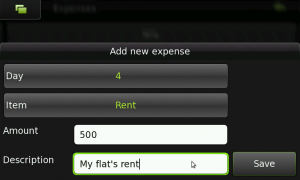
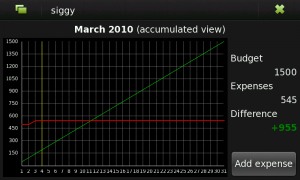
Siggy : manage your personal budget

Siggy helps you to manage personal budget, you'll :

- Be able to define a budget for a month
- Be able to write down expenses in that month
- Be able to easily see my evolution during the month, comparing it to an ideal one
- The creation of expenses should be as fast as possible, and shouldn’t need to use the keyboard
- Be able to define categories to the expenses
- Autocreation of recurrent expenses


Available at Extras-devel repository !

Tuesday, March 9, 2010

RæMote : Apple Remote for Mac Mini, MacBook and MacBook Pro !

RæMote is a desktop widget provides a virtual Apple Remote that can control Mac Minis, MacBooks and iPod docks.

Available at  Extras-devel repository !

Erminig : Google Calendar synchronization tool !

Erminig is a Google Calendar synchronization Python application to synchronize events between Google Calendar and the built-in Calendar of Fremantle !

Available at Extras-devel repository !

Phone Speaker Switcher : turns speakers on/off during call !

Phone Speaker Switcher is a simple application that turns the speakers on or off by sliding the keyboard out or closing it respectively while the call is active - making and answering the call (not while receiving/ringing).

TO DO:
* Use proximity as well
* Create a control panel applet for settings (options to also open dashboard while speakers are active if any other files are open and of course to choose between proximity or keyboard action)

Download it ! and you can install it as the usual way 

Monday, March 8, 2010

Alarmed : Scheduling App (supports automatic GPRS data counter resetting)

Alarmed is a small (???) App that acts as a GUI front-end to maemos alarmd scheduler back-end. It's written in python and uses the PySide bindings to Qt. (PySide is under heavy development at the moment and is both unstable and unreliable. A major new release is expected within weeks or months which will fix some of the knows issues with Alarmed.)

Alarmed enables you to do things like:

- Set a command to be executed at specific intervals (every minute, hourly, on specific weekdays, on last day of month etc...)
- Set recurring alarms
- Reset the GPRS data counter at a specific day every month or at the end of the month
- More stuff like this


WARNING: This is very much alpha: It crashes, has bugs, and it might do weird things (including - however unlikely - completely bricking your device). Do NOT use it if you expect it to work properly. Also read everything in this post before installing it! All of the known issues I can't do anything about except possibly workaround, as they're caused by bugs in PySide and pymaemo.

Planned future features:

- Support for intervals in seconds/minutes/hours etc.
- Better list of current items (waiting for new PySide release because of missing functions)
- Built-in functions for switching to the "General" or "Silent" profiles respectively
- Check if command is valid, possibly support for command line arguments
- Built-in function for sending SMS/Email

Known issues/bugs:

- Long startup time: Due to the current PySide implementation (boost). Will get much better once the new release is out (called Shiboken).
- Segfault (crash) after opening "New Event" or "Edit" three times or more: Bug in PySide, sorry
- Slightly weird banners: Bug in PR1.1 Qt, will be fixed in PR1.2 Qt.
- Adding a D-Bus call does not work: Bug in pymaemo, can't do anything about that.
- Command exec does not support command line arguments. Restriction in alarmd. You'll need to write a script and put it somewhere to execute a command with arguments.

More details over here !

Sunday, March 7, 2010

[How To] Remove the shadows of the icons on the desktop !

It is possible to remove the "shadow" of desktop icons by simply exploring remotely your device with the help of WinSCP

2- Then in /Usr/share/themes/Name_Of_The_Actual_Theme/images folder, search for The following two files and rename them respectively by adding .old extension as following :

ApplicationShortcutApplet.png -> ApplicationShortcutApplet.png.old

ApplicationShortcutAppletPressed.png -> ApplicationShortcutAppletPressed.png.old


3 - You're done ! Restart !

4 - To make the whole thing reversed, simply rename the two files again by removing the .old extension ;)


Ps : Name_Of_The_Actual_Theme is the name of the theme you're using (alpha "Nokia Nseries" or beta ''Digital nature" or another theme)


Or, in a more geeky way, by removing the 2 following files:


/usr/share/themes/Name_Of_The_Actual_Theme/images/ApplicationShortcutAppletPressed.png
/usr/share/themes/Name_Of_The_Actual_Theme/images/ApplicationShortcutApplet.png


To restore the original "shadows", I suggest you simply change the extension of these files to png.old is fairly simple, open a terminal and type the following commands :


$ Sudo gainroot
$ Cd/usr/share/themes/Name_Of_The_Actual_Theme/images/
$ Mv ApplicationShortcutAppletPressed.png ApplicationShortcutAppletPressed.png.old
$ Mv ApplicationShortcutApplet.png ApplicationShortcutApplet.png.old

And then reboot the device ;)

Before :
 

After :


Via : www.digitalspirit.org

Saturday, March 6, 2010

lfocus : Change focus and turn on/off the led while filming a video !

How about a python script using v4l2-ctl that will enable you to change focus and turn on/off the led while filming a video?

Well, m2cm2c over talk.maemo.org has maked the script works while filming video!

It does the following with the N900 keyboard :

q-w led on/off
e-r recording red light on/off
a-s change focus
z turn off the zoom and enable the focus through the zoom buttons
c turn on the zoom and disable the focus through the zoom buttons
d fixes the sudden focus that happens sometimes after pressing the camera button,so press d first then adjust the focus with a and s so you don't get a different focus than the one you got with the camera button.
x terminate script

* remember to always press X on the keyboard when you're done with the script 

Here's a demo video of the script working :


Once you've installed the deb file, you can run the script by clicking on its icon from the applications menu and then start filming !

You can this space for upcoming updates !

Download it !