Tuesday, August 30, 2011

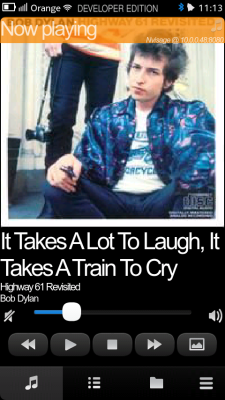
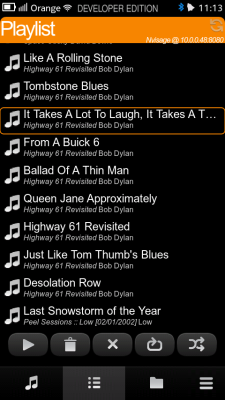
[MeeGo Harmattan] CuteRemote : remote control for DACP Media Players !

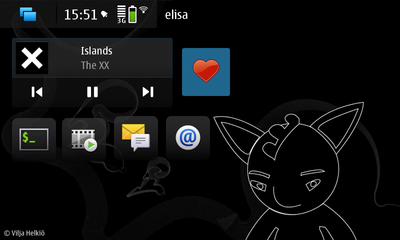
CuteRemote is a remote control for DACP supported Media Players.

With CuteRemote you can remote control your media players in your home network using wireless lan. Requirements:

-WLAN
-DACP supporting media player in the same home network with the CuteRemote.
-Firewall configured to allow connections for media player (ports 3869 and 5353).

Check currently supported media players from the support page.


Monday, August 29, 2011

[Did You Know?] N9 FAQ N°7 !

 Hello friends and folks, it's monday, a great day to continue our N9 FAQ series here's some additional informations and impressions about the beast from Michal Jerz

- Multitasking 

As I wrote in the "Performance" part, N9/N950's resources make them EXCEPTIONALLY good performers. 1 GB of RAM plays the most important role here. You can run LOTS of applications simultaneously, switch between them anytime, they continue normally running in the background like on the N900, and - due to the amount of operating memory - I couldn't see any noticeable impact on performance or UI smoothness even with multiple applications running. So yes, Harmattan devices remain as good (or better) 'multitaskers' as the N900.

The multitask screen (called task switcher on the N900, the one where you see thumbnails of all apps running) is always accessible "on the right side" of the current screen. So just swipe the current screen to the left and you get it. Like on the N900, it is enough to just tap on the thumbnail of app you want to switch to. Unlike on the N900, "X" symbols to close tasks aren't shown all the time - you need to tap and hold on an empty area of that screen to make them appear. Then you can close selected apps by tapping on their "X" buttons, or all apps at once using the "Close all" button shown at the bottom of the display.

One nice feature is that the multitask screen supports pinch-to-zoom. With a lot of apps running when their thumbnails don't fit on one screen and have to be scrolled, you can zoom out to reduce the size of the thumbnails and make them all fit. And vice versa - you can zoom in to make the thumbnails larger if e.g. small thumbnails are too tiny to identify which app is which, or if you want to see more details of what an app is currently doing (as I wrote, apps continue to normally run in the background rather than freeze, so contents of their displays may change even when they aren't in the foreground).

For a person who got used to being able to quickly close an app from that app itself on the N900, what's badly missing on the N950 at the moment is a "Close" button. On Harmattan, apps aren't supposed to have it.

Current builds of N9 firmware support a very nice feature to instantly close the current application - just "swipe it down" from the top of the display and it'll go away for good. Very nice and easy to use. Unfortunately, this feature isn't present in the current N950 software build, so at the moment the only way to close an app (that doesn't have own Quit/Exit button/menu item) is to use the multitask screen for that. Another way is to use Ctrl-Q keyboard shortcut, but that's only convenient if you have the keyboard open.

As I wrote earlier, another nice feature is the "Quick launch" function - swipe the current app a little bit (some 20%) up and hold it at this position about one second, and a bar with four icons (Phone, Web, Search, Camera) is shown at the bottom. These apps seem to be "hardcoded" at the moment and there seems to be no way to change them, so hopefully in final builds one will be able to choose the apps to appear there... Of course, without physical buttons for Phone and Camera most people will probably want Phone and Camera icons to remain there or else it'll always take getting to the app launcher (icon grid) to start them, but I guess that some people might like to change the two remaining ones...

- Calendar 

The Calendar app supports multiple calendars and color coding. One calendar can be set as "default", each calendar can be quickly activated or disabled (there is a switch to either show or hide its entries and reminders).

In general, functionality seems to be the same as N900's Calendar app.

- Contacts 

What I really like about the Contacts app are the following new (compared to N900) features:

- favourites: just tap the "Star" button in a contact's detailed view to make it favourite and it will always be shown on top of the Contacts list. This way you always get your favourite Contacts first, and then the remaining contacts sorted with the chosen method: alphabetically or by availability.

- automatic creation of thumbnails/avatars. If a contact doesn't have its photo/avatar, the Contacts app automatically shows an avatar for it consisting of that contacts initials (e.g. "AC" for Adam Cooper).

- quick scrolling. You can either slowly scroll the whole list of contacts, or (if you swipe over the grey bar on the right side showing the current letter) it will let you quickly scroll the initial letters. This way you can very quickly go to contacts starting from the chosen letter, e.g. "S" or "W". The whole alphabet can be scrolled through this way on one display, so it's really a very quick method of reaching ANY contact entry on the device.

- groups. The Contacts app supports Groups and lets you freely create as many of them as you wish. You can give groups custom names and avatars/images.

- individual ringtones. Finally, without having to use 3rd party apps for that, contacts can be given individual ringtones.

The only thing I'd like to change about Contacts is that the Search function (always shown at the top of screen) not only checks first name, last name, company etc. but also other fields, especially phone numbers.
 
- Bluetooth / Car / Voice control 

Hmmm.... is Nokia doing it again? There doesn't seem to be any PBAP or even IrMC support, at least in the current software build. So, shortly speaking, just like on the stock N900, while the N9/N950 correctly pairs with car kits and lets you receive calls, there is no easy way to make outgoing calls as contacts list cannot get synchronized with the car and so is unavailable. And there is no trace of voice recognition, even though some specifications say that it will be supported. So it looks the same as on the N900. Hopefully, it's just the current early software and these things will be supported in final release...

Saturday, August 27, 2011

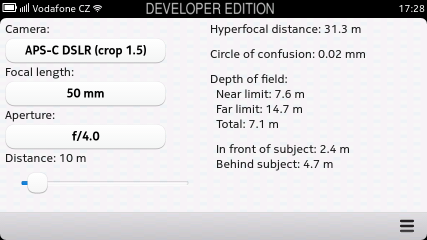
[MeeGo Harmattan] DOF Calc : Calculate depth of field of all cameras !

DOF calc is a simple tool in Qt Quick to calculate depth of field for photographers.


Download it !

[MeeGo Harmattan] Scenic : Auto changing wallpapers !

With Scenic, you can customize your phone with sets of auto changing wallpapers.

In Random mode, you give Scenic a folder full of images to pick from and set an interval. In Hourly mode, you give Scenic a folder full of images with a " wallpaper.conf " file that defines at what hour of the day each image should be loaded.

Whether you want to be surprised by a new scenic image every five minutes or you want to emulate day turning into night, the only limit is your imagination!


Friday, August 26, 2011

[HOW TO] Have an Interactive Yahoo Weather on your N900 lock screen !

 Don't you want you're weather informations on the lock screen as i do? Hell yes (thanks to Alfred )!


Here's how to do it quickly in 6 steps ;)

1) Install imagemagick from extras or in X-terminal :

Code:
apt-get install imagemagick
2) Install wget (if not already done)

Code:
apt-get install wget

3) After installing imagemagick, the folder "/home/user/imagemagick" should appear, if not create it.

4) Place everything that contains this archived folder in /home/user/imagemagick/ folder.

Edit the script weather.sh (via txt editor for example) and change the URL of yahoo forecast city by yours :

Code:

http://weather.yahoo.com/morocco/greater-casablanca/casablanca-1532755/?unit=c
Ps : in yahoo forecast page you can also choose between Fahrenheit and Celsius.

5) Run following commands in Terminal :

Code:
root
chmod 777 /home/user/imagemagick/*
6) Run this script by executing:

Code:
sh /home/user/imagemagick/weather.sh
You're done !

7) If you want to make this script run automatically, install Alarmed. Make a "New event">"Command execution">Select frequency of how often do you want to update it>Enter Name> in the command field put this:

Code:
sh /home/user/imagemagick/weather.sh
Note : You need an internet connection for "weather.sh". The first run of this script must be followed by a reboot, in order to load the new slider.

And of course, you can play with colors and fonts. If you look into the script, you will find what and how to change. It's very easy. There is also a folder with some free fonts, so feel free to use them.

It's interactive as the background changes, depending on the current temperature. If it is below zero, it chooses "winter.png" as background. If it is above zero it chooses "summer.png" and if it IS ZERO, it chooses "background.png" as a background image.

If you want to reset everything back to normal, just choose another theme from desktop, and then again the theme you want. Everything will be back after a restart. 

Thursday, August 25, 2011

[Briefs] Nokia N9 has the best antenna ever !

3 have now had the opportunity to test Nokia's new smartphone N9 on 3's network and the results have been nothing less than impressive, 3 said !

Nokia N9's transmit and receive characteristics should result in 3 being quite superior compared to all other phones 3 has been tested, and that means among other things, a significantly better network experience on the edge of network areas and in areas with poor signal conditions !

  The expert Christian Nielsen is probably so very impressed by the efficiency of the transmission and reception power of the Nokia N9, that it will be used henceforth as a reference unit in terms of reception quality at the 3 mobile service provider !

"When I run into what we call the network area's outskirts, there is still full 3G coverage on Nokia N9. Some other phones switches already here to a 2G network (EDGE). When I run on into a small forest on route, with the Nokia N9 still stand with full 3G coverage. All other phones I've tested, jump here on the 2G network, but even in the midst of the forest, Nokia N9 full 3G. I get so about 6 Mbit / s speed Nokia N9 in this area and it's crazy! ", says Christian Nielsen.

 He continues: "If I'm in the middle of the forest put the phone down on the floor of the car lost one of the 3G signal bars, and only by holding his hand over the phone for several minutes while it is at the bottom of the car, can I get it off the 3G network and onto the 2G network, " he explains.

 Thus, there are marginal areas in the mobile network, in which decreases the quality of the network. If other mobile phones already on 2G (EDGE) change, so only transmitted at a reduced speed, the Nokia N9 still had full 3G reception. Even in a forest as a speed of 6 Mbit /s was possible.

 This power is not found, according to "3" in any other phone or smartphone. This means that the Nokia N9  has significantly better reception, which in turn has a better voice quality and faster Internet connection to follow.

However, this comes at Nokia does not surprise or astonishment. Markku Suomi, Product Manager responsible for the Nokia N9 says that both the housing of polycarbonate, as well as the absence of a metal frame, preventing interference and thus contributes to good reception.

Via : elektronikbranchen.dk

[Did You Know?] N9 FAQ N°6 !

To continue our N9 FAQ series here's some additional informations about the beast most from the great Michal ;)

- sar.nokia.com is now live for the N9 : 1,16 W/kg ! N900 was only 0,8 W/kg !

- MMS is fully implemented by default this time

- Upcoming calendar events don't show in notification area. They appear there only AFTER the reminder time, e.g. if you missed the alarm or snoozed it

- Harmattan devices support Excel spreadsheets out-of-the-box. If you beam an .xls file to the N9/N950 or open an attachment, it automatically opens in the spreadsheet app. (not edit them) Office 2010 files are supported

- Browser use the web apps like google docs, or windows live document apps

- Power Save mode activation threshold (percentage of battery power left) can be configured in Settings.

- Email client is now more "mobile like" than "desktop like". it's more like the one on Android or iPhone. Nice looking, optimized for one hand/finger control, etc. It does support HTML, attachments, folders, favourite folders can be shown in the main view for easy access, as well as several most recent emails.

- Emails are forwarded normally as they are, not as attachments to a new email.

More to come, stay tuned ! 

Wednesday, August 24, 2011

[How To] Boost Your N900 with Speed & Battery Patch !?

Hello folks,

It's been a long time i wished to post about it, and here i am with some free time to do it :

- The first tweak (speed) improves the hildon-desktop : faster multitasking , faster contacts scrolling , faster images scroling and basically every thing will be improved

- The second tweak (battery) will change The VFS Cache Pressure value :
To 10 when locked the screen or the system is inactive and 100 when the screen is unlocked or the brightness is on, this will make us have a long standby usage because of vfs=10 and a long continues usage because of vfs=100


- Download speedpatch.tar.gz and speedpatch-install.sh.txt 

- Paste Both Files in /home/user/MyDocs

NOTE : MyDocs is Not Documents it is the default root folder of N900 like : Nokia N900/

- Open xterminal and write:

sudo gainroot

apt-get install bash

cd /home/user/MyDocs

bash speedpatch-install.sh.txt


- Then REBOOT when finished everything

PS : Ignore Any Errors appear about device resource busy or any others

********

* To check if Speedpatch was installed :

cd /dev/cgroup/cpu/user/

if no problem appeared about (no such file or directory) then you are fine


********

* Uninstalling speed patch

- Download speedpatch-uninstall.sh.txt

- Save it in /home/user/MyDocs

- Open xterminal and write:

sudo gainroot

cd /home/user/MyDocs

bash speedpatch-uninstall.sh.txt

- Then Reboot


********


- Download betterypatch.tar.gz  and batterypatch-install.sh.txt

- Paste Both Files in /home/user/MyDocs

NOTE : MyDocs is Not Documents it is the default root folder of N900 like : Nokia N900/

- Open xterminal and write:
sudo gainroot

apt-get install dbus-scripts kernel-power-settings

cp /home/user/MyDocs/batterypatch-install.sh.txt /home/user/batterypatch-install.sh.txt

chmod +rwx /home/user/batterypatch-install.sh.txt /home/user/batterypatch-install.sh.txt


********


* To check if Battery Patch was applied :

sudo gainroot

echo 1000 >> /proc/sys/vm/vfs_cache_pressure

Then lock the phone and unlock it

Then

cat /proc/sys/vm/vfs_cache_pressure

you should see 100

If so then the patch is applied !


********


* Uninstalling battery patch

rm /opt/scripts/cpu_sleep.sh
rm /opt/scripts/cpu_normal.sh
rmdir /opt/scripts
kernel-config load default
kernel-config default default
rm /home/user/.kernel/custom-karam
rm /etc/event.d/dbus-scripts-session
rm /etc/dbus-scripts.d/dbus-scripts-settings-by-karam


For all other related tweaks and benchmarking, technical informations or questions, bugs or suggestions, follow the original topic ;)

[MeeGo Harmattan] ProfileTimer : Automated profile switching !

ProfileTimer is an Automated profile switching that activates profiles automatically based on time settings or calendar events. Also provides singleshot profile activation for a specified duration.


[MeeGo Harmattan] Nokia Link : Lightweight media sync solution for the N9

Nokia Link (For PC & Mac) lets you sync your photos, music and videos between N9 and computer. It works with iTunes and iPhoto, so you can sync your favourite playlists, videos and photo albums easily.

So, no Contacts, Messages, Maps syncing or even Software/Firmware updating, this is different from NOS


Additional infos (via nokiagadgets) is that you can set your default USB mode from: Settings > Accessories > USB

Tuesday, August 23, 2011

[MeeGo Harmattan] Jamify : Discover free music !

Jamify is a browser/streamer/explorer for the Jamendo service. Jamendo is an on-line service which provides music under the creative common license, free to listen to as much as your heart desire without any registration if you don't want to.


Main Features:

- What's new: Find the newest music and artists
- Top lists: Top artists, songs and albums
 -Radio: Tune in and discover new artists
- Search: Search for artists, albums and tags
- Favorites: Favorite tracks, artists and albums


The application is currently targeted for the Nokia N9 (but could be ported to other platforms) and is far from complete. The screen shots below gives you an idea of what the application looks like.

Jamify's primary goal is to give the user an application which makes it easy to discover new music which is licensed under the creative common license.


Via meegoexperts

[Did You Know?] N9 FAQ N°5 ! (Closer look at the Web Browser, Must read !)
To continue our N9 FAQ series here's some additional informations about the beast from WebKit reviewer ariya who has taken a closer look on the the WebKit2 powered Web Browser on the N950 (N9), here are some of his takes :

This Harmattan browser is based on WebKit2, a wrapper for WebKit code to have it in a split process model (this multiprocess approach was popularized by Google Chrome). There is a lot of confusion about WebKit2 in general, usually because people mistakenly think of it as a version number. To make it perfectly clear, WebKit2 is not the next-generation of WebKit. Its presence merely extends the possible use of WebKit outside the single-process containment. WebKit2 does not make any of the existing WebKit code obsolete any time soon.

So far, this Harmattan flavor of MeeGo 1.2 can claim itself as the first mobile platform to use this multiprocess WebKit. One of the obvious benefit is the fluid and smooth user experience when using the browser. As I explained in his backing store blog entry, decoupling the rendering process and the user interface process is the key to this success. Spend few hours playing with N950 browser and you’ll probably notice how fast it is!


- Performance is one thing, faithful rendering is another thing. Beside being fast, the browser does not show any problem rendering many popular web sites out there.

- Scrolling is easy, flicking is smooth, pinching works as expected. Even mobile Google Mail works reasonably well.

- Looking at the DOM access performance, a recent investigation with Dromaeo test suite (see the full chart) shows how close it is to the performance of iPhone 4.

- For the browser freak out there, the browser’s user agent is (this may or may not change for the final version, though):
Mozilla/5.0 (MeeGo; NokiaN950-00/00) AppleWebKit/534.13 (KHTML, like Gecko) NokiaBrowser/8.5.0 Mobile Safari/534.13
- User agent itself is pretty useless and does not tell much about the browser capabilities (see the post on the theory behind WebKit ports). If we use HTML5 Test to check various features of the browser engine, it shows that the browser is getting the score of 283 + 14 bonus points. This is better than other smartphones in the market: iPhone 4 (217 + 7), Android-based Nexus S (184 + 1), and BlackBerry Torch (266 + 3). Of course by the time iOS 5 and/or next Android smartphone OS are out, the numbers may look entirely different.


- Turning to Modernizr feature detection suite, we will get the report like this :


--> It is quite comprehensive, the browser can handle pretty much the common variants of modern web technologies (lacking only WebGL, IndexedDB, and some variants of input types). CSS3, SVG, and Canvas are well supported. Even CSS 3-D transform works well. Aria's favorite is blur shadow, something He has implemented ages ago. HTML5 media is also there


- About GPU acceleration, the use of hardware acceleration falls into three categories: primitive drawing, backing store, and layer compositing. It is safe to say that Harmattan browser does all of these three, beautifully even. the browser uses the new texture-mapping strategy to composite the layers. We can witness how the browser has no problem handling various CSS3 animations.


There are of course rough edges here and there. Since there is still some time until the software stack is finalized for the ultimate release (of Nokia N9), hopefully by then those annoyances will be fixed. With so much technology burst coming to this slab of magic device, it is a shame that N9(50) will be the last MeeGo phone from Nokia.

You can read other details or ask your questions on the original post ! Thanks Ariya !


*************** 


On a second take, this time from the great well respected Michal from My-Meego he stated :

I must say that I hate the built-in browser. Not because it's THAT bad, but because it is worse than N900's browser which I got very much used to and which I still consider the best web browser on any mobile device I've ever used.

First of all, it's WebKit based, and I really don't like how the webkit engine renders pages. It looks like the Symbian browser. The Mozilla-based microB browser on the N900 renders pages MUCH better and they look EXACTLY like on a desktop. The N9/N950 browser's output feels kind of "mobile". I'm not sure if I can properly explain it, but that's just how it feels. Somehow "cheaper".

Secondly, I miss Flash support very much. I do appreciate PHP5 support a lot, but not necessarily at the expense of no Flash... There is also something wrong with Javascript as even Google AdSense ads don't show up.

Thirdly, you are absolutely right, it is very spartan. Available options are limited to "Open new window" (thank you Nokia! Symbian WebKit browser lacks even that!), "Share this page", "Add to apps" and "Subscribe to feed". Hmmm, not too much, isn't it?

The "Add to Apps" function is very nice (it adds a bookmark to the apps list, the icon is a thumbnail of the page, name can be modified), but for me it should be an ADDITION to a traditional bookmark list, not a replacement. I like the idea of having the most important / most frequently visited web sites available directly from the apps list (i.e. what they now call home screen), but surely NOT ALL. I want to have a lot of bookmarks, including sites which I check very rarely, and I just can't imagine having all of them on the home screen, or having to manually type the URL if I don't want to store the bookmark on the apps list.

And there are no configurable options of any kind, literally not a single one. Or at least I can't find them. Oh, except for Settings / Applications / Web where one can choose the default search engine, allow/disallow popups and clear private data. Or maybe it's just a temporary state and some further options will be added before the N9 starts shipping.... the Web settings screen is now in 80% empty with the existing options placed at the bottom, so maybe it's a placeholder for some further settings being worked on as I write this...

Other than that, the browser is very fast and..... that's it.

Fortunately, Opera Mobile 11 is already available for Harmattan (unofficial build extracted from N900 MeeGo DE release, but fully working) and that's what I use for now...

there's something about WebKit browsers that I do not like. It's hard for me to actually say what it is, but when I look at a page rendered by the N900 microB browser and the same page on the N9/N950, the N900 wins hands down. It's just my personal opinion and other people's impressions may be completely different... As I said, there's nothing really wrong with it, it's fast, stable and (at least when it comes to page rendering quality) not worse than Android browser. Maybe I just got used to the N900 too much... It'll take a long time before I stop missing stylus support.

Don't hesitate to post your questions on the original topic

[MeeGo Harmattan] Menstruation and Ovulation Tracking Tool !

Menstruation and Ovulation allows you to keep track of your menstrual cycles and to automatically predict menstruation periods and probable ovulation days.


 Features:

- Keeps full history of your cycles.
- Allows to track up to four different symptoms (e.g. abdominal pain: low/medium/high).
- Allows to track body temperature.
- Automatically predicts menstruation period.
- Designed for N9.

You can attach a note containing information about your mood, taken medications or other information to each day. Remember that the probability of conceiving a boy is slightly higher during your ovulation

[MeeGo Harmattan] Battery Usage : Detailled Battery Monitor

Battery Usage monitors energy consumption of applications and hardware and displays a list of top energy consumers in the phone.


Download from OVI store

[MeeGo Harmattan] TranslateAll : Translate to or from over 50 languages !

TranslateAll is a A language translator based on Google Translate API.


- Supports 50 languages
- Voice output for translated text
- Translates text when target language is changed
- Copy translated text. 

Download from OVI Store  

[MeeGo Harmattan] Translate Mee! : Translate to or from over 30 languages !

Translate Mee! is an easy to use and convenient tool for translating to or from over 30 languages. Not only it translates but also it can speak the translated text. To copy the translated text just long tap it. Powered by Bing.


Download from OVI Store ;)

Monday, August 22, 2011

[MeeGo Harmattan] CloudGPS : hw accelerated silky smooth maps !

CloudGPS (known for our lovely N900) is a mapping application using OpenGL ES to display hw accelerated silky smooth maps :


GPS, accelerometer and digital compass are not supported yet !

Install instructions:

1. Install SDL 1.2 from this link. More info about SDL in this thread.

2. Install cloudgps package.

Installing a package may fail when done directly from web browser. In that case please try installing it using:

Code:
dpkg -i <package_file.deb>
as root from terminal.

Start app using icon on home screen. Sources are available here.

[MeeGo Harmattan] Stockona : a google finance stock quote client !

Stockona is a google finance client, with the following features:

Quote

- Simple view: The quote info can be displayed in three formats: quote/portfolio/widget
- Detail view: Display more detailed info, plus display history price/volume chart from Yahoo Finance

News

- Accessed from detailed quote view. Display relevant news feed from Google Finance.
- Configurable option to open news item within app.

Portfolio

- Support Google Finance portfolio.
- (UI under construction) Also support local portfolio creation for Yahoo/Google Finance symbols.


Also exists for Maemo 5 ;)

[MeeGo Harmattan] MyMoves : Configurable gestures to your N9/N950 !

MyMoves is an attempt to bring configurable gestures to Harmattan, written in QML/C++. The idea of MyMoves is to be able to create a gesture, and attach an arbitrary shell command into it.

The current prototype of MyMoves consists of two parts:

- mymoveserver, handles the touch events via XRecord, saves the gestures and performs the recognition
- Configuration UI for adding new gestures and starting/stopping the gesture observation
The server is controlled by the configuration UI via D-Bus commands

So. What on earth can we do with this? Let’s take a closer look. Here’s the configuration UI:


And as a result !


Harmattan debs: http://koti.kapsi.fi/~sh8dfwk/mymoves

Details about configuration can be found here ;)

Sunday, August 21, 2011

[Did You Know?] N9 FAQ N°4 !

To continue our N9 FAQ series here's some additional informations about the beast from variant (reliable) sources ;)

- As the latest Anna update for symbian, N9/N950 support Meeting Requests ! Just create a meeting appointment, add people from your contacts list and hit "send"

- You can set schedules for email download. This allows to e.g. keep the phone silent in the night. (You can do this for MfE accounts on N900)

- Headphoned's "pause playback on headphone removal" is integrated

- There is a setting to activate a swipe down gesture that will close the app directly. You start the swipe from the top of the display, move your finger down till the end (or so) and you see the window following your finger down, disappearing through the bottom of the display and being effectively closed, in short : You can  close an app directly without these being added to the multitasking-view

- Nokia "solved" repair/restore "isssue" as on N900 (only solvable with flash or a more userfriendly way)

--> Now on Settings -> Reset, we have :

* Restore settings
* Clear device

This should solve the worst cases of the average users. If someone is digging further and gets in trouble, flashing is available for Windows, Mac and Linux.

- Multitouch in browser is actually supported: https://secure.0x90.dk/~laknudse/multi_touch_test.html and multiple drag and drop http://quirksmode.org/m/tests/drag2.html in theory !

Stay in touch, a lot of informations and hints to come !

[MeeGo Harmattan] EasyList : Easy to use shopping/todo list application !

EasyList is an easy to use shopping/todo list application. You can create your list in a text area. Each new line depicts a new list item.


Download it !

[MeeGo Harmattan] MeePasswords - Keep your passwords protected !


MeePasswords lets you store and manage your confidential data and protects it with a configurable password. MeePasswords uses AES256CBC encryption to securely store the data. Additionally, the Harmattan version of MeePasswords uses a secured Aegis storage to store the encrypted data.


You can install MeePasswords from the in-official community repository


Ps : MeePasswords is available for Fremantle too ^^

[MeeGo Harmattan] 4squick : Smooth Foursquare application

4squick is super fast and awesome Foursquare app for Nokia touch phones.

Features

- Fast app startup time
- Smooth MeeGoish user interface with custom Nokia Pure font
- Private/public check-in
- Share check-in details to Facebook/Twitter
- Friends check-in history
- Your own check-in history
- Show earned points and badges after succesfull check-in
- Full leaderboard support
- Small and fullscreen maps
- Venue photo gallery
- Tips support
- User profiles
- Search history with top searches
- Built-in application updater with automatic update checks

Friday, August 19, 2011

[MeeGo Harmattan] Application preview : MeeCast : The new OMWeather !

It’s OMWeather but this time it’s not just a tweak of good ol’ weather widget – it’s a completely redesigned application so we had to choose some more “marketable” name for this OMWeather successor. Let me introduce you: MeeCast.

1. Branding

MeeCast absorbed all key features that you’ve loved in OMWeather like extreme customization, detailed settings, icon sets, GPS tracking and more. But now it has evolved from just a weather widget on your home screen to full featured open source cross-platform solution for developing weather related applications all thanks to Qt and QML. According to Andrew Zhilin : Right now the focus on delivering MeeGo 1.2 Harmattan application as fast as possible but we’re also cooking something really extraordinary for you and I hope we’ll soon be able to show it to the world. But that will happen later this year, right now let me give you a sneak peek on what’s coming up for Nokia N9 (and of course for N950 ninjas too :P)

2. Concept

Since Harmattan got rid of home screen widgets of all sorts ( or is it? ) it has been decided to mimic the “instant access” experience of the widget in our stand-alone application. So we have an app that will load as fast as possible and show all necessary info without carpet bombing your eyes with fancy special effects that QML allows us to do. So here’s the home screen :


There’s nothing much to describe, everything looks pretty intuitive. Your location along with basic but most valuable data right in front of you. Day temperatures are color coded along with the background to give you instant “feel” of the outside conditions. Not so representative with boring Moscow weather but still :)


The “Day details” view shows you all the info available at the moment for chosen day. It has been decided to use text labels instead of icons for maximum readability in all languages (and we have 8 different locales. If you wish to help with adding your native language – feel free to email at vlad[at]gas.by). Also day and night parameters are now divided in two tabs for additional comfort.

All for now, but stay tuned, there’s still landscape mode and testing package waiting to be revealed :)

[MeeGo Harmattan] QAD File Manager : WebDav, http-server, UPNP !

QAD File Manager is a system utility for advanced users. User can browse the file system inside the device and open files in external applications.


Features

- Filesystem browsing
- Navigation history
- File execution on external application
- Share filesystem over http (user:password)
- Show hidden files
- File statistics
- WebDav Support


Features coming soon :

- UPNP
- File copy, move, delete, statistics
- Browse to custom folder

Test Repository: http://www.jpii.fi/filemanager/testing/

[MeeGo Harmattan] VLC Remote !

VLC remote is a remote wireless to control vlc media player


Can be installed from

http://projects.developer.nokia.com/vlc_remote

or by adding

and

Code:
apt-get install vlcremoteqml

[MeeGo Harmattan] CuteTunes - MP3Tunes Client !

MP3Tunes is a(nother) music streaming service. Somewhat similar to Google Music, the user uploads their collection to the server and then streams to their devices.

This is a client for the service. The user is given 2GB of free storage (you can request for a free 10GB upgrade.) to which they can upload music and videos. Premium options are also available.

This being a first release, it would be nothing short of a miracle if it was not jam packed full of bugs.


The current features include:

*Streaming music (Woo!)

*Playlist creation (which automatically synchronize to MP3Tunes)

*Track sharing

*Track Downloading

*Searching for Artists, Albums or Tracks

*Stolen Aerofy icon

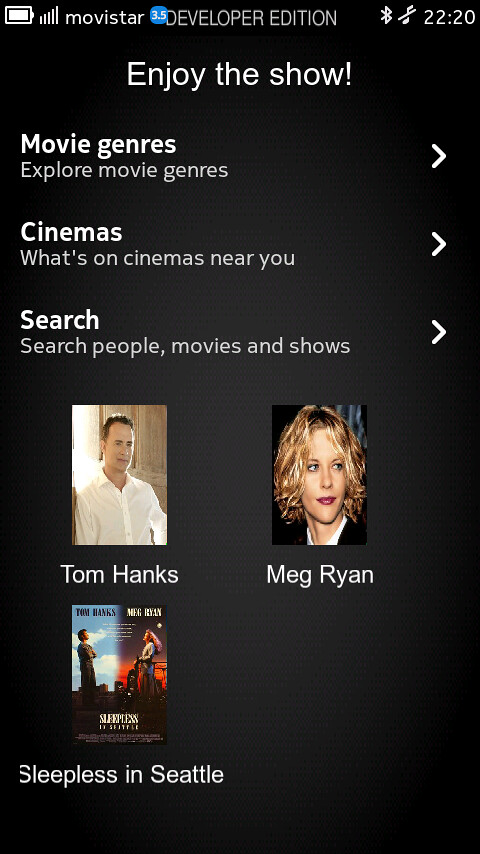
[MeeGo Harmattan] Butaca : Bring all your movie-related informations !

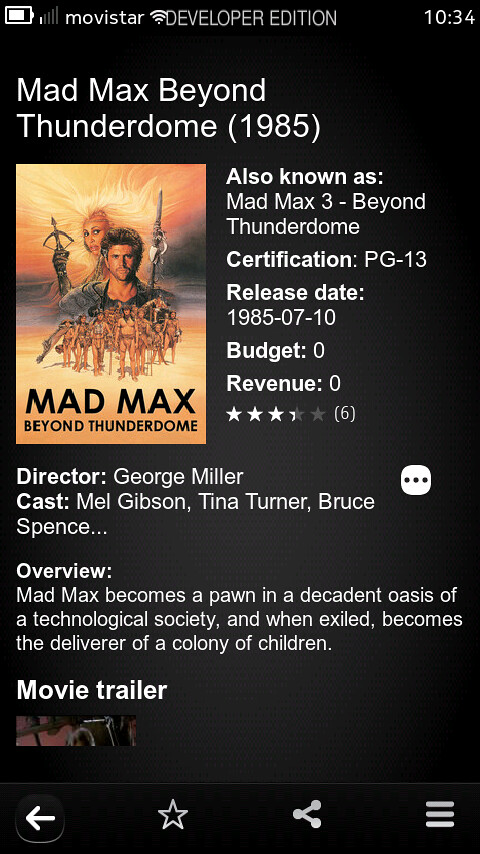
Butaca is an application which allows accessing a lot of movie-related information. Using  The Movie Database as a backend, Butaca lets you search for a movie and get the title, rating, release date, overview, cast... and a lot of interesting data. It can be used as well to access information about the people in the movie industry: from actors to writers, you'll get all their interesting details.


Besides, you can explore all the movie genres to find new movies and save them as favorites to check them in any moment, you can find what's going on on the theaters around you, and also search the showtimes for a given movie.


So it lets you:

- Browse movie genres
- Search for movies and people
- Shows title, rating, release date, overview and cast for movies
- Shows name, birthplace, date of birth, biography and filmography for people
- Allows keeping content as favorite (both movies and people)
- Allows sharing content using the system share interface
- Search movie showtimes (launching the web browser agains Google Movies)
- Check what's on cinemas near you (also using the web browser)


 Future improvements will add support for checking whether a movie has extras after or during the credits and also sharing the info on the Internet (using the email, Twitter or Facebook to communicate your intention to watch some movie, or how interesting you found another one you already watched)

[MeeGo Harmattan] Scrobbler v2.0-4 : now both on N900, and N9 !

Scrobbler will see what music you are listening on Maemo devices, and scrobble to your favorite service, either last.fm, libre.fm, or both (you can see how to use the love button)


Via : felipec 

Thursday, August 18, 2011

[MeeGo Harmattan] File Manager : A simple to use file manager !

Due to the lack of a built-in file manager on Harmattan a native-look file manager has been developed. The goal was to make something that looked like it was shipped with the OS and replicated the ease of use of a desktop file manager (eg, no marking files, hitting copy and then having to trawl through a custom folder menu -- with this app you simply hit 'Copy', navigate to the destination and tap 'Copy Here').

File Manager aims to bring the ease of use and functionality that one usually expects from a PC file manager into a mobile app. It uses a simple copy/paste methodology for copying and moving files, gives you detail on the copy process and if there are copying errors it lets you know and asks you what you want done next. You can rename files and folders, and easily see the type of files using intelligent filetype recognition. It even gives you thumbnails of any images in your current folder.

File Manager will also soon allow you view archives as folders and to 'mount' popular cloud storage systems such as Google Docs, Dropbox and Sugarsync as folders, meaning you can copy and move files between just as if they were on your phone.


Key features are:

- Simple to use with a native look and feel (light and dark theme)
- 'Copy/paste' methodology for copying and moving files (no trawling through a separate folder menu)
- Flexible options on error or duplicate file
- Smart icons and image previews
- Share files using the system share menu


(Download it !)  

[MeeGo Harmattan] cuteTube !

It seems that cuteTube is clearly the most well-made app till today for MeeGo Harmattan, It has a sleek, fast and well designed GUI. All functions are working properly (except vimeo, which was removed in the latest version which I not yet installed) and everything is just perfect. Everything works cleanly in landscape and portrait mode.


Download CuteTube: projects.developer.nokia.com/cutetube

Via meegosweden

[How To] install deb files on the Harmattan N9/N950 !


Installation via Terminal

- Enable "Developer Mode" (Settings-Security-developer mode)

- "Installations allow strangers from sources" (not Ovi) activate (Settings-Programs-installations)

- Open Terminal

- ssh root@localhost – enter

- Password: rootme

- dpkg-i filename.deb


Installation via Program Manager 

A simpler method is the integrated program manager. Since currently no file browser on the device is located (I recommend the File Manager to install)

Either you send the file via email or you load it via the browser. A simple click is enough and the program is installed properly.

[MeeGo Harmattan] MusiKloud : Soundcloud Client !

MusiKloud is a Soundcloud application for MeeGo Harmattan N9/N950 allowing search, download and playback a song ! When downloading, you can choose either the 128kb MP3 stream, or the original format ;)


Maemo 5 version will be on the way, once the Meego-Harmattan version is finished according to the developer ;)

Wednesday, August 17, 2011

[Did You Know?] N9 FAQ N°3 !

To continue our N9 FAQ series here's some additional informations about the beast via sapiensbryan ;)

- “Import Contact” feature is compatible with Nokia, Android & Apple iOS devices and contacts can be imported easily via Bluetooth.

- Nokia Maps are separated into 2 parts :

1. Maps is optimized for walk & normal map navigation.

2. Drive is optimized for turn-by-turn in-car drive navigation.

--> Therefore, Maps is displaying in portrait mode while Drive will only be in landscape mode.

- When you click an embedded flash video on a website, a video player will pop up to play the video as recent Android and iOS devices.

- According to Nokia Malaysia, web browser in Nokia N9 will not support Flash in the future and it’s built for wide HTML5 support, which offers access to rich web application and fast video playback.

- Developer Mode is available in Settings of Nokia N9, which enables some advanced feature such as X-Terminal, etc.

Stay in touch, a lot of informations and hints to come !

Tuesday, August 16, 2011

[Did You Know?] N9 FAQ N°2 !

After the N9 FAQ N°1, it's time for a second part to have a view of what we missed !

How Nokia N9 built-in Webkit2 Browser performs on Html5/Acid3 vs Opera & Fennec? (via nokiablog.ch)

- Built-in Webkit2 Browser


Fennec


Opera


NFC in Nokia N9 Won’t Support Mobile Wallet or Payments

The N9 lacks support for either an embedded secure element or the Single Wire Protocol (SWP). According to NFC World, these elements are needed for use in secure NFC applications such as mobile wallet, ticketing and payments. Instead, Nokia is concentrating on the ‘connectivity’ aspect of NFC for file sharing, device pairing and tag reading. In fact the mobile wallet is 12 to 18 months away from being widely used. In the meantime, Nokia’s upcoming NFC applications seem cool and simple. For example, you’ll be able to stream music wirelessly by tapping your Nokia N9 on Nokia Play 360° speakers, or share photos, videos, contacts and more by tapping another NFC-enabled device.

The Nokia N9 comes with a selection of security features (Via conversations.nokia)


- Autolock feature, which is where you can have your Nokia N9 ask for a security code every time you awaken the phone from its sleep – or when trying to unlock the screen, anyway. If you want, you can have the phone ask for the security code every single time you do this, or after certain time intervals, such as: 5 minutes; 10 minutes; 30 minutes; or 60 minutes, if you so wish.

If somebody tries to unlock your phone and doesn’t know your security code, the phone will delete all your data that’s stored. This way you feel safe in knowing that should your phone be stolen, the thief will not be able to access email accounts, notes you may have saved or even have access to your online accounts like Facebook or Twitter. So your identity remains yours. You can change the Number of tries a person can have in the drop down list.

The best of the best : There is a Trusted person option in the settings too, so should you forget your security code you can have the code sent to that other person in the form of a text message, if the security code has been filled in incorrectly on the lock screen that the screen will be turned red and ask you to input the correct code or press the recover button. If you can’t remember the code at this point, press that button and your code will be sent to the trusted person !


Track & Protect (a preinstalled app) enables you to do some cool things. From the phone you’re able to activate or deactivate the app, or decided to have the SIM card swap option active, or not. This means that if your phone does go missing, should somebody try to remove your SIM card and insert theirs, the phone won’t work.


It’s from the Web service that you can do some cool tricks. Let’s say you’ve stored some important documents on your Nokia N9, the type that you wouldn’t want anybody looking at. You can wipe all the information from your phone remotely, by logging onto the Track&Trace website and pressing Wipe! and by pressing the Lock button you can do exactly that, lock the phone. But before you do either of these, you should press the Get location button. This will locate your phone and show you where it is using Ovi Maps !

The N9 is the first phone ever to feature something called non-destructive photo editing (Via conversations.nokia)

Which means that you can take a photo, crop it, resize it, change the contrast or any other function – all with the option of being to reverse these edits at any time.


More to come, stay tuned ;)