Showing posts with label Phtoto Applications. Show all posts

Sunday, March 18, 2012

[MeeGo Harmattan] TweakUp your media sharing experience !

As you know, due to the aim of getting the N9 DLNA-certified, developers had to introduce some restrictions.

One of the most annoying limitation from an end user point of view is that you can’t share arbitrary videos or music which you may have put on your device.

Another, though minor, issue is that it’s not possible to change the name shown in UPnP or DLNA clients on the network.

If your phone is on PR1.2, TweakUp enables you to tweak some of the N9's media sharing options, such as


- Enabling/disabling audio transcoding
- Setting the name of the device on the network
- Sharing of all media files, even those without DLNA profiles
- Enabling/disabling uploading
- Setting a home access point


Friday, December 16, 2011

[MeeGo Harmattan] Boxee Remote for N9 !

Boxee is a home-theater PC software that you can connect to your TV and stream videos/music from other computers and play them from a single entry. Furthermore it is a social network powered home theater application, you can post what you are watching on Twitter or Facebook and watch videos your friends posted on Twitter or Facebook.

You have two options to use Boxee, you can either buy a Boxee Box or make your own Boxee as presented in Boxee’s website (http://boxee.tv) and by downloading Boxee application. For the first choice you need this application because of its powerful NFC and proximity features, otherwise Boxee Box comes with its own remote, for the second choice, you need to have this application if you posses one of the coolest phones ever, the Nokia N9.


Boxee Remote is a remote controller interface for Boxee, you can use this remote to navigate, search, play/pause/stop videos or music and adjust the volume of Boxee.


You can download Boxee for N9 on Ovi now, try it, it’s free!

Saturday, December 10, 2011

[MeeGo Harmattan] Photo Deformer For you N9

Photo Deformer - A cool application to make hilarious things with any photo.


You can easily make the cheerful animation turn your friend to funny character. All movies are stored on the device and you'll be in the center of attention, showing caricatures to your friends anytime.

Wednesday, September 14, 2011

[MeeGo-Harmattan] Sophie Cam : share your photos with various quality effects

Sophie Cam is a brilliant way to share your photos with various quality effects such as Roid, Housten, Dirty Cam and many others through a sleek and user friendly interface. Share you great moments via Facebook and Flickr! More sharing services will be added soon!


Tuesday, September 13, 2011

[MeeGo-Harmattan] Mediadownloader : client for Google Image, Youtube and BlipTv !

Mediadownloader is a simple and fast client for Google Image, Youtube and BlipTv.
 You can search images and videos, view them in a grid view, then in a slide view.
 Images can be zoomed and rotated, both images and videos can be downloaded
 or set as wallpaper (single frame for videos). Images are cached, this means that
 if you want to download or rewatch an image, it is retrieved from the cache instead
 the net saving bandwidth.

 In the main window:

 * Choose Google Image, Youtube or BlipTv icon to search in
 * Scrolling the grid at the end will add more items
 * Tapping on a thumbnail will give more info about the source (hiding again within 4 secs).
 * Double tapping will show it on a scrollable list view


 In list view mode:
 While viewing images:


 * tap to get more infos
 * pinch to zoom, rotate and pan the image

 While viewing videos:

 * the video starts paused with controls available
 * press "i" to get more infos
 * while playing, tap to get controls back

 For both (videos and images)

 * long tap to get the menu to choose to save or set what you are seeing as wallpaper
 * slide to view the next or previous item
 * double tap to get back to grid view

Watch the original thread for questions or suggestions ^^

Wednesday, July 21, 2010

FCamera : A camera alternative with manual controls (HDR, DNG, RAW etc.) !

FCamera is an open-source camera application for the N900. You can use it as an alternative to the built-in camera application. It provides significantly more manual control over capture parameters, and shoots raw (in the Adobe DNG format). It also includes some nifty features. It has an automatic HDR mode, which has an HDR viewfinder that lets you preview the full range to be captured. It has a "lucky imaging" mode in which it takes a burst of shots and only saves the sharpest. We've found that this simple trick lets you handhold exposures of up to half a second.

FCamera really has two purposes. It a useful camera application for photographers. It is also a base camera application that students and hobbyists can modify to experiment with new photographic techniques. Given the second requirement, we've tried to be fairly careful about balancing features versus the impact they have on ease-of-understanding of the source. In most cases we've favored the simpler source code, which is why you don't see a lot of custom widgets or fancy icons.

WARNING : for those with titan's kernel, ther're some issues...

Saturday, June 26, 2010

Light Meter : measure the incident light to determine the proper exposure !

Light Meter is an application that allows you to select your chosen aperture size, and gives you the appropriate shutter speed according to the light condition. just like a light meter used for photography (see here for more info)

Touching the LCD-style numbers you can set the exposure parameters. If you set the aperture value, speed will be calculated, and vice versa. The LCD-style numbers give you only values permitted by your camera/lens.


You can easily add your camera/lens parameters in the files camera.conf and lens.conf in /opt/lightmeter, then you can select them using the settings menu option.

In the package you'll find only the Nikon D80 and a 16-85 Nikkor lens in the .conf files.

To store the actual exposure you can use the three "memory" buttons. (More to read)

Wednesday, June 16, 2010

Classic Print : Retro style photo editor !

Classic Print is a photo editing application that allows you to give your photos a 'retro' look. It provides a number of settings that can be adjusted to produce the desired output.


Classic Print allows you to load any photo and tweak the following effects:

* Vignette effect with adjustable radius, darkness and edge defocus
* Dodge to highlight centre of image
* Colour temperature; green or red tint
* Add noise to photo
* Colour level adjustments (select from a number of presets and adjust amount of adjustment)
* Contrast
* Light leak simulation
* Adjustable photo frame border


The settings are grouped into "Lens", "Film" and "Processing" to simulate the photographic process of a cheap classic camera. You can save your favourite settings for each of these groups and give them a name or you can tweak them individually to see the effect.

When you're happy with the settings you can save the photo with effects applied at any resolution up to the size of the original photo.

When the application is started, tap where indicated to choose a photo to edit.

The three buttons at the top left allow you to adjust settings for "Lens", "Film" and "Processing" respectively. Clicking on any of these displays a popup allowing the settings to be altered.

Each of the settings popups allow you to tweak the individual parameters or to select a previously saved set of parameters. When you tweak any settings, the current set is marked as "Custom". These can be saved as a new preset by pressing the save button (looks like a diskette).

The save button on the bottom left of the main screen allows you to save your modified photo. When selected you are prompted for the resolution to save the photo as. The "Photo Resolution" button resets the size to the size of the source photo. When you select "Done" you are given the opportunity to select the filename to save as. Your original photo is not overwritten or modified unless you choose to save over the original.

Sunday, June 13, 2010

BlessN900 : Tweaks your pictures (non-blurry, low-noise, high quality zoom) !

BlessN900 gives you all you've been missing with the standard camera: non-blurry low-noise photos in low light, high quality zoom not available on any mobile device before, rich detail in highlights and shadows!


 Download and Install Now! or from Extras-Devel repository

You will need to reboot your phone after installing BlessN900, as the camera firmware is updated during installation.

Ansel-A : Powerful Image Editing has finally come to N900 !

Ansel-A Digital Darkroom for the N900. Supporting B&W Conversion, Color Correction, Precision Rotation, Photo Browsing, Level Adjustments and Simple Filters. Pronounced "Ansel, A"


Features:

- Filtered-Black-&-White-Conversion
- RGB-Color-Correction
- Brightness, Saturation, Contrast and Sharpening
- Pixel-level-Cropping (Portrait is still a little fishy)
- Tonal Shadows/Highlights
- Kinetic Photo Browser
- 360-Degree-Precision-Rotation
- EXIF-Browser-with-maps
- Unlimited-Visual-Undo
- Multi-Platform (Qt4.6, PyQt)
- a Gratuitous You Tube Video


- An active developer taking feature requests

And all this cool stuff is Fully Open Source.

if you have Extras-devel/Extras-Testing active go to AppManager->Graphics->Ansel-A and click install and enjoy !

More to read !

Thursday, May 6, 2010

MyPaint : Paint program to be used with Wacom tablets

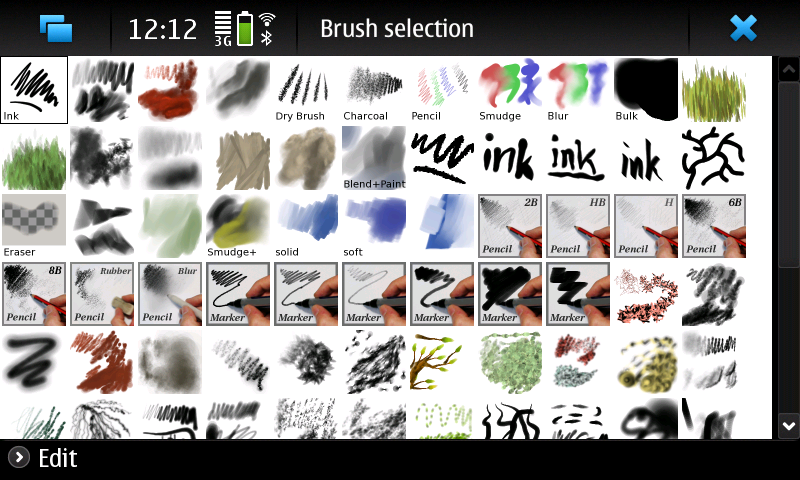
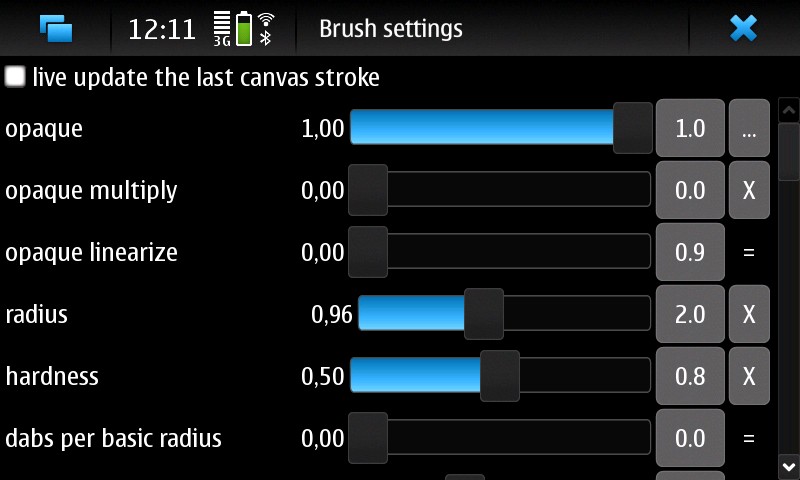
MyPaint is a pressure sensitive Wacom tablet paint program. It comes with a large brush collection including charcoal and ink to emulate real media, but the highly configurable brush engine allows you to experiment with your own brushes and with not-quite-natural painting.


Melissa & Doug Deluxe Poster Paint Set (10 Bottles)

Available on Extras-devel repository ;)

Sunday, March 28, 2010

Enna is out : a new Media Player for N900 !

Enna is a Media Center application. Featuring a simple user interface, Enna is based on the powerful Enlightenment Foundations Libraries (EFL) as for its graphical user interface and GeeXboX libraries as for multimedia playback and information retrieval.


Enna's features:

- Browse and listen to your music files,
- Browse and watch at your videos files,
- Browse and play slideshow with your photos,
- Retrieve informations about your media files on the Internet,
- Build a database of your medias and retrieve information from your music, video ... (such as covers, fan arts, songs lyrics and many much more).

Enna is available for your favorite mobile phone. It comes optimized and pre-configured for your mobile to find all your possible multimedia contents. In order to install it, go to Package Manager and add a new repository:

Name: GeeXboX
URL: http://packages.geexbox.org
Distribution: fremantle
Component: main

Proceed with packages database update and then:

- Hit the Download icon.
- Choose Multimedia application.
- Select Enna Media Center.

If you've some packages conflicts, try installing Enna manually trough the App Manager :
apt-get install enna

Via : mobilelivingroom.de

Thursday, March 18, 2010

Phototranslator : alpha !

Do you remember phototranslator?


Well, it's available since testerday at Extras-devel !

As you probably have understood already, the PhotoTranslator is not a final version yet and it lacks features. It may, or it may not work as you expect, but as stated before, use it at your own risk. They also needed to remove bunch of languages from the application because they increased the package size to 95M.

PhotoTranslator supports only the following languages from tesseract i.e. the languages that it can read from the images (OCR) at the moment:

English
Finnish
German
Spanish
Portuguese

NOTE: This means that you can translate, but you can only use the OCR for the languages listed above. The workaround for this is that you can write the text manually and then translate it.

PhotoTranslator Beta Features

For beta version they are planning to implement the following set of features:

- Separate package for each supported language
- User can download different language packages via PhotoTranslator
- Disabled buttons for languages that are not installed
- Support for capturing images with PhotoTranslator

More details will follow later.


Enjoy !

Wednesday, March 17, 2010

fizwoz Mobile on the N900 !

The fizwoz mobile application lets you sell photos and videos captured on your Nokia phone to media companies around the world within seconds. If you capture a breaking news story, a celebrity or something that makes you laugh, use the fizwoz application to auction your images to the highest bidder.


Available at : OVI Store

Saturday, March 6, 2010

lfocus : Change focus and turn on/off the led while filming a video !

How about a python script using v4l2-ctl that will enable you to change focus and turn on/off the led while filming a video?

Well, m2cm2c over talk.maemo.org has maked the script works while filming video!

It does the following with the N900 keyboard :

q-w led on/off
e-r recording red light on/off
a-s change focus
z turn off the zoom and enable the focus through the zoom buttons
c turn on the zoom and disable the focus through the zoom buttons
d fixes the sudden focus that happens sometimes after pressing the camera button,so press d first then adjust the focus with a and s so you don't get a different focus than the one you got with the camera button.
x terminate script

* remember to always press X on the keyboard when you're done with the script 

Here's a demo video of the script working :


Once you've installed the deb file, you can run the script by clicking on its icon from the applications menu and then start filming !

You can this space for upcoming updates !

Download it !

Thursday, February 25, 2010

[HOW TO] OTA Photo sync N900 with iPhoto !

first up, if you’ve not seen the original post and video, checkit. Secondly, this is a long detailed post. Fetch a drink and a snack.

imagine this scenario:

* You take a photo on the N900.
* It’s automatically in iPhoto on your mac…and you didn’t do anything – it’s all automatic, no cables, no sending over bluetooth, no sharing over web services, no memory card transfer – NOTHING you had to additionally do.
* You edit the photo in iPhoto.
* You browse the photos on your N900, the edited version is there…. without having to send it back or do anything at all!

Right, here it is, the how-to for syncing the N900 over the air with iPhoto.

Wednesday, February 24, 2010

Knots 2 : Stream media from your desktop computer !

Knots 2 enables you to access your media collection automatically from anywhere. Stream high quality video through wlan or lower quality video through 3G. Requires additional software for your desktop computer. Please see http://wiki.maemo.org/Knots2 for instructions. Supported operating systems: - Windows XP/Vista/7 - OS X 10.5 Leopard or newer - Linux - FreeBSD

Available on Extras and Extras-devel repository !

Friday, February 19, 2010

Morpho QuickPanorama : Take panorama photos easily with one-button capture !

Morpho QuickPanorama Free Trial application helps you take panorama photos easily with one-button capture. Just start acquiring video, swipe your hand in a horizontal direction to capture a panorama, and the Morpho QuickPanorama application stitches the input in real-time to create a panorama JPEG automatically.


Available on OVI Store !