Showing posts with label System. Show all posts

Tuesday, August 23, 2011

[MeeGo Harmattan] Battery Usage : Detailled Battery Monitor

Battery Usage monitors energy consumption of applications and hardware and displays a list of top energy consumers in the phone.


Download from OVI store

Thursday, March 24, 2011

saveCPU : overheating control for overclocked n900 !

saveCPU is a script that controls the temperature through the bq27200 module and, if the n900 was overclocked, it reset the standard clock and turn on the LED.

The overclock will be automatically restored when the temperature drops 5 degrees Celsius below the alarm temperature.

Through the graphical interface you can set:

- LED color
- activation temperature
- waiting time for each control
- enable / disable control


If enabled, the script will be launched each time the n900 starts.


Saturday, March 19, 2011

OptimizeN900 : Virtually reboots your N900 !

OptimizeN900 is a script written originally by JorgeFX that refresh several processes like if you are rebooting your N900. It does not reboot or causes sudden battery drain like what happens when you reboot the N900.

Please be aware that the screen will show weird stuff but it is normal because the ALL UIs and Hildon are restarting.

Friday, July 16, 2010

WPA key editor : With 32-byte hex key support !

WPA Key Editor is a simple WPA-PSK key editor for 802.11 networks; supports both passphrases and 32-byte hexadecimal keys (support for the latter is notably missing in Maemo 5).

If you've tried to connect to a WPA-secured network using a 32-byte (64 char.) raw hexadecimal key on Maemo 5, you will have encountered bugs 1002, 6802, 6678.

This is a solution in the form of a control panel applet that allows you to edit an existing connection and enter a hex key (or a passphrase, as accepted by the standard UI tools).

Test and vote !

Thursday, July 8, 2010

Queen BeeCon Widget - On Desktop Dialer Widget !

Queen BeeCon Widget is a highly customizable and flexible widget-based multi-instance monitoring, alerting and interactive tool for Maemo 5 Fremantle and the N900, like the Desktop Command Execution Widget !

The Widget is based on the execution of external Shell/OS Commands which can be either as simple as one-liner statements or as complex as articulated shell scripts, which, for example, fetch, parse and aggregate contents retrieved from the system, other applications or the Internet.

Anyway now you can Customize Queen BeeCon Widget (>=v0.1.9.6) to display: On Desktop Dialer Widget, ie.
The Beecons will let you dial phone numbers straight from you desktop !


So jump over the official thread and follow instructions and enjoy the great work by the great maemo community !

Friday, June 25, 2010

DrLaunch : Application launcher widget with portrait mode

DrLaunch is an application launcher widget for the home screen that supports portrait mode. Whenever the phone is rotated, icons are also rotated.


Known bugs:

- If you resize the grid you need to restart hildon-home or remove and re-add the widget (icons will remain).
- If you open the settings a couple of times, weird things will happen. If you experience problems restart hildon-home or remove and re-add the widget.
- After you add icons, the grid will not always refresh. You need to press on each icon for a while to be refreshed.

The widget does not start programs at first touch. Instead you need to press an icon until it glows (for 250 milliseconds). This is done on-purpose to avoid launching programs by mistake. I can make this configurable but I'd like to listen to your comments on this first.

Please report other bugs in this thread 

Monday, June 21, 2010

QCPUFreq : save battery power by adjusting your maximum CPU speed

QCPUFreq is a GUI for the kernel's cpufreq interface. It allows you to adjust your CPU's maximum speed.
This prevents the CPU from working at full speed when you don't need it (e.g while browsing the web) which enables you to save more battery power.


It should work with vanilla and custom kernels so both normal users and overclockers could benefit from the application.

Note: changes are non-permanent. After a reboot your device is going to use the default maximum frequency set in /etc/pmconfig.

Requirements:
- N900 with PR 1.2
- no dependencies

Future plans:
- polishing UI
- upload to extras-devel/testing
- option for enabling SmartReflex
- changing scaling governor (only for power-kernel)
- use QDBus instead of sudo to set frequency
- l10n

Download the deb file if you want to test it : https://garage.maemo.org/frs/?group_id=1699&release_id=3801

Friday, June 18, 2010

Rotatedaemon : Rotate applications through all four directions !

Rotatedaemon forces all applications which are capable to rotate to all four possible directions: portrait, landscape, reverse portrait, reverse landscape.

I didn't tested it yet ;)

Friday, June 11, 2010

Auto-Complete Editor : Edits the user's auto-complete dictionary !

Auto-Complete Editor allows deletion and addition of terms from the custom auto-complete dictionary !

More info over here ;)

Sunday, April 18, 2010

ProfilesX : Extended Profiles Manager

Extended Ringtone Profiles is a control-panel and status-panel to add and manage additional ringtone profiles.

Available at Extras-devel repository

Sunday, April 4, 2010

Scripts that increase your N900's user experience !

As you already know, Desktop Command Execution widget is one of the most useful widgets on your Maemo desktop. It can be used to show certain information (for example battery level in percentage) or as a button which can be used for example to disconnect active internet connection (you need to tap 3 times and also wait for menus to appear without this widget). Therefore it can replace many other applications/widgets/applets and you can also make something new.

Also, with the help of Alarmed or Fcron you can set a command to be executed at specific intervals (every minute, hourly, on specific weekdays, on last day of month etc...)

Here you'll find a collection of scripts that work in these applets :

http://wiki.maemo.org/Fcron#Scripts


http://wiki.maemo.org/Phone_control

http://wiki.maemo.org/Desktop_Command_Execution_Widget_scripts#Scripts

Friday, March 19, 2010

Lockdaemon : Plays sound upon keyboard sliding !

Lockdaemon lests you play sound upon keyboard sliding. and vibrates upon key locking.

Two basic functionalities:

-play sounds: /home/opt/lockdaemon/open.mp3 and close.mp3 on keyboard open and close
-vibrates on keyboard lock/unlock

No configuration options at the moment, it is what it is

Available at Extras-devel

Fcron : schedule anything at anytime !

Fcron is standard Linux scheduler used to schedule any command at any time. So this means that it doesn't have any limits and you can schedule just about anything. It is run as daemon in the background so you don't need to worry about it. You set it up with a config file which contains schedule.

Alternatives:

cron: Why not? - Cron is older than fcron and doesn't sleep between events.

anacron: Why not? - Anacron is used to schedule daily jobs, fcron can schedule to seconds.

ses: Why not? - Ses is buggy, buggy and buggy. It doesn't even uninstall properly.

Alarmed: It is the best alternative with a big plus (GUI), but also a big minus (no CLI). You can use custom command, so you can schedule anything, but you can't schedule it anytime (alarmed daemon doesn't provide an option for every possible time). It also needs python (because of the GUI, daemon itself doesn't need it), which consumes space.

You can use this simple yet powerful tool to schedule just about anything at anytime. You can schedule:

- profiles
- backup scripts
- resetting the GPRS counter every month
- disconnection and connection of mobile network or internet
- 3G/2G/Dual radio modes
- NTP update
- email notify/refresh
- brightness level
- locking
- rebooting
- your own scripts
- ...

The wiki entry covers why is using fcron the best way for scheduling events, installation and configuration guide and some scripts.

Monday, March 15, 2010

Desktop Command Execution Widget : Results of custom commands in your desktop !

Desktop Command Execution Widget presents the updated result of a custom shell command in your desktop. Very useful if used with lshal, awk, wget.


You can check also Desktop Command Execution Widget scripts, or learning how to make them ! enjoy !

Available : Extras-devel

Wednesday, March 3, 2010

Quick Launch : Status-bar applet for quickly launch apps !

Quick Launch is a status-bar applet for quickly launch apps, it can be configured through a control-panel applet.


Available at Extras-devel repository !

Tuesday, March 2, 2010

Now Playing Notifications : "email like" notifications when song changes !

Now Playing Notifications shows "email like" clickable notifications when currently playing song changes. When notification is clicked, it opens "Now Playing" view in Media Player .

Available in Extras-devel repository !

Sunday, February 28, 2010

bluezwitch : A widget to switch Bluetooth on/off !

bluezwitch is a widget to switch Bluetooth on/off.

You can add it to one of your desktops using Desktop menu > Add widget. If it doesn't show up, please reboot your phone.

To position the widget, drag outside bottom left icon corner as any other widget.

Available in Extras-devel repository !

Thursday, February 25, 2010

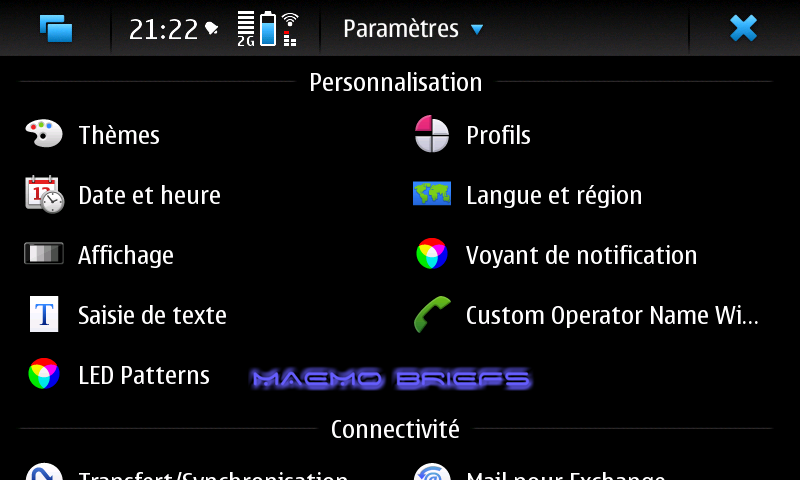
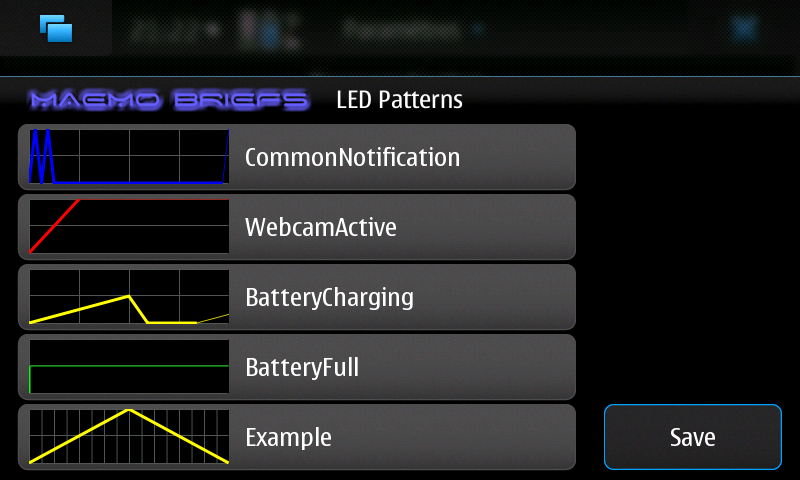
LED Pattern Editor : A control panel applet to edit notification LED blinking patterns !

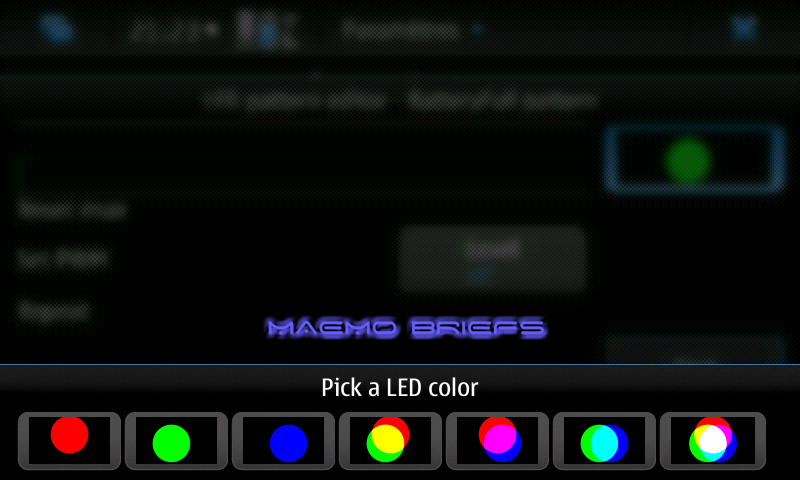
LED Pattern Editor is a control panel applet to edit notification LED blinking patterns that can graphically edit the blinking patterns and LED colors, preview the LED patterns and save the configuration and restart MCE to apply changes.


Available in Extras-devel repository !


Wednesday, February 24, 2010

Accelemymote : making your accelerometer more joy-ful !

Accelemymote takes input from the accelerometers in the N900 and converts it into joystick events. This makes any game that supports a generic joystick interface tilt compatible.

Warning: This is an unfinished product and may cause problems.

Available on Extras-devel repository !

Monday, February 22, 2010

powerlock : Lock/unlock device on single press of power key !

Self explanatory, powerlock enables to lock/unlock device on single press of power key !

Available on Extras-devel repository !