Showing posts with label Theme. Show all posts

Sunday, March 18, 2012

[MeeGo Harmattan] Black Box : Add empty spaces to menu !

As simple as that, Black Box enables you to add empty spaces to menu !


Monday, November 28, 2011

[MeeGo Harmattan] ThemeChanger !

Theme changer allows you to change between installed themes on the Harmattan platform !


In first phase, this tool is meant for creative people who want to innovate new themes for MeeGo Harmattan devices, N9 and N950.

Tool can be used to test your new theme.

Later when custom themes are available, users can change themes using this tool.

Note that using this application is in your own responsibility, and you have to note that you need to reboot your device after changing theme, for the new theme to apply correctly.

Without a reboot, theme doesn't change, or it might change partly and you may see drawing errors.

Important note: ThemeChanger does not come with any custom themes, to be able to use the application, you have to have either custom themes installed from others, or you have to create your own theme first.

The application shows two themes by default: "Developer" and "Blanco". Blanco is your current theme, but don't select "Developer", cause it includes only red squares (missing icons).

If you don't have skills to create your own theme, you have to wait for other themes to became available from other developers first.


Download it !

Saturday, August 27, 2011

[MeeGo Harmattan] Scenic : Auto changing wallpapers !

With Scenic, you can customize your phone with sets of auto changing wallpapers.

In Random mode, you give Scenic a folder full of images to pick from and set an interval. In Hourly mode, you give Scenic a folder full of images with a " wallpaper.conf " file that defines at what hour of the day each image should be loaded.

Whether you want to be surprised by a new scenic image every five minutes or you want to emulate day turning into night, the only limit is your imagination!


Friday, August 26, 2011

[HOW TO] Have an Interactive Yahoo Weather on your N900 lock screen !

 Don't you want you're weather informations on the lock screen as i do? Hell yes (thanks to Alfred )!


Here's how to do it quickly in 6 steps ;)

1) Install imagemagick from extras or in X-terminal :

Code:
apt-get install imagemagick
2) Install wget (if not already done)

Code:
apt-get install wget

3) After installing imagemagick, the folder "/home/user/imagemagick" should appear, if not create it.

4) Place everything that contains this archived folder in /home/user/imagemagick/ folder.

Edit the script weather.sh (via txt editor for example) and change the URL of yahoo forecast city by yours :

Code:

http://weather.yahoo.com/morocco/greater-casablanca/casablanca-1532755/?unit=c
Ps : in yahoo forecast page you can also choose between Fahrenheit and Celsius.

5) Run following commands in Terminal :

Code:
root
chmod 777 /home/user/imagemagick/*
6) Run this script by executing:

Code:
sh /home/user/imagemagick/weather.sh
You're done !

7) If you want to make this script run automatically, install Alarmed. Make a "New event">"Command execution">Select frequency of how often do you want to update it>Enter Name> in the command field put this:

Code:
sh /home/user/imagemagick/weather.sh
Note : You need an internet connection for "weather.sh". The first run of this script must be followed by a reboot, in order to load the new slider.

And of course, you can play with colors and fonts. If you look into the script, you will find what and how to change. It's very easy. There is also a folder with some free fonts, so feel free to use them.

It's interactive as the background changes, depending on the current temperature. If it is below zero, it chooses "winter.png" as background. If it is above zero it chooses "summer.png" and if it IS ZERO, it chooses "background.png" as a background image.

If you want to reset everything back to normal, just choose another theme from desktop, and then again the theme you want. Everything will be back after a restart. 

Wednesday, July 13, 2011

HARMATTAN icon pack for your N900 !

harmattan icons pack gives you a new refreshing look for your N900 ! (after installing, you should activate with the help of theme customizer)


Original thread to submit bugs or suggestions ;) !

Saturday, June 18, 2011

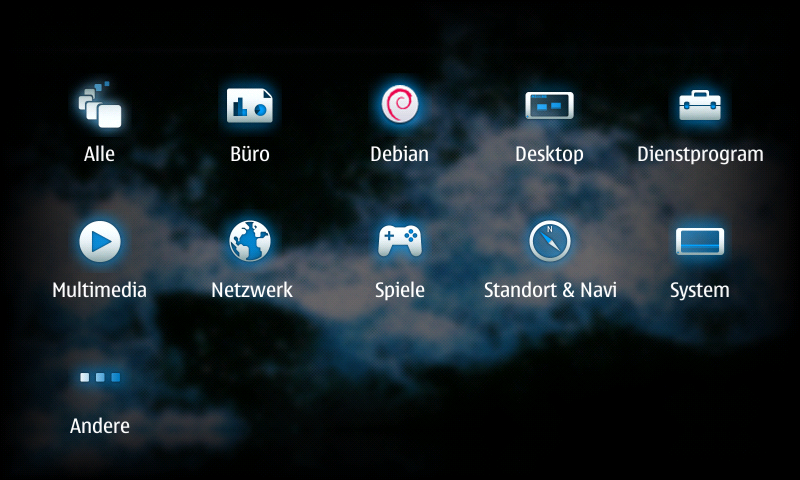
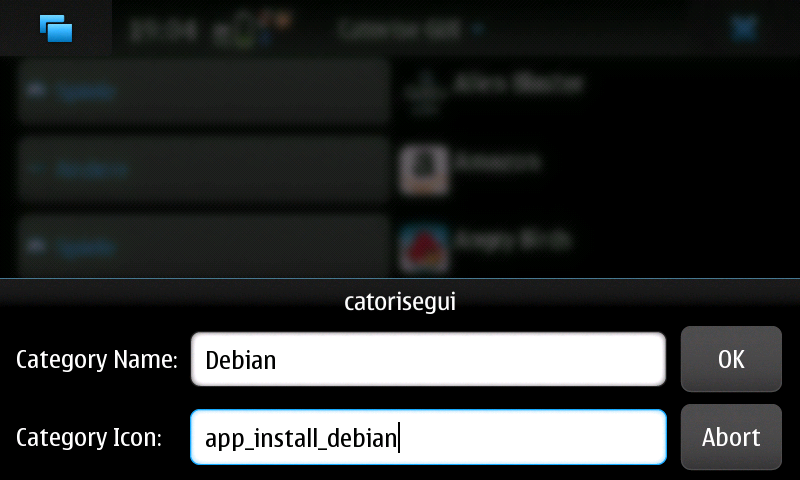
Catorise PLUS : create your menu the way you want !

Catorise PLUS combines "catorise" and (a better version from) "Catorise GUI".

You don't need anymore two package, that's enough alone. With this Application you can create your menu like you want. You can add, delete and edit categories and icons.


As packages are installed and removed, the menu is kept up-to-date, When you create or delete categories, it takes a little bit. no panic! It depends not and the system does not crash.


To revert to the Nokia-supplied default, simply uninstall.

Tuesday, March 29, 2011

Nokia Pure : Now in your N900 !

Nokia Pure is Nokia's new font. Successor of Nokia Sans, install it and then select it with Theme Customizer


You may need to restart your Maemo device before the fonts will show up in your available fonts list

Saturday, March 19, 2011

Conversation Modder : Modify the look of the conversations application !

Conversation Modder is an utility to mod the Nokia conversations app as required It helps to install new themes downloaded from Conversation Mods wiki. Also, backup and restore, and help in installing portrait support (not guaranteed for custom themes)


Download it ! and follow the development progress from the original thread !

Wednesday, February 16, 2011

Community SSU features to look forward to !

Here we go with some patches that try to improve the user experience and look and feel of the Maemo 5 UI that will be merged into the Community SSU :

Blurless desaturation: With this feature enabled, the background of dialogs, menus, the launcher and the switcher won't get all blurry - instead, they keep their sharpness, but are darkened and desaturated.


Bigger task switcher: You can choose between the Maemo 5 default layout, the single-column "big" task switcher and the two-column task switcher.


Rotation around the Z axis: This one makes the screen rotation look much more natural, just like on the MeeGo Handset UX. Instead of rotating around the X and Y axis, this makes the transitions from/to portrait mode rotate around the Z axis.


Forced auto-rotation for all apps: By default, hildon-desktop obeys the preferences of application windows and whether or not they support portrait mode. With this option enabled, hildon-desktop ignores those preferences and instead assumes every application can be auto-rotated. There's no support for the home screen, launcher or switcher, as these things are more complicated to support in portrait mode.


Ps : all those features are disabled by default, and need to be enabled explicitly in transitions.ini. For some of these options, a restart (of the device or hildon-desktop) is required

You can follow the changelog of CSSU over here ;)

Via : thpmaemo 

Friday, October 1, 2010

Theme Customizer : customize your theme !

Theme Customizer is a control Panel util to customize your theme :

- change system font family
- change system font size
- change font colors
- change icon theme
- change application shortcut sizes at homescreen
- show or hide the backgrounds for application shortcuts at homescreen
- change web bookmars sizes at homescreen
- adjust snap to grid value at homescreen
- import .ttf and .otf fonts to be used with the device
- Note: backups of any files to be modified will be created and automaticly restored when user uninstalls this package.
- Thanks to CepiPerez for custom hildon-home binary.


Sunday, August 15, 2010

[UPDATE] Live Wallpaper 0.8 : Support of Xscreensaver and videos !

Live Wallpaper has been updated to fix many bugs and be compatible with videos and xscreensavers ! give it a try :


Great, but my N900 doesn't run as smooth as on the video...

Saturday, July 17, 2010

[Theme] NuvoFre 1.10

One of coolest themes out there ;)


Download it ! Will be available to devel soon...

Friday, June 4, 2010

Shaded chat theme : possibility to customize IM theme conversation view !

Shaded chat theme is an example chat theme for Conversations, using this as example, you can make your own chat themes. After installing, you can change the chat theme from Conversations app's main menu -> Settings -> IM theme, so this theme only apply changes for IM view, not SMS conversations one.


Available at Extras-testing repository.

Sunday, March 7, 2010

[How To] Remove the shadows of the icons on the desktop !

It is possible to remove the "shadow" of desktop icons by simply exploring remotely your device with the help of WinSCP

2- Then in /Usr/share/themes/Name_Of_The_Actual_Theme/images folder, search for The following two files and rename them respectively by adding .old extension as following :

ApplicationShortcutApplet.png -> ApplicationShortcutApplet.png.old

ApplicationShortcutAppletPressed.png -> ApplicationShortcutAppletPressed.png.old


3 - You're done ! Restart !

4 - To make the whole thing reversed, simply rename the two files again by removing the .old extension ;)


Ps : Name_Of_The_Actual_Theme is the name of the theme you're using (alpha "Nokia Nseries" or beta ''Digital nature" or another theme)


Or, in a more geeky way, by removing the 2 following files:


/usr/share/themes/Name_Of_The_Actual_Theme/images/ApplicationShortcutAppletPressed.png
/usr/share/themes/Name_Of_The_Actual_Theme/images/ApplicationShortcutApplet.png


To restore the original "shadows", I suggest you simply change the extension of these files to png.old is fairly simple, open a terminal and type the following commands :


$ Sudo gainroot
$ Cd/usr/share/themes/Name_Of_The_Actual_Theme/images/
$ Mv ApplicationShortcutAppletPressed.png ApplicationShortcutAppletPressed.png.old
$ Mv ApplicationShortcutApplet.png ApplicationShortcutApplet.png.old

And then reboot the device ;)

Before :
 

After :


Via : www.digitalspirit.org

Saturday, February 27, 2010

Prismic Wallpaper Manager !

Prismic Wallpaper Manager hooks directly into N900Wallpapers.com, so you stay up to date with the newest and hottest backgrounds for your n900 - without exception.

Get the newest, highest rated, most downloaded wallpapers at the touch of a button, or browse hundreds of wallpapers in over a dozen categories to find 'the right look' for your N900.


Prismic WM keeps track of your saved wallpapers in one easy location so you can rapidly change your desktops to fit the mood or occassion. Sort by Name, Date, or even Favourites for finding them at a glance.

Already got plenty of wallpapers? The import tool quickly imports any existing wallpapers or photos into Prismic WM for easy management, whether it's a simple JPG or PNG, or even a Maemo .Desktop file.

Simple, yet sophisticated apply-to-desktop features allow you to apply your wallpapers to individual desktops, or all four, with the touch of just one button.


Looking for something to fit your mood? A universal search mode lets you easily narrow your search, or find that something unique.


Save time by creating and browsing custom wallpaper collections here on N900Wallpapers.com, and then synchronize them directly to your N900 simply by entering the collection's keycode.


Things you should know before you buy Prismic Wallpaper Manager!

• For easy installation, you will need the latest Maemo5 Firmware update (at least v3.2010.02.8)

• A small fraction of people have had some issues with some dependencies. Run "apt-get install [library-name]" for each missing dependency to solve this problem!

• It costs $3.75 !

Wednesday, February 17, 2010

[Theme] IivilSteel Black Winter Day

New theme, IivilSteel Black Winter Day which is also based on IivilSteel Theme.


This is a dark theme with some light glass effects on it. It's cold and it's dark. 

Theme is available at extras-testing now.

After installation or upgrade it's required to first go and select / re-select the IivilSteel -theme to use and then do a reboot.

[Theme] IivilSteel High Contrast

IivilSteel High Contrast is an extremely high contrast version of IivilSteel Theme so here it comes.


Theme is available at extras-testing now.

After installation or upgrade it's required to first go and select / re-select the IivilSteel -theme to use and then do a reboot.

Tuesday, February 16, 2010

[Theme] IivilSteel OVI


This is a OVI stylish theme for your N900. Theme is available at extras-testing soon.

Deb-file for manual installation is available here: http://repository.maemo.org/extras-d....0.0.1_all.deb


After installation or upgrade it's required to first go and select / re-select the IivilSteel -theme to use and then do a reboot.

Sunday, February 14, 2010

Theming for Dummies !

Maemo UI improvements blog has published some info and guides to make themes with the help of MADDE  (Maemo Application Development and Debugging Environment) !

Jump over the blogpost and read the step by step how to !

Wednesday, February 10, 2010

[Theme] IivilSteel Grunge

IivilSteel Grunge Theme 2.0.0.1 is also based on IivilSteel Theme. This time it's all about grunge. Rust, torn edges and so on.


Theme is available at extras-testing.

After installation or upgrade it's required to first go and select / re-select the IivilSteel -theme to use and then do a reboot.

Via : talk.maemo.org