Showing posts with label Remote Controlling Tools. Show all posts

Sunday, April 29, 2012

[MeeGo Harmattan] QZeeControl : Control your N9 remotely with Zeemote !

QZeeControl lets you control your N9/N950 with a Zeemote(TM) Bluetooth remote control. and is completly written from scratch in Qt/QML

In order to use your Zeemote(TM) with your smartphone you have to follow three steps.

- First, you need to pair your Zeemote(TM) with your phone. In order to do this activate bluetooth via the settings menu and turn your Zeemote(TM) on by long-pressing the button at the top of your Zeemote(TM) that is marked red. Next go to the "Bluetooth devices" sub setting menu. There you should find an entry named "Zeemote(TM) JS1" select it and select to pair it. The code for pairing is 0000. At this stage the remote control is paired but not connected.

- Once you have paired your remote control with your smartphone you need to discover it using QZeeControl. To do this start up QZeeControl and press the "Scan" button. Note that this may take a while. If the scan was successfull you should see some address in xx:xx:xx:xx:xx:xx format be filled in the field that prior showed just a message and the "Connect" button should have become enabled. Note that these values will be stored and loaded once you open QZeeControl the next time so you usually should not need to scan again except you want to use a different remote control.


- Finally, in order to start controlling your smartphone you need to actually connect your remote control to the phone. To do so just press the "Connect" button. After a short moment you should see that the connection has been established. At this stage you can test if the remote control actually works by using the built-in test functionality. Try to move your joystick and press some buttons. You should see the red rectangle moving and the letters representing the buttons light-up in red respectively.

 From there on you can use your Zeemote(TM) remote control to control your phone. Next time you want to use it just enable bluetooth at your phone, enable the Zeemote(TM) remote control, and finally start QZeeControl and connect to the remote control.


Download it !

Saturday, April 21, 2012

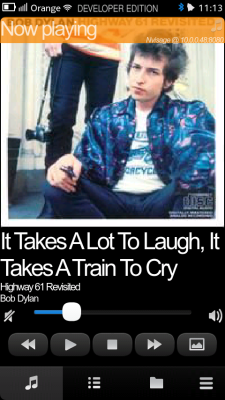
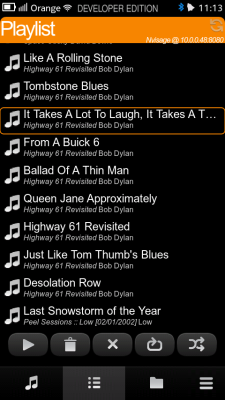
[MeeGo Harmattan] Helium is here ! browse and control UPnP/DLNA media servers from your N9 !

Helium is a so-called UPnP A/V ControlPoint (or as DLNA puts it, a M-DMC). It allows you to browse UPnP/DLNA media servers from your N9 and show or play its contents on a rendering device as well as offering basic playback controls on those devices.

Currently version 0.4 is available as a “beta preview”, later it will also be available for installation through the Nokia Store.

After launching Helium you will see a list of available media servers on your current network. Helium has two views, a “Server view” which you are currently in and a “Player view” which can be reached by clicking on the “Play” button in the bottom tool bar.

If you need to refresh the list of available devices because a device you believe is available but isn’t shown you can use the refresh button in the top bar to force a scan for available devices.

You can simply start browsing the server by tapping on it.


The browse view looks similar to the initial server view. You go deeper into the hierarchy by tapping on the item if it indicates that there’s more to come. You can navigate up the hierarchy by using the tool bar’s back button.

You can refresh the current listing by clicking on the refresh button in the header.

To play back an item on the selected renderer, use a long press. Unfortunately there is no haptic feed-back available yet.


The player view does not look very different from the initial server view. You can refresh the list of available devices and switch back to the server view. To select a player tap on it. Helium will then show you extended playback controls as seen in the image.

You can start and stop a playback as well as see its current progress.

If the player supports it (some may not as those actions are optional), you can also pause a playback and seek in the media by tapping on the progress bar.

You can close the extended player view by tapping on the “up arrow” right to the device’s name.


Friday, December 16, 2011

[MeeGo Harmattan] Boxee Remote for N9 !

Boxee is a home-theater PC software that you can connect to your TV and stream videos/music from other computers and play them from a single entry. Furthermore it is a social network powered home theater application, you can post what you are watching on Twitter or Facebook and watch videos your friends posted on Twitter or Facebook.

You have two options to use Boxee, you can either buy a Boxee Box or make your own Boxee as presented in Boxee’s website (http://boxee.tv) and by downloading Boxee application. For the first choice you need this application because of its powerful NFC and proximity features, otherwise Boxee Box comes with its own remote, for the second choice, you need to have this application if you posses one of the coolest phones ever, the Nokia N9.


Boxee Remote is a remote controller interface for Boxee, you can use this remote to navigate, search, play/pause/stop videos or music and adjust the volume of Boxee.


You can download Boxee for N9 on Ovi now, try it, it’s free!

Sunday, October 2, 2011

WiFi SMS : Answer and Send SMS From your Computer !

WiFi SMS forwards your sms to your computer over wifi or usb-networking so you can answer them with your usual keyboard at home.

It consists of two parts :

- The client application on the N900 which connects to WiFi SMS on the computer


- The server application which will actually run on Windows with .NET 4 installed. (Usually this should be no problem)


The application features are:

- Sending and receiving SMS to and from the computer
- Transfering your phonebook from the phone to the application on the computer where you can choose the people you would like to write to.
 - Sending one sms to multiple recipients (Just hold down ctrl and choose contacts)
 - See who has written you an sms (it shows the full name from your phonebook)
 - Supports every TCP/IP-based connection ways.
 - You can start an accesspoint and connect your device to it or use MAD Developer to get a network over usb.
- Client works in portrait and landscape mode! (Although portrait might be useless because of debugtext wrapping)

Ps : i think this is more reliable than ovi suite (with bluetooth) which often don't recognize the N900...

Original topic for feedback ;)

Tuesday, September 13, 2011

[MeeGo-Harmattan] GroundWork the poor man's airplay

GroundWork lets you broadcast your screen over a wifi network.

1- You need a little desktop script to make it work

 2- Start the desktop script by typing : python GroundworkvX.py
 - Enter the IP Address of your phone

 3- Start GroundWork and hit the settings button.
 - Enter the IP Address of your Desktop computer where the desktop script is running.
 - Hit the save button

 4- Press the start switch then wait ~10 seconds and your mobile screen will start playing on your monitor.

 5- Your phone's screen will appear on your Desktop press the switch again to kill the session.

 Find the source files here:
http://projects.developer.nokia.com/...ser/groundwork

Watch the original thread if you have questions or suggestions :)

Tuesday, August 30, 2011

[MeeGo Harmattan] CuteRemote : remote control for DACP Media Players !

CuteRemote is a remote control for DACP supported Media Players.

With CuteRemote you can remote control your media players in your home network using wireless lan. Requirements:

-WLAN
-DACP supporting media player in the same home network with the CuteRemote.
-Firewall configured to allow connections for media player (ports 3869 and 5353).

Check currently supported media players from the support page.


Friday, August 19, 2011

[MeeGo Harmattan] VLC Remote !

VLC remote is a remote wireless to control vlc media player


Can be installed from

http://projects.developer.nokia.com/vlc_remote

or by adding

and

Code:
apt-get install vlcremoteqml

Saturday, March 19, 2011

PhoneStreamer : Streams N900 to remote PC !

phonestream allows you to stream either the front/back camera or microphone to your Desktop PC either through VLC media player (windows/linux), Xout (linux), or as use as your primary webcam (linux).


You can read all instructions in the original thread ;)

Tuesday, January 18, 2011

TV-B-Gone (Tvbgone) : shut down any TV the "brute force" way !

TV-B-Gone® is a universal remote control desktop widget that only has a power button that allows you to switch a TV on or off by shining pulses of invisible light that tells most any TV to turn off or on, thanks to the N900's Ir Transmitter.


it can require up to 69 seconds for the device to find the proper code for a particular television receiver, the most popular televisions turn off in the first few seconds.

More to read !

Saturday, August 21, 2010

SMScon : Control your device with SMS !

Smscon is a n900 complete control utility by sending sms messages to it. This is handy in case you can't find your phone (it's lost or stolen).

Smscon is a two part Python script running in CLI; smscon & smscon_daemon. Smscon is the CLI control part and smscon_daemon is the "running in the background" part.

Smscon can:
  • autoload at boot;
    when device reboots it loads smscon_daemon in the background.
  • creates a log file (on the device)
  • detect SIM card change and sends new phonenumber and IMSI code (return SMS) to other known mobile number;
    if somebody has stolen your phone and put his/hers own SIM card in it.
  • send current GPS location coordinates (return SMS).
  • reboot the phone;
    only works if your SIM hasn't a lock code.
  • shutdown the phone.
  • open a reverse ssh connection to your own server (WLAN/GPRS connection);
    control the device at CLI level from you own home.
  • ftp a frontcam picture to your own server (WLAN/GPRS connection);
    to see where your phone is or who is using it.
  • send the current remaining battery charge (return SMS).
Future ideas:
- record audio (with phone mic) and ftp the file to your own server (WLAN/GPRS connection).

Smscon is triggered by an SMS message with a predefined known command and then will execute the task in the background.

If so it will send a reply SMS with the information.

More info over here !

Friday, July 16, 2010

FlexiSPY : Very First Spy Application For Maemo 5 !

So far there hasn’t been any spy phone vendors willing to allocate the resources needed to create Maemo spy phone software due to the small number of handsets in the marketplace.

FlexiSPY is able to secretly capture SMS, Call Records, Instant Messages, GPS Locations, listen to surroundings and intercept live phone calls.

-  GPS Tracking: This will enable you to secretly track the N900.
- Text Message Logging: Using Maemo spy software, you will be able to view incoming and outgoing text messages sent/received from the N900.
- View Call History: Find out who the person you are spying on is calling. Call duration and number information provided.
- Remote Monitoring: This Maemo spy feature will enable you to secretly listen in on the immediate surroundings of the Nokia N900.
- Live Call Interception : This Nokia N900 spy phone feature is most requested, but also the only one that is less likely to be available when Maemo spy software is released. Using ‘live call interception’ you will be able to secretly listen in on live phone calls placed using the N900.
- Remote Picture Video Grab: This Maemo spy feature enables you to remotely grab pictures and videos stored on the N900, so you can see what “secret” photos are on the phone.

if you two want a copy read this !

Thursday, June 3, 2010

Irreco Widget : Small widget to control your TV etc !

Irreco widget has basic controls to control IR controlled devices directly from your home screen. Main idea is to create a simpler and more easy-to-use version of the full (Qt)Irreco application...


Available at Extras-devel repository :)

Sunday, May 16, 2010

Zeecontrol : control your N900 with a Zeemote bluetooth remote control !

Zeecontrol lets you control your N900 with a Zeemote bluetooth remote control based on Wiicontrol.

More info over here !

Saturday, May 15, 2010

Pykake : remote application for DSLR cameras !

Pykake is a remote application for DSLR cameras. It uses Lircd to send IR commands to camera.


Currently support cameras from Olympus, Canon, Nikon and Pentax.

More info over here ;)

Thursday, May 13, 2010

Dreamremote : A WiFi Remote Control for all DreamBox Receivers !

Dreamremote is a WiFi Remote Control for all DreamBox Receiver (the Linux-based set-top boxes) from Dream multimedia with installed and running Enigma 2 Webinterface plugin !


Usage:
Simple start DreamRemote and enjoy.
  • For the first time:
Go to [Settings] in the Menu. Enter the IP Adress of your Dreambox and tap [OK].
  • Daily usage:
Press one of the Buttons in the main screen of DreamRemote and if your N900 is connected to your local W-Lan your Box will do what ever you want!

If the command was successfully send the small dot icon in the top right will become green. If it fails you will see a red icon.

More info over here ;)

Sunday, March 21, 2010

[How To] Set up Remote Desktop on Nokia N900 !

rdesktop is an open source client for Windows Terminal Services, capable of natively speaking Remote Desktop Protocol (RDP) in order to present the user's Windows desktop, if you can control your N900 from your computer and Vice Versa with VNC !, now you can access even windows desktops in traditional ways with rdesktop, use your n900 memory drives to transfer files between pc and phone etc.

So, how the Remote Desktop Mobile client on the N900 works with Windows 7 (or XP) in 3 easy steps?

1- Set up your computer to enable remote desktop access (you can look here for Win XP or if you use Win 7 just type "remote" in search field (click on windows start icon) and choose : "allow remote desktop...")

2- Download, install rdesktop and rdesktop-cli on your Nokia N900, (both are available in the Extras Devel repository) 


3- In "RDP server" you enter the IP address of your desktop PC, for username you use your Windows login and the password field and leave others as default configuration...

4- Connect --> Done !


Pretty nice eh?

Friday, March 12, 2010

Zeemote Control Panel : Configuration of Bluetooth game controllers !

Zeemote Control Panel allows you to configure and test your zeemote bluetooth game controllers.

Available at Extras-devel repository

Tuesday, March 9, 2010

RæMote : Apple Remote for Mac Mini, MacBook and MacBook Pro !

RæMote is a desktop widget provides a virtual Apple Remote that can control Mac Minis, MacBooks and iPod docks.

Available at  Extras-devel repository !

Wednesday, February 24, 2010

Knots 2 : Stream media from your desktop computer !

Knots 2 enables you to access your media collection automatically from anywhere. Stream high quality video through wlan or lower quality video through 3G. Requires additional software for your desktop computer. Please see http://wiki.maemo.org/Knots2 for instructions. Supported operating systems: - Windows XP/Vista/7 - OS X 10.5 Leopard or newer - Linux - FreeBSD

Available on Extras and Extras-devel repository !

Tuesday, February 9, 2010

[UPD] VNC Viewer 0.6.5 now with fullscreen

Virtual Network Computing (VNC) is a system which allows the user to view a 'desktop' environment from anywhere on the Internet. The VNC viewer provides a client that can connect to a VNC server.

In this release :

+ loudness button allows to toggle between fullscreen and normal screen.

So, now it is possible to turn off the toolbar in fullscreen and have real fullscreen !

Download it !